Case study · Designing for decision-making

Base Price Help: three competing numbers became one you can trust.

The base price is the foundation of every price PriceLabs sets, and the number users understood least. I redesigned the tool that helps hosts choose it: one market-based recommendation, with the reasoning visible and the yearly impact shown before they commit.

Role
Product Designer, end to end
Team
PMs, engineering, data science · 2 PMs, data science, 3 engineers
Timeline
6 months, 2025
Status
Launched
Before
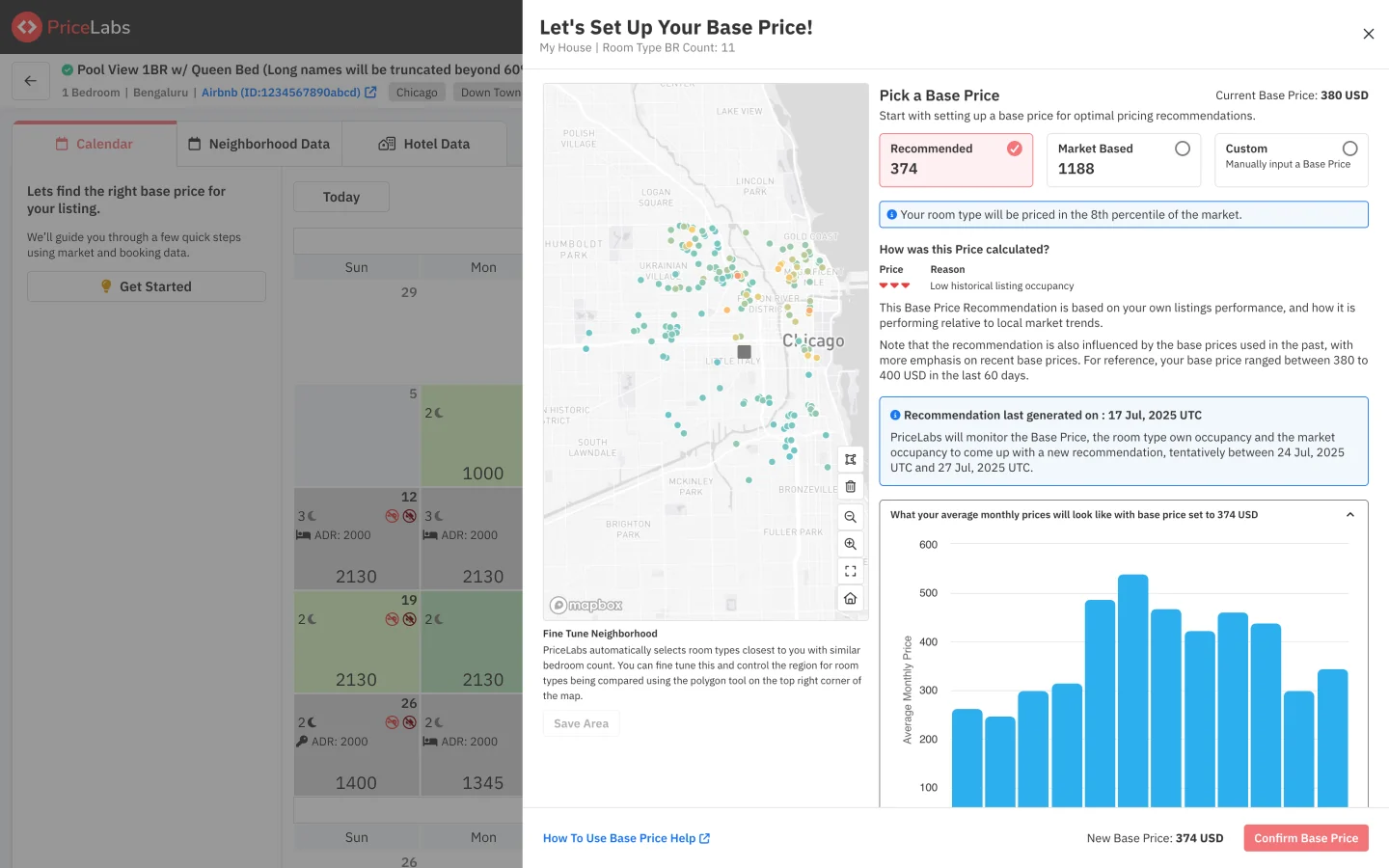
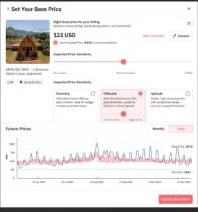
The old modal: map, three price options and a monthly bar chart.
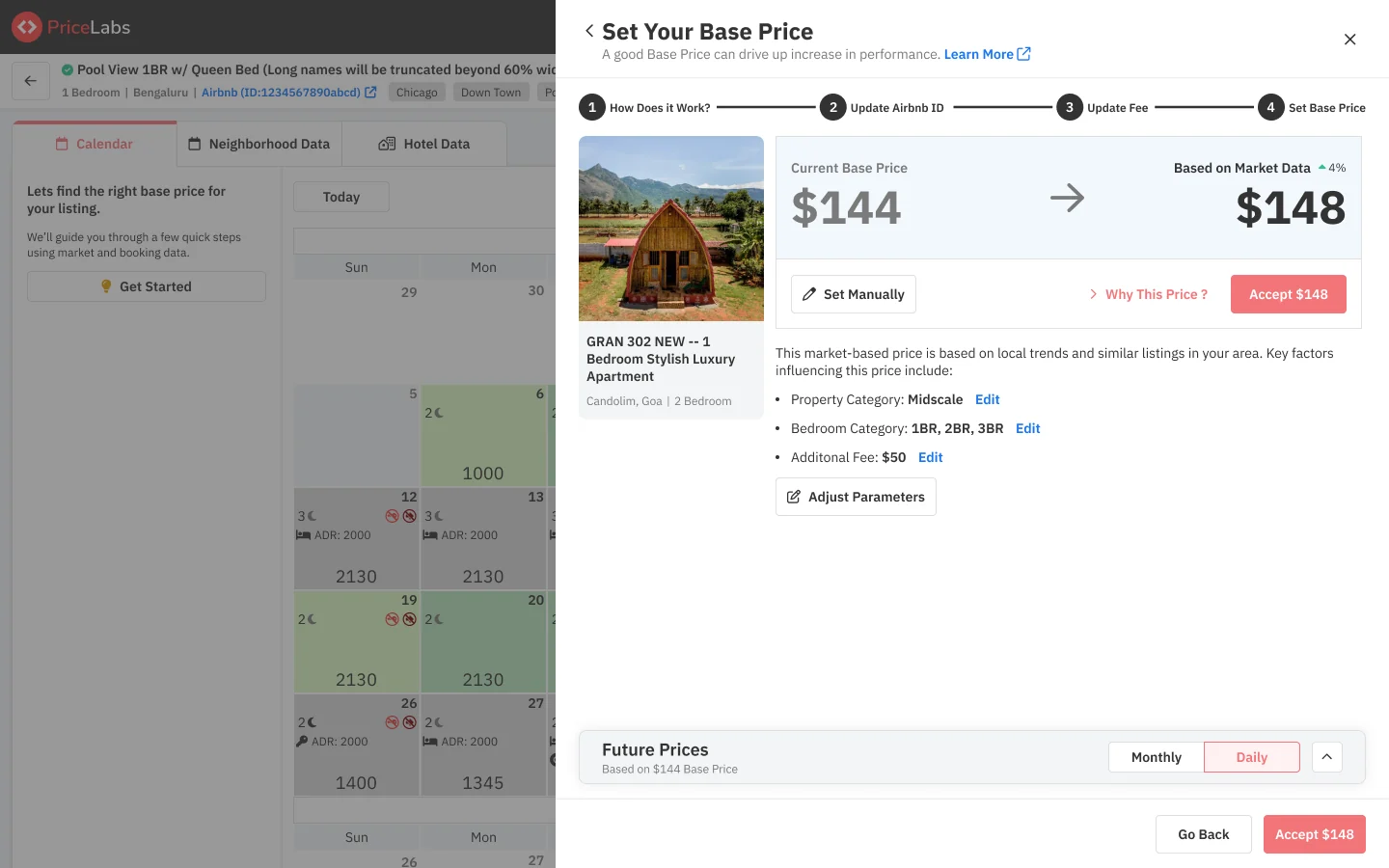
After
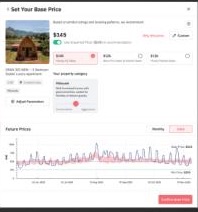
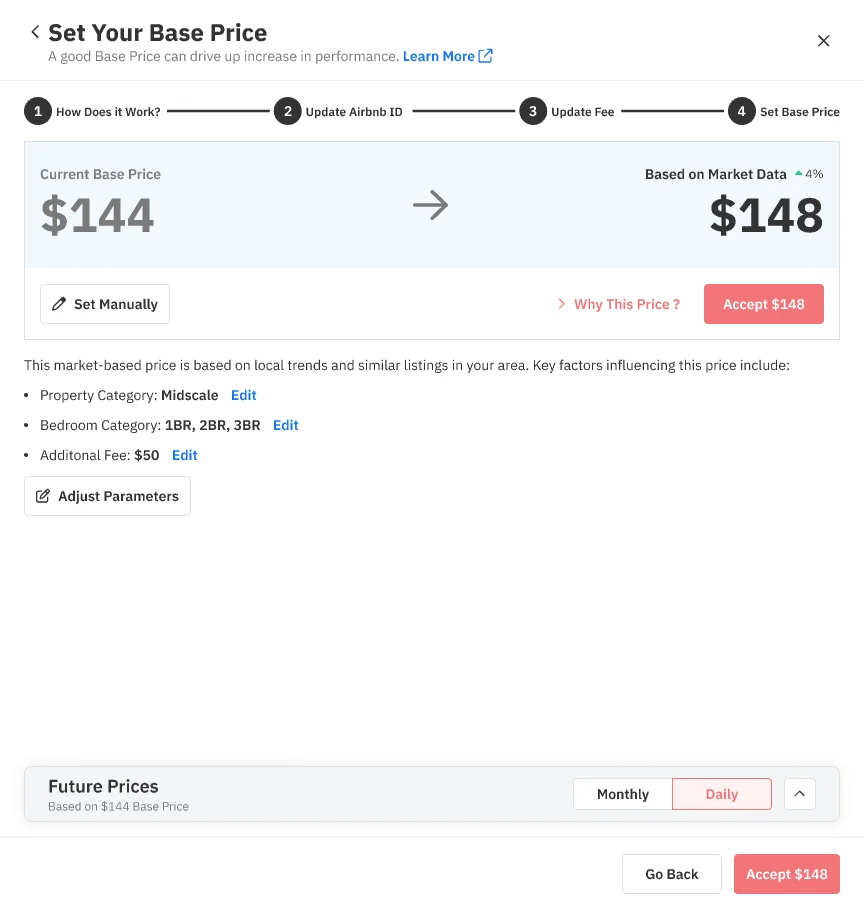
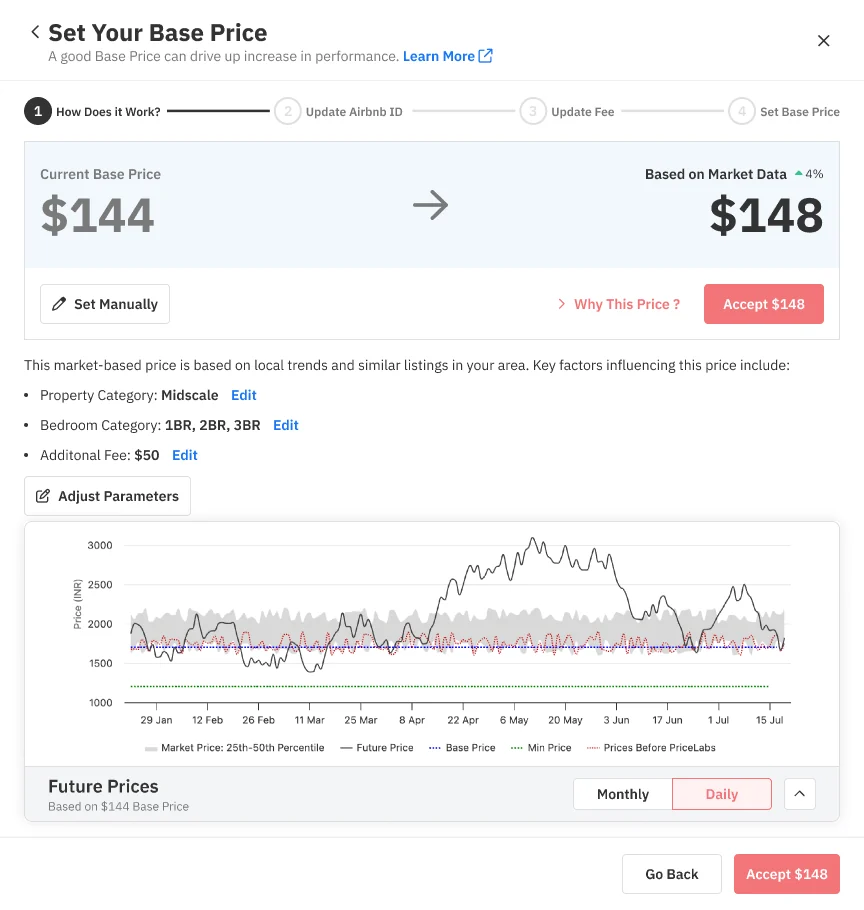
The new screen: current versus market-based price, one accept action and a future prices chart.
The old modal asked users to pick between three numbers; the new one leads with a single recommendation.
Problem

Too many choices, no feedback on what a price would do, and a concept (base price) most users didn’t understand.

What I did

Mapped new vs returning user journeys, explored four concepts, led user testing, and designed one flow around a single recommendation.

Outcome

A market-based recommendation for ~80% of users, with transparent reasoning and instant yearly feedback. A later A/B test on how we explain it lifted acceptance by +4.3 points.

Part 1

A number nobody understood

Every price PriceLabs sets starts from the base price, and the tool for choosing it offered three answers instead of one.

01 · Context

PriceLabs is a dynamic pricing and revenue management platform for Airbnb, Vrbo and short-term rental owners. Every nightly price starts from one number: the base price, roughly the average rate a listing should charge across the year. Market factors, demand patterns and customizations are applied on top of it.

It also has to reflect the listing itself: a luxury two-bedroom deserves a higher base price than a basic one. Get it wrong and every night of the year is priced from the wrong starting point.

02 · Problem

Three competing price suggestions, up to 3× apart, with no guidance on which to trust.

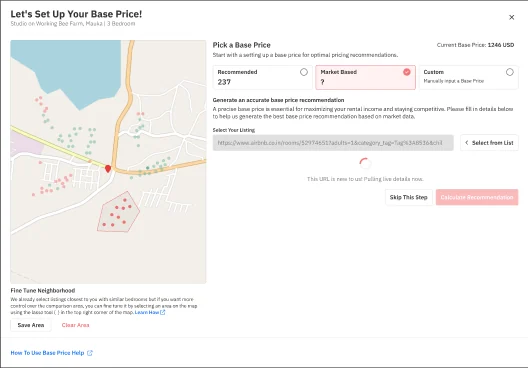
We were solving for perceived choice and for when users make the decision. The old “Let’s set up your base price” modal showed three options side by side, Recommended ($374), Market based ($1,188) and Custom, next to a map and a bar chart.

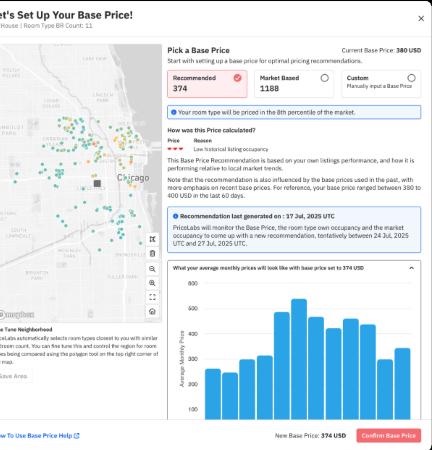
The old base price modal with three options, a neighbourhood map and a monthly bar chart.
The older UI: three numbers that could differ by 3×, with little guidance on which to trust.
Too many choices
  • Overwhelming for new users
  • Confusion between sections and options
No feedback
  • No immediate view of what a base price does to future prices
Low understanding
  • Users didn’t understand what base price means
  • Settings felt unorganised

03 · My role

  • Worked with product managers to understand user needs and shape the roadmap
  • Involved in every stage: ideation, roadmap, wireframes and working prototypes
  • Designed end to end across all user journeys
  • Partnered with engineering on code-level prototypes
  • Led the user testing sessions
Part 2

Designing one answer

I mapped who arrives at this decision and in what state, then designed toward a single recommendation people could question.

04 · User journeys

The same tool serves very different starting points, so I mapped them before designing screens:

New user
  • Gets a market-based recommendation
  • Accepts, adjusts parameters, or sets a custom price
Returning, with recommendation
  • Sees an updated recommendation vs their current price
  • Can override it or recalculate after adjusting
Returning, no recommendation
  • Adjusts parameters or sets a custom price against their current one

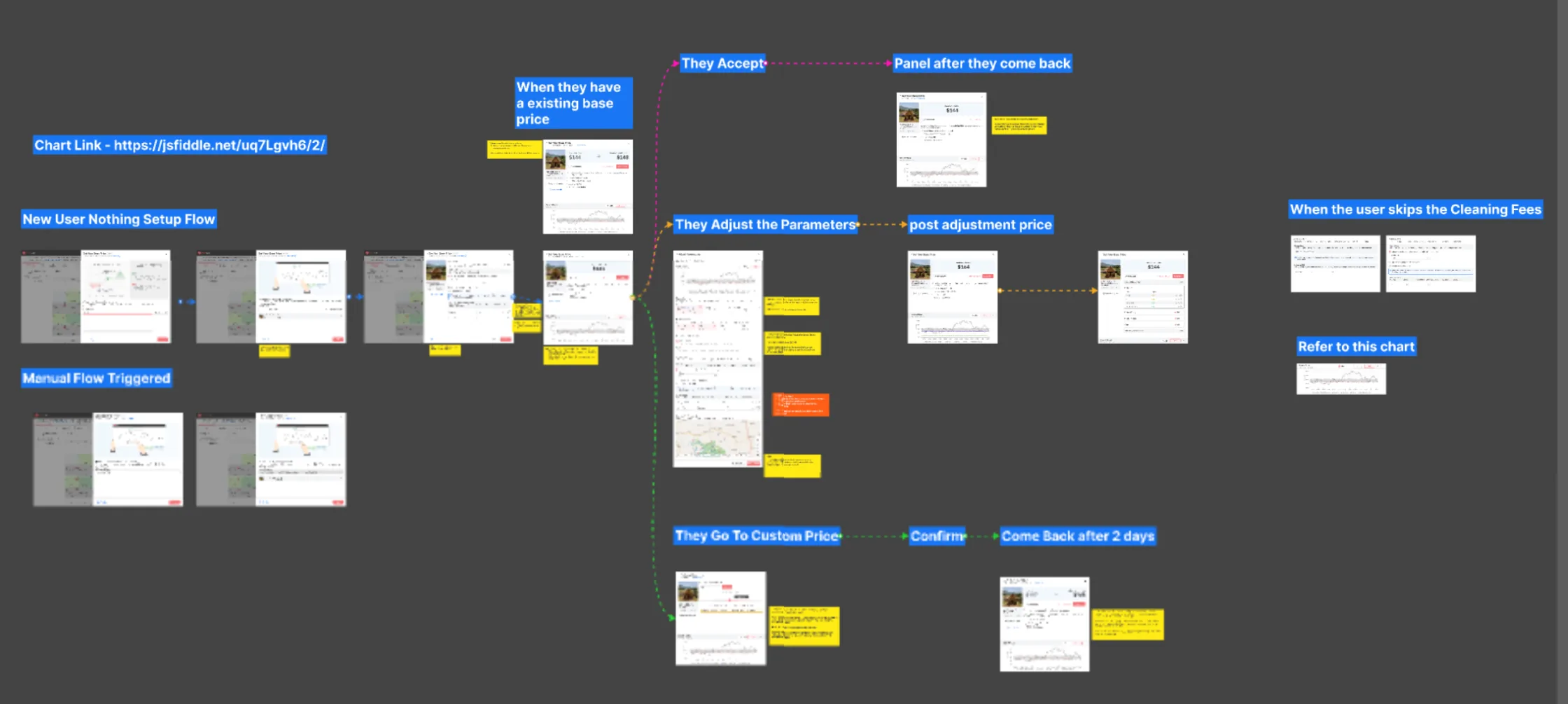
Every path ends the same way, accept and refresh, so the decision always closes with a visible result.

The journey board in Figma: the new-user setup flow, the manual flow, and branches for users who accept, adjust parameters or set a custom price, plus what they see when they come back two days later.
The working board. Each branch (accept, adjust parameters, custom price, come back after two days, skip the cleaning fee) got its own screens and sticky notes on what changes and why.

05 · Starting on paper

To set the right base price, people first have to understand what it is.

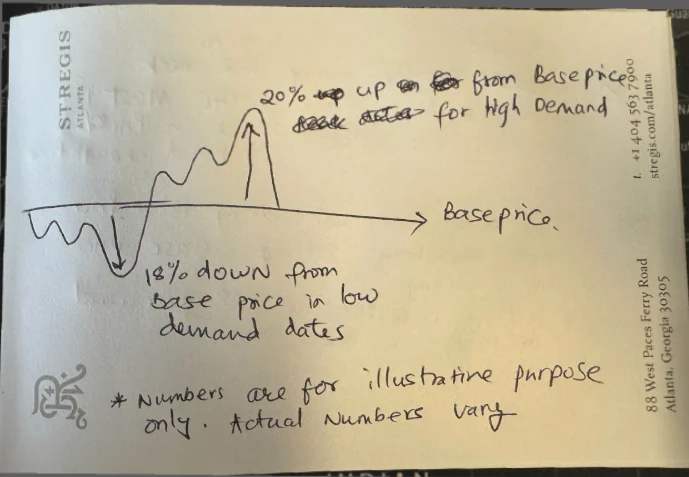
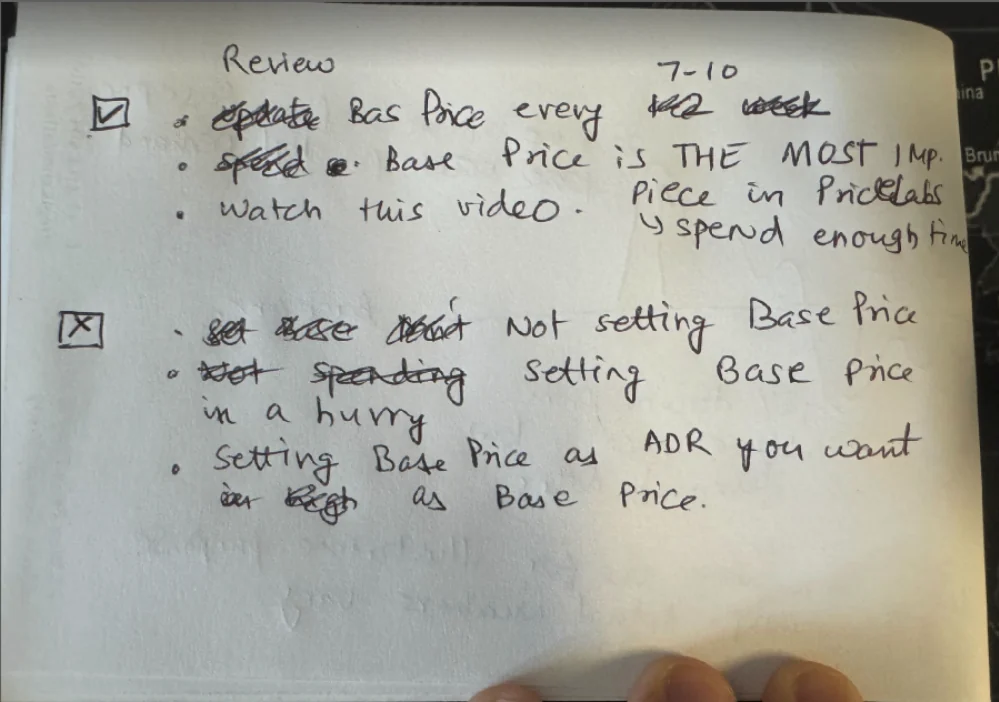
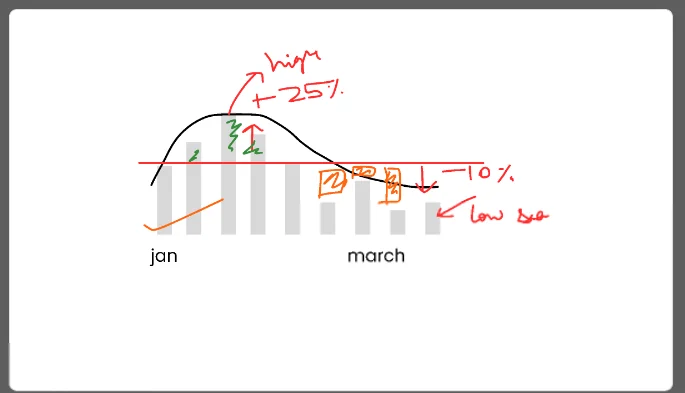
Before any screen, I worked out how to explain the concept on paper: prices rise above the base price on busy dates and fall below it on quiet ones, so the base price is the middle, not the ceiling. The sketches also became the do’s and don’ts list that shipped on the education screen.

Hand sketch on hotel notepaper: a price curve above and below a base price line, 20% up on high-demand dates and 18% down on low-demand dates.
The curve, sketched on a hotel notepad
Handwritten do and don't list: review the base price every 7 to 10 days; don't set it in a hurry or as the nightly rate you wish you had.
The do’s and don’ts, before they were copy
Whiteboard sketch: monthly bars against a base price line, with high season 25% above and low season 10% below.
Whiteboard version with real seasonality
Seven iterations of the education illustration, from a dense two-line chart to a single curve with clear too-high and just-right examples.
Seven iterations of the education illustration. Early versions used real price lines; they were accurate but hard to read, so the final one shows a single illustrative curve. Scroll sideways to see them all.

06 · Concepts

Four directions explored, from a market-range slider to category cards.

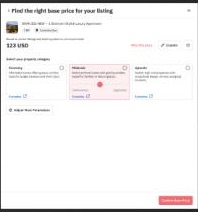
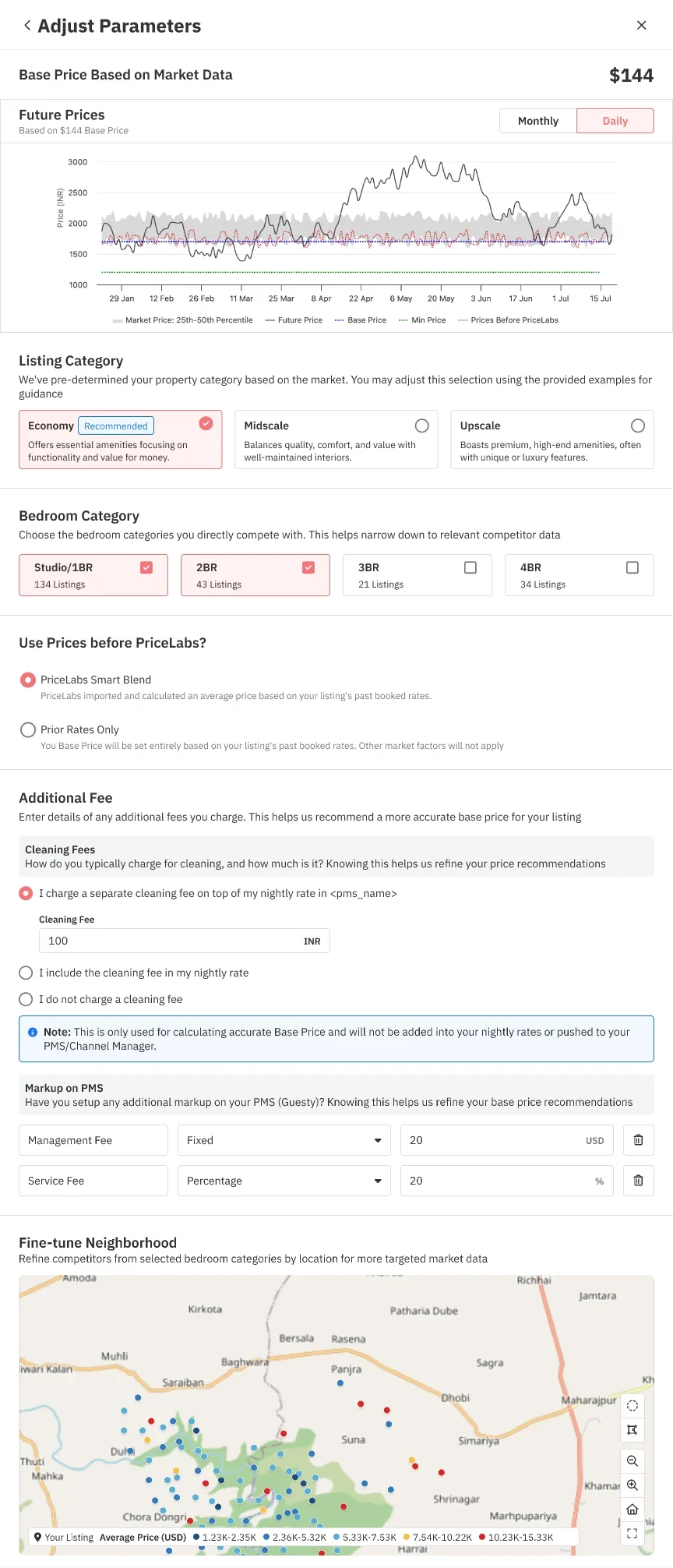
I explored four directions, from a slider on a market range to category cards (Economy / Midscale / Upscale) with a price-sensitivity control.

Concept 1 for setting a base price
Concept 2 for setting a base price
Concept 3 for setting a base price
Concept 4 for setting a base price
Four concepts explored before converging. In usability sessions, hosts understood the category cards fastest; the open slider tested worst, because nobody knew what a “good” number was.

07 · Three design principles

Explain the concept, show the reasoning, give instant feedback.

1

Helping users understand base price
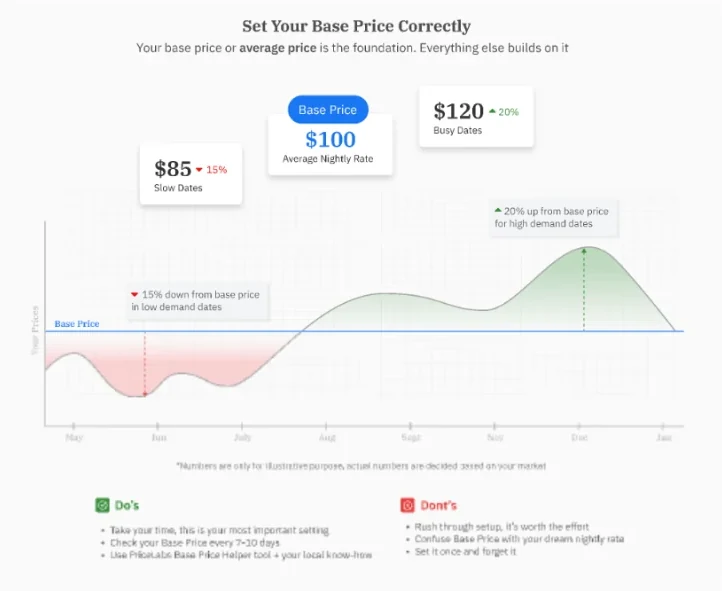
Education screen: a price curve above and below the base price, with do's and don'ts.
2

Transparency into algorithm recommendations

Recommendation summary and expanded Learn more list explaining the analysis.
3

Immediate feedback of yearly prices

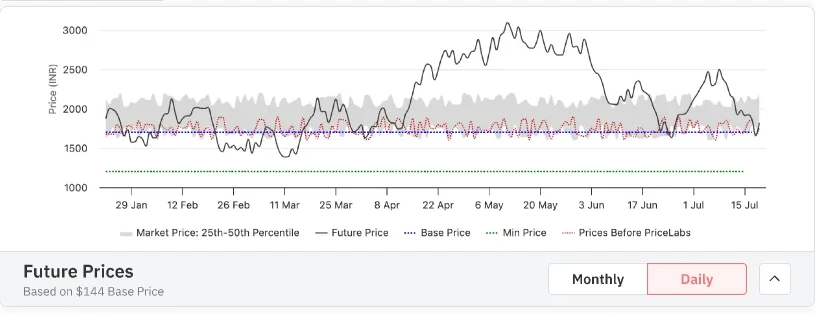
Future prices chart: the whole year of prices produced by the chosen base price, against the market range.
1 · Explain the concept
  • Show how base price moves up on high-demand dates and down on low-demand ones
2 · Show the reasoning
  • Expose the criteria behind a recommendation (occupancy, ADR, cancellations, recent pickup) and their impact
3 · Instant feedback
  • A future prices chart so users see the whole year before they commit

08 · The final flow

One market-based recommendation for ~80% of users, editable when we’re wrong.
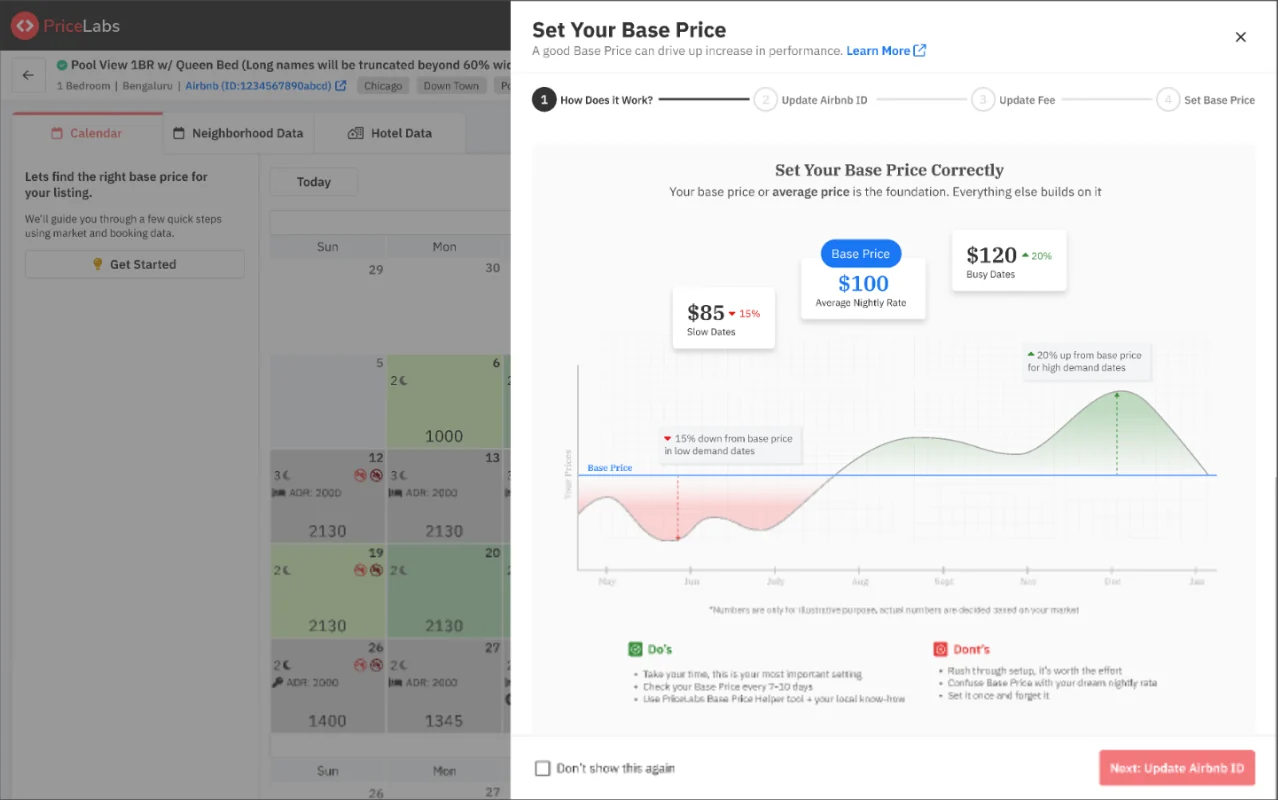
Step 1, how it works: the base price explained with a price curve and do's and don'ts.
Click the buttons in the screen, or jump between screens here.
The shipped flow, clickable. Adjust parameters is one long panel with a sticky footer, so Save stays in reach while you scroll.
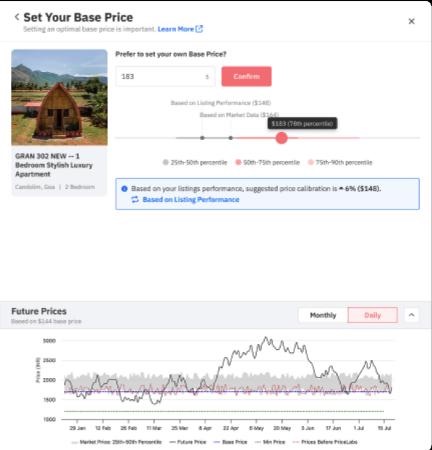
Manual base price: an input with a percentile slider and a nudge suggesting a 6% calibration based on listing performance.
Manual price. Most experimentation happened in the custom flow, so it got the most care: a percentile slider shows where the price sits in the market, and a nudge suggests a calibration based on the listing’s own performance.
Part 3

After launch: earning trust

Shipping one number was the start. Getting people to trust it took a second round of design, an experiment and a feedback loop.

09 · The hard part: two recommendations

After launch, a second problem surfaced: the market-driven help tool and the listing-performance recommendation engine were disconnected. Users could see two different “recommended” prices.
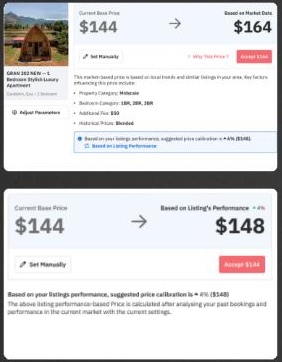
Two versions of the recommendation card: one based on market data, one on listing performance.
The same card, two different “recommended” prices.
  • Different algorithms, but the same journey for new and returning users
  • The imported price was still better in many cases
  • Two recommendations created a perception problem: which one is right?

The fix was to merge them into one seamless experience: one primary recommendation, with the other signal shown as a calibration nudge rather than a competing number.

10 · Explaining the why: an A/B test

Showing the data behind a recommendation lifted acceptance from 55.5% to 59.8%.

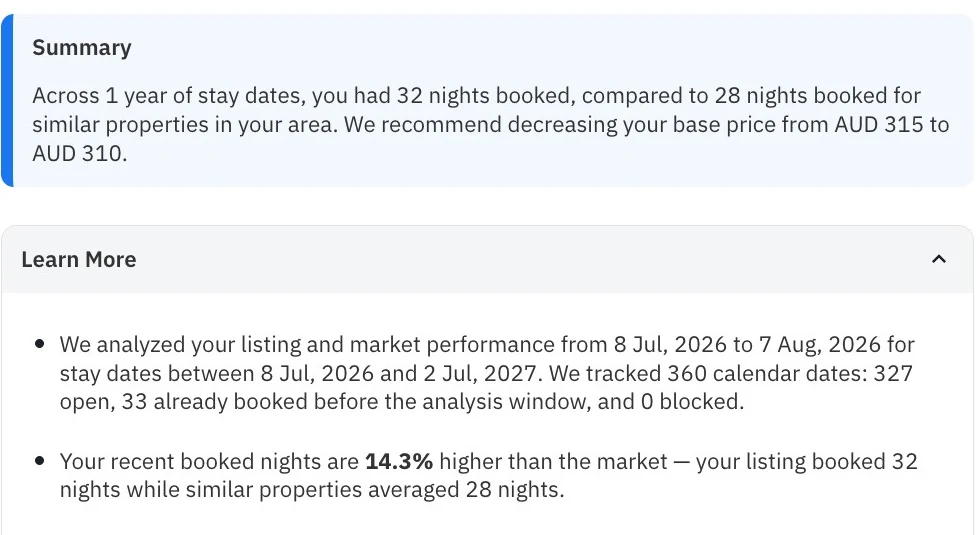
These performance-based recommendations appear after a host has set a base price and the engine has watched how the listing books at that price for a while. Users told us the reason they saw was not enough and not clear, so data science restructured the reasons and I designed how they read.

Even with one recommendation, the explanation was generic. We redesigned it to say why in the listing’s own numbers: a one-line summary of how the listing booked against similar properties, then the details on demand (the analysis window, booked nights vs the market, a confidence level, and how overrides were counted).
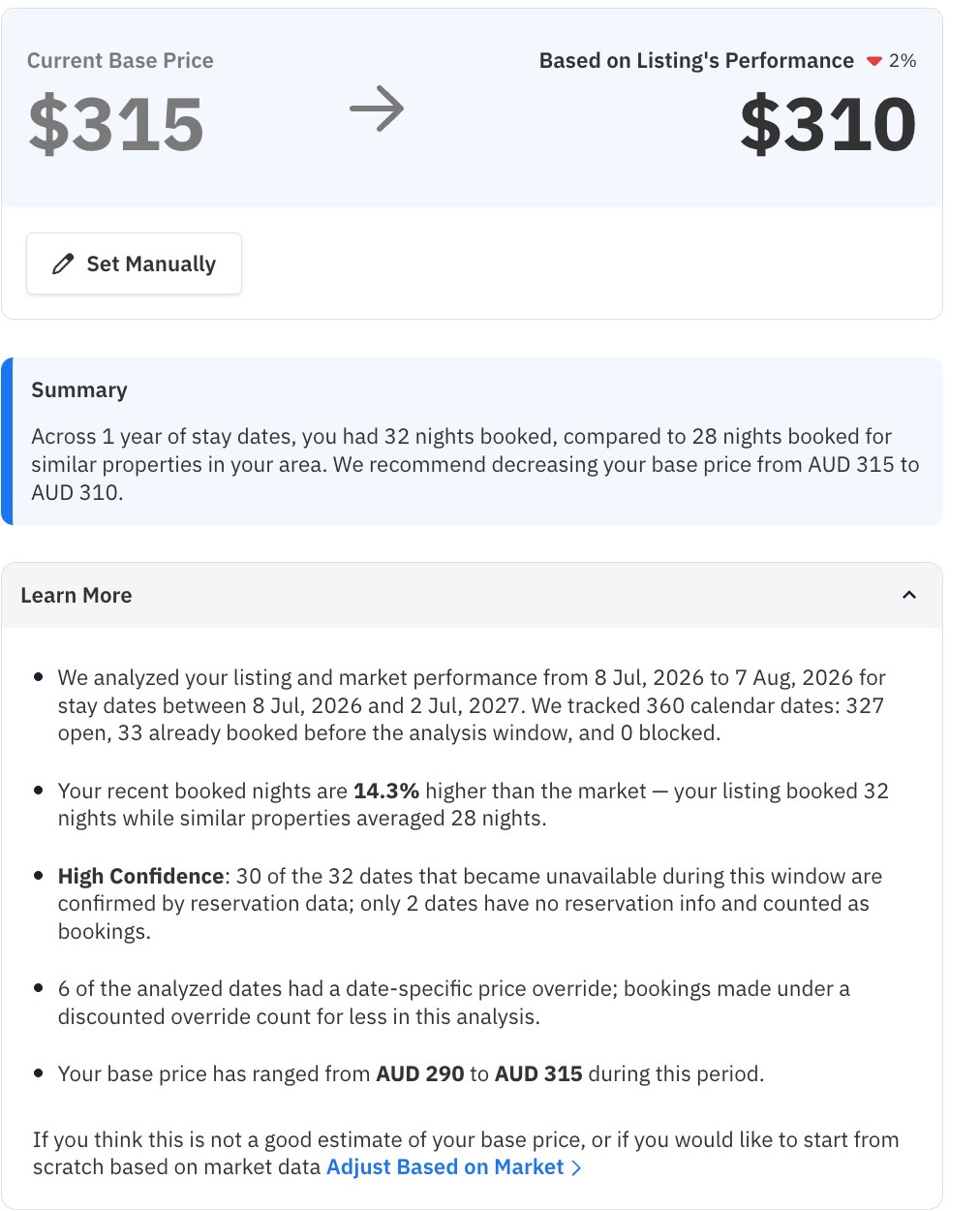
Recommendation card showing current base price 315 and a recommended 310, a summary comparing booked nights with similar properties, and an expanded Learn more list with the analysis window, booked nights versus market, a high-confidence note and the past base price range.
The explanation leads with a plain-language summary; the evidence is one tap away.

We ran it as an A/B test (about 10.9k users in the new version, 10.8k in the control) and measured acceptance, booking rate and churn.

+4.3 ptsacceptance59.8% vs 55.5% · p<0.01
+5.1 ptsfor small hosts1–4 listings · p<0.01
~73%booking rate, unchangedtrust rose without hurting outcomes
100%rolled out after the test

Before the test, the treatment group actually accepted less often than control (49.5% vs 51.8%), which makes the reversal more convincing. The lift for mid-sized managers (+2.0 pts) wasn’t statistically significant.

Alongside it, I designed a thumbs up / down with an optional comment on every recommendation. Each response is saved when the user sends it or dismisses the comment box, so a quick thumbs-down is never lost, and every disagreement becomes data the pricing model can learn from. It also gave the data science team a direct read on whether the algorithm was working.
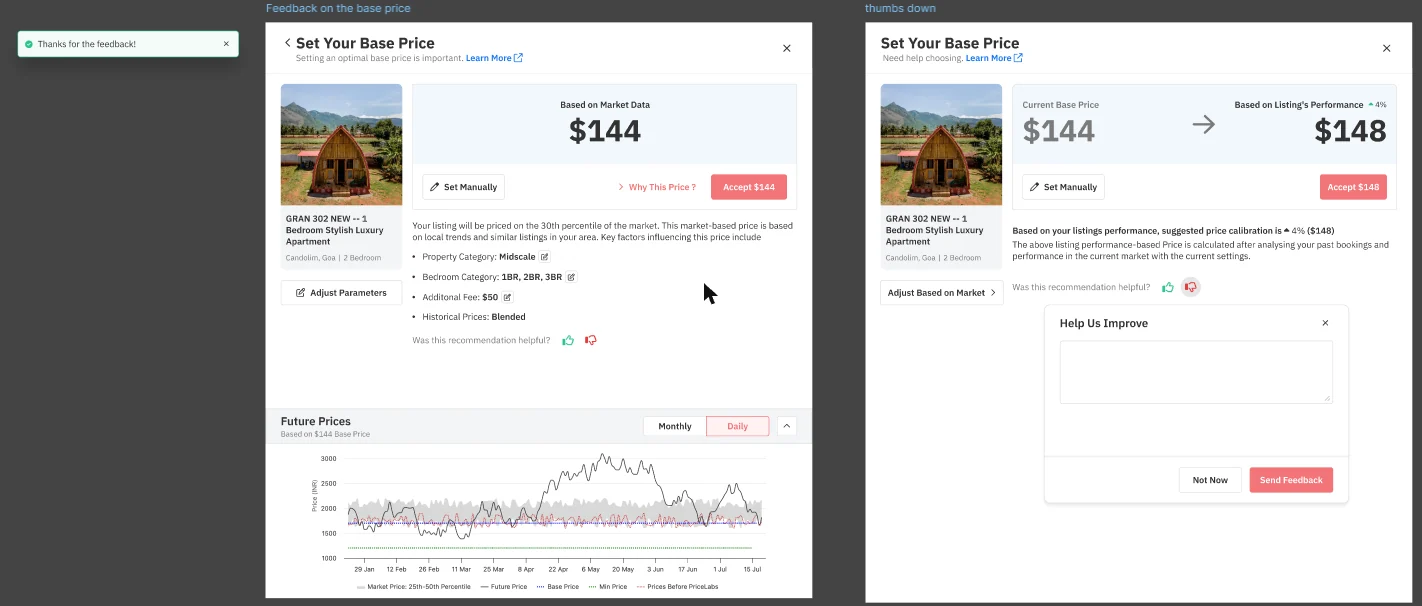
Two frames: thumbs up shows a Thanks for the feedback toast; thumbs down opens a Help us improve box with Not now and Send feedback.
The two outcomes, as designed.
Try it

Based on your listing’s performance, suggested price calibration is ▲ 4% ($148).

Was this recommendation helpful?

11 · Testing inside the old UI too

To A/B test the new algorithm fairly, the old screens needed the new plumbing.

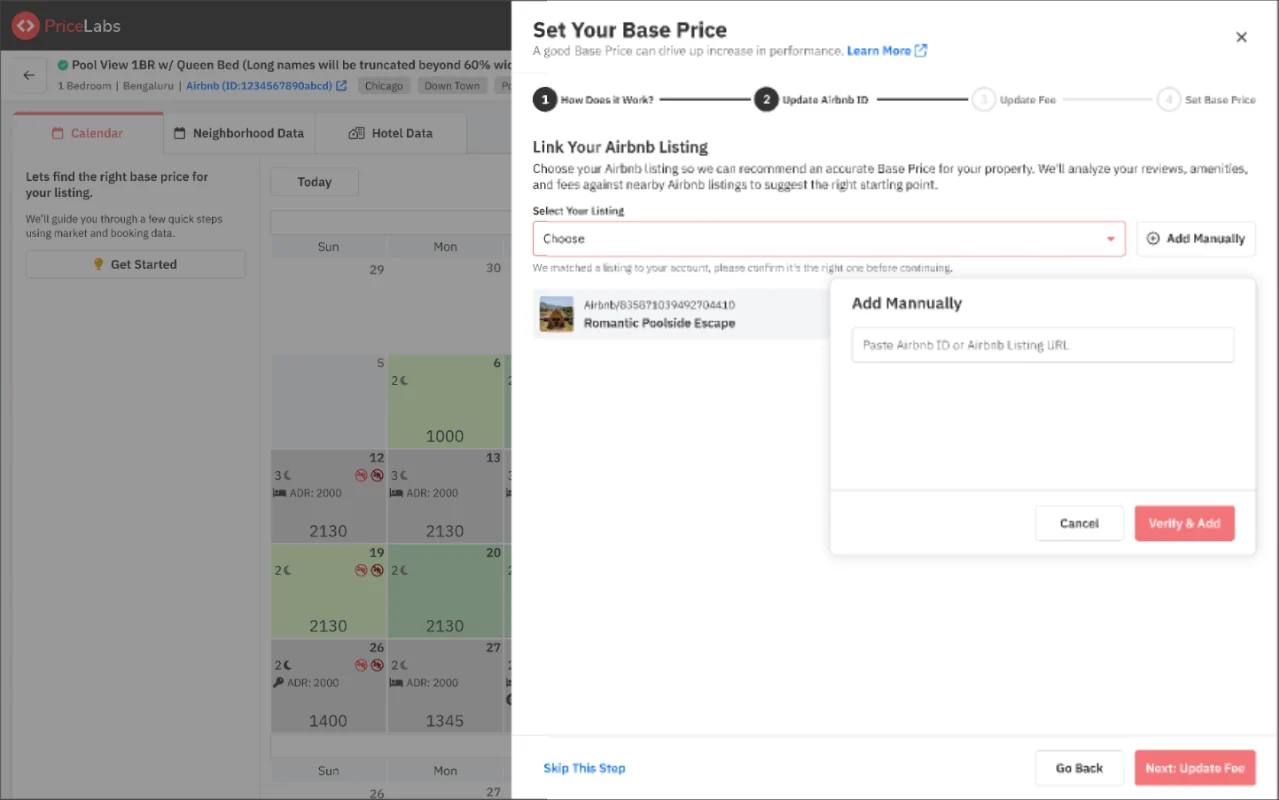
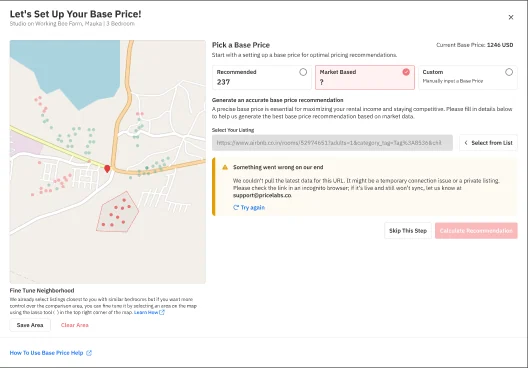
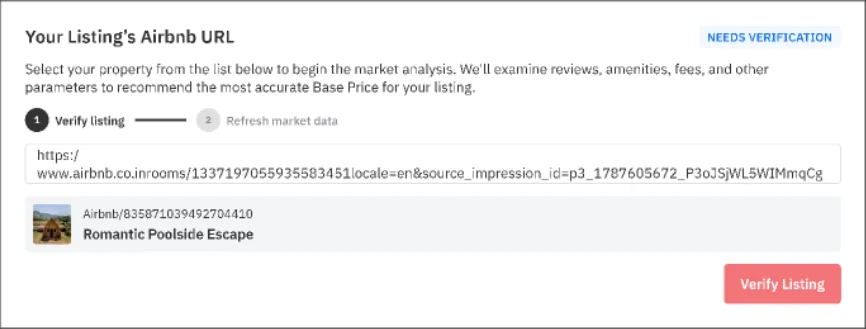
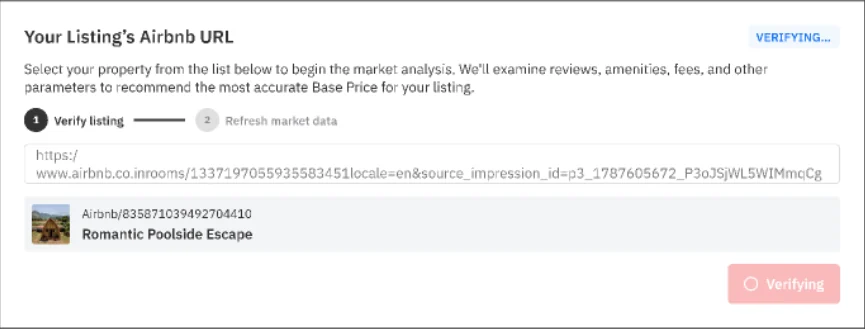
The new algorithm was itself rolled out behind an A/B test, after more research and improvements. That meant the control group stayed on the older “Let’s set up your base price” modal, and it had to support the new inputs too: pasting an Airbnb URL, verifying it, pulling live data, and failing gracefully when scraping didn’t work. I designed those states inside the old UI so the only difference between the groups was the thing we were testing.
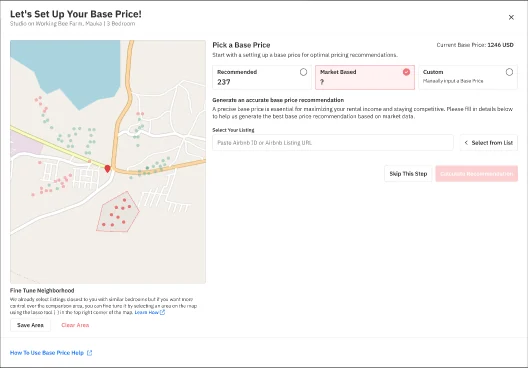
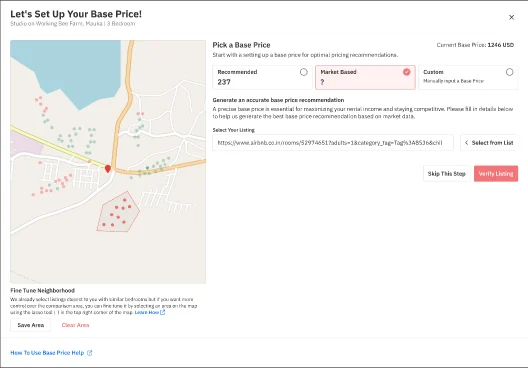
Old modal: market based selected, empty Airbnb URL field and a disabled Calculate recommendation button.
Empty Paste a URL or pick from the list
Old modal with a pasted Airbnb URL and a Verify listing button.
Pasted Verify before calculating
Old modal pulling live details for a new URL, with a spinner.
New URL Pulling live details
Old modal with a warning: something went wrong on our end, with a try again link.
Scraping failed What happened, what to try, who to contact

12 · What users told us

Rated 4.1 out of 5 in-product, with honest pushback on what we took away.

An in-product poll ran for three weeks in April 2026, after the merged recommendation went live.

4.1 / 5average rating204 responses
76.5%rated it 4 or 5
57%answered yes, 9% no to “Does this help you choose a base price?”
“This cleans things up nicely. I could never understand the difference between market based and recommended.”Host, 3 listings
“Old one wasn’t bad but this is cool, good work team!”Host, 4 listings

The critical comments were just as useful, and they shaped what came next:

  • “Where did my percentile go?”Some hosts used the old percentile view to see at a glance how their price ranked against competitors. Simplifying removed a shortcut experienced users relied on.
  • Trust is earned per listingA few felt the recommendation moved prices too aggressively, or didn’t match an empty next month. That pointed straight at the explanation work above.
  • ScaleHosts with 20+ listings asked to review every recommendation at once, not one listing at a time.

13 · The next gap: finding the right listing

Session recordings and onboarding calls showed hosts struggling at the very first step: picking their own listing from a dropdown, often because the listing’s name differs between Airbnb and their PMS. I raised it as a project with the PM, and the data backed it up.

872users stuck on “Add manually”2,762 clicks in two weeks
~34%linked an Airbnb listing
~57%opened it but never linked one

That led to matching listings through their Airbnb URL or ID instead of names: an “Identify your listing on Airbnb” step in mobile onboarding, and adding an Airbnb ID directly from Manage Listings. Drop-off at the listing-matching step fell significantly once hosts could match by Airbnb ID.

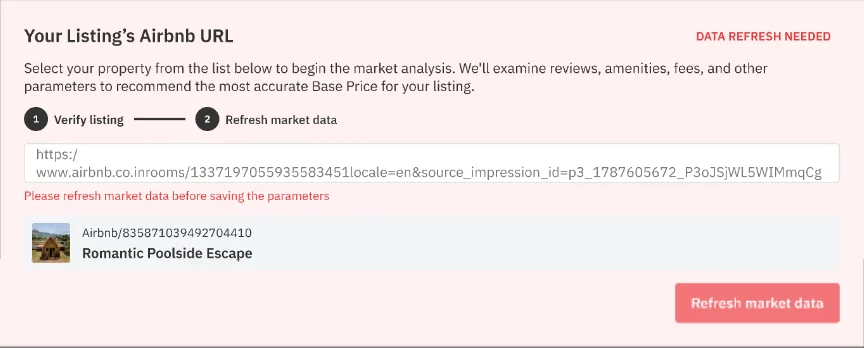
Changing the URL later

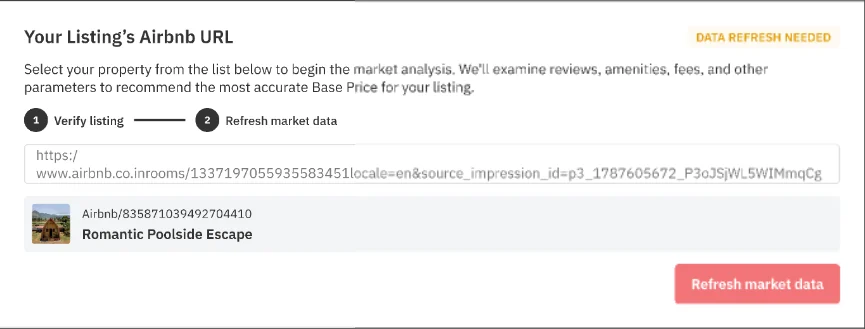
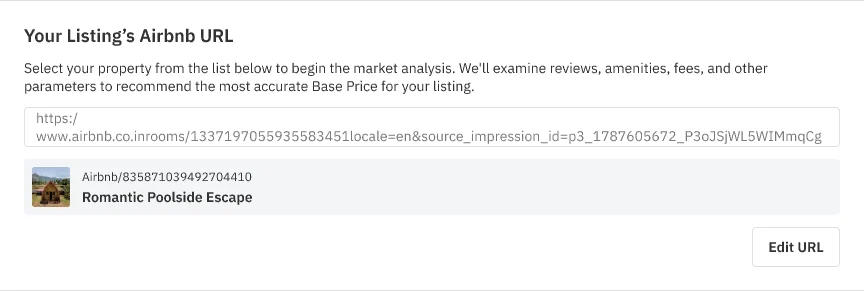
Feedback from Nick on our team was that changing a listing’s Airbnb URL was confusing. I split the change into two visible steps, verify listing then refresh market data, with a status tag for each state, and blocked saving parameters until the refresh had run.
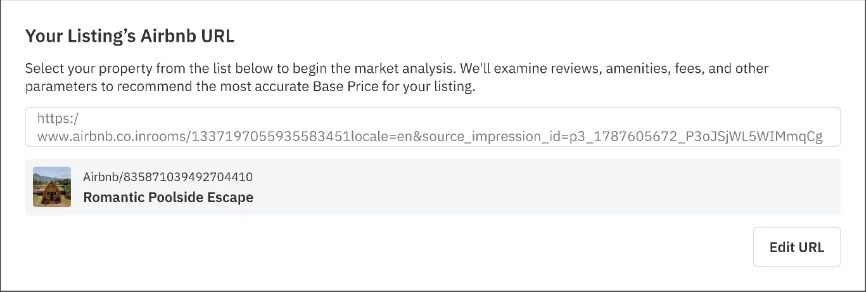
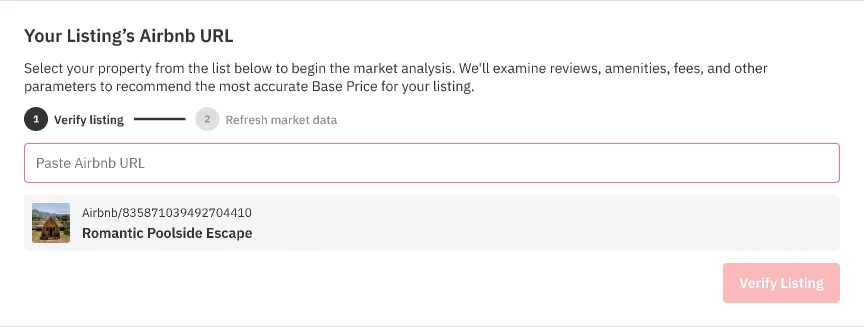
Linked listing with its Airbnb URL and an Edit URL button.
Seven states, one change. Click through it: edit, paste, verify, then refresh. Try saving before the refresh to see the guard.

14 · Beyond the modal

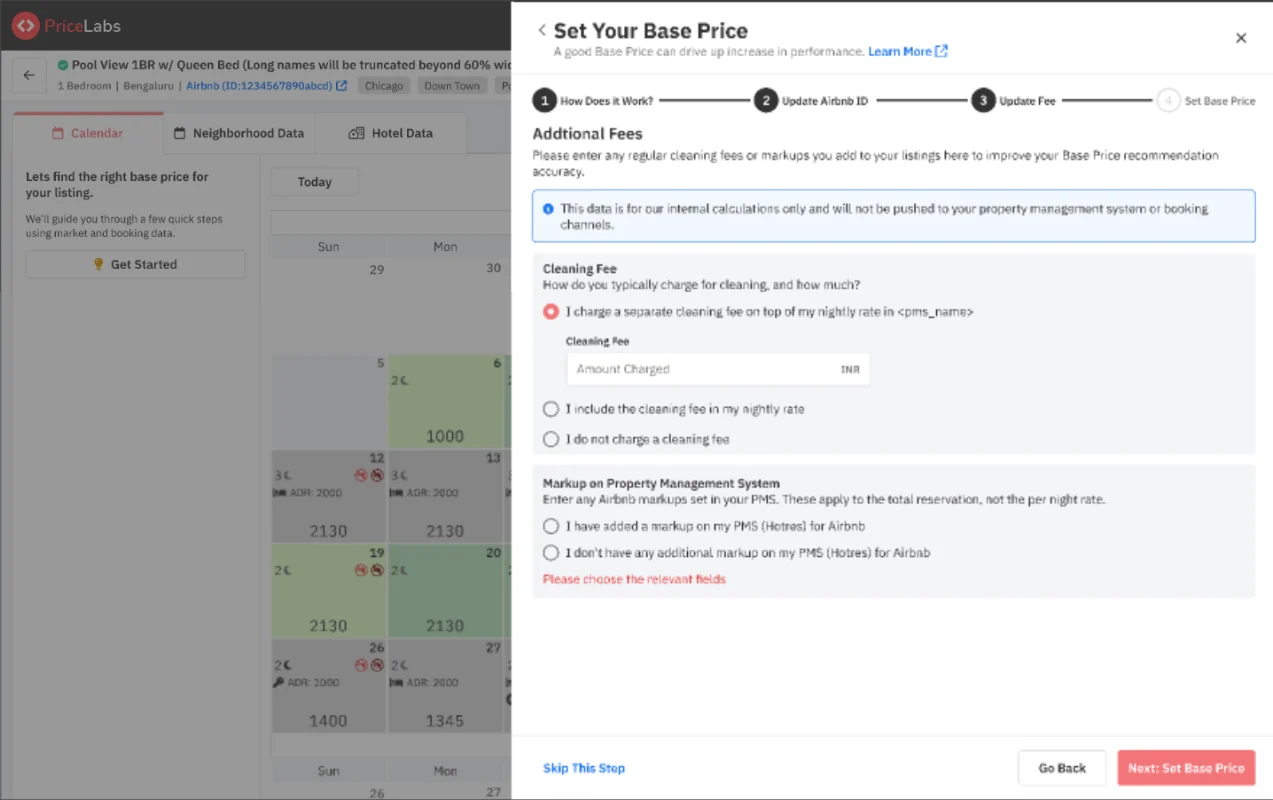
A new algorithm and new inputs (Airbnb ID, cleaning fee, PMS markups) don’t live in one modal. Hosts with many listings manage these in bulk, so the same fields had to reach Manage Listings and the CSV upload: new columns, inline “NA” states with a tooltip on how to fill them, and a confirm step that separates rows that will update from rows that won’t, with the reason.
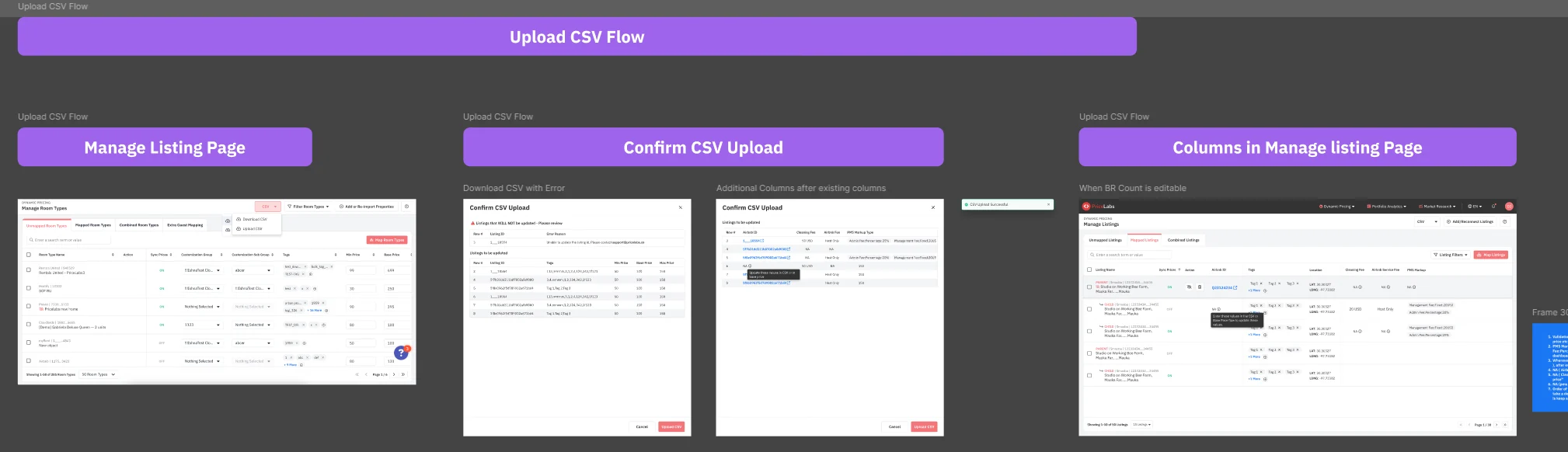
Figma section for the upload CSV flow: Manage Listings with CSV download, Confirm CSV upload with errors and new columns, and the new columns in Manage Listings.
The CSV flow and Manage Listings columns, as laid out in Figma, with the open questions for engineering pinned beside them.
Part 4

Where it landed

One recommendation, explained well enough that more people accept it, with a loop that keeps improving it.

15 · Outcome

~80%of users get a market-based recommendation
3 → 1competing options reduced to one primary choice
+4.3 ptsrecommendation acceptanceA/B test, ~21.7k users
4.1 / 5in-product rating204 users

The deck

The full presentation, with the user journey map and prototype link.

Base Price Help Tool · Designing for Decision MakingOpen in Figma ↗