Pricing Calendar: thousands of listings, one scannable view.
Revenue managers price hundreds to thousands of listings. I restructured the calendar’s information architecture around how they scan: infinite scroll, an annual view and KPI overlays they can switch on and off.
Prototypes
Calendar interactions explored as coded prototypes.
Calendar interactions were explored as coded prototypes, where hover, density and edge cases can be felt, not just seen.

01 · Problem
The multi-calendar was built for a handful of listings. Portfolio managers with hundreds or thousands paged month by month, lost the column they were reading, and switched pages to compare a listing with its market.
02 · Goals and constraints
- Scan a whole portfolio without paging
- Compare price, occupancy and demand in one place
- Thousands of rows must stay fast
- Same data model as the existing calendar
- Overrides stay one click away
- Small hosts don’t get a harder calendar
03 · Key decisions
Infinite scroll, an annual view and switchable KPI overlays, each tested as a coded prototype.
- Infinite scroll over paginationMonths load as you scroll, so a manager never loses their place between pages.
- An annual viewTwelve months at a glance for spotting seasonal gaps before they cost revenue.
- Modular KPI overlaysOccupancy, ADR and demand can be layered on the grid, or switched off for small hosts who don’t need them.
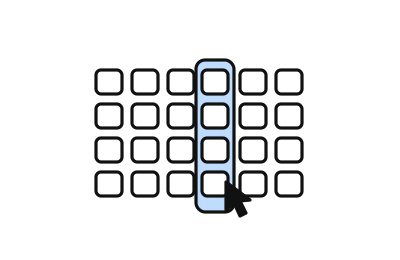
- Hover columns for the date you’re readingHighlighting the hovered column keeps your place in a grid of thousands of cells (prototype above).
04 · Outcome
After launch
Shipping was the start. How the feature kept evolving from feedback, usage data and support.
-
Keep your place in a dense grid
- What we heard
- Managers lost track of the date column they were reading across hundreds of rows.
- What we changed
- Hover columns that highlight the whole date, prototyped in code before build.
- Result
- Easier scanning of long portfolios.
-
Clearer check-in and check-out restrictions
- What we heard
- Support cases showed hosts struggling to block arrivals or departures on specific days.
- What we changed
- A redesigned restrictions flow, compared current vs proposed in a prototype.
- Result
- Fewer restriction mistakes and related tickets.
-
Readable competitor names
- What we heard
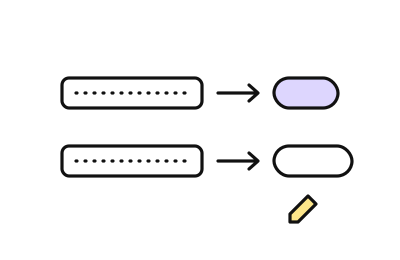
- Long competitor listing titles made the competitor calendar hard to read.
- What we changed
- Short nicknames in place of full titles in Neighbourhood Data.
- Result
- Faster comparison against the comp set.
- A scrolling calendar on mobile
- Editing customizations from the calendar