A report builder for portfolios that all measure revenue differently.
Large property managers each track performance their own way: different metrics, groupings, formulas, formats and targets. Instead of asking for one-off custom exports, they can now assemble the report they need, preview it as a spreadsheet and save it as a template.
One product, many ways of measuring
Revenue management is the same job everywhere, but no two teams report it the same way.
01 · The problem
Every large portfolio wanted a different report. One team tracks revenue on the books by month; another ranks listings in a leaderboard; another watches occupancy pacing by bedroom type against last year.
Fixed dashboards couldn't cover all of these, and every custom request turned into a one-off export. The goal was a tool flexible enough for any revenue-management use case, but simple enough that a revenue manager could build a report without help.
Designing the builder
Start from something useful, then shape it like a spreadsheet.
02 · Start from a template
Most people don't want a blank page.
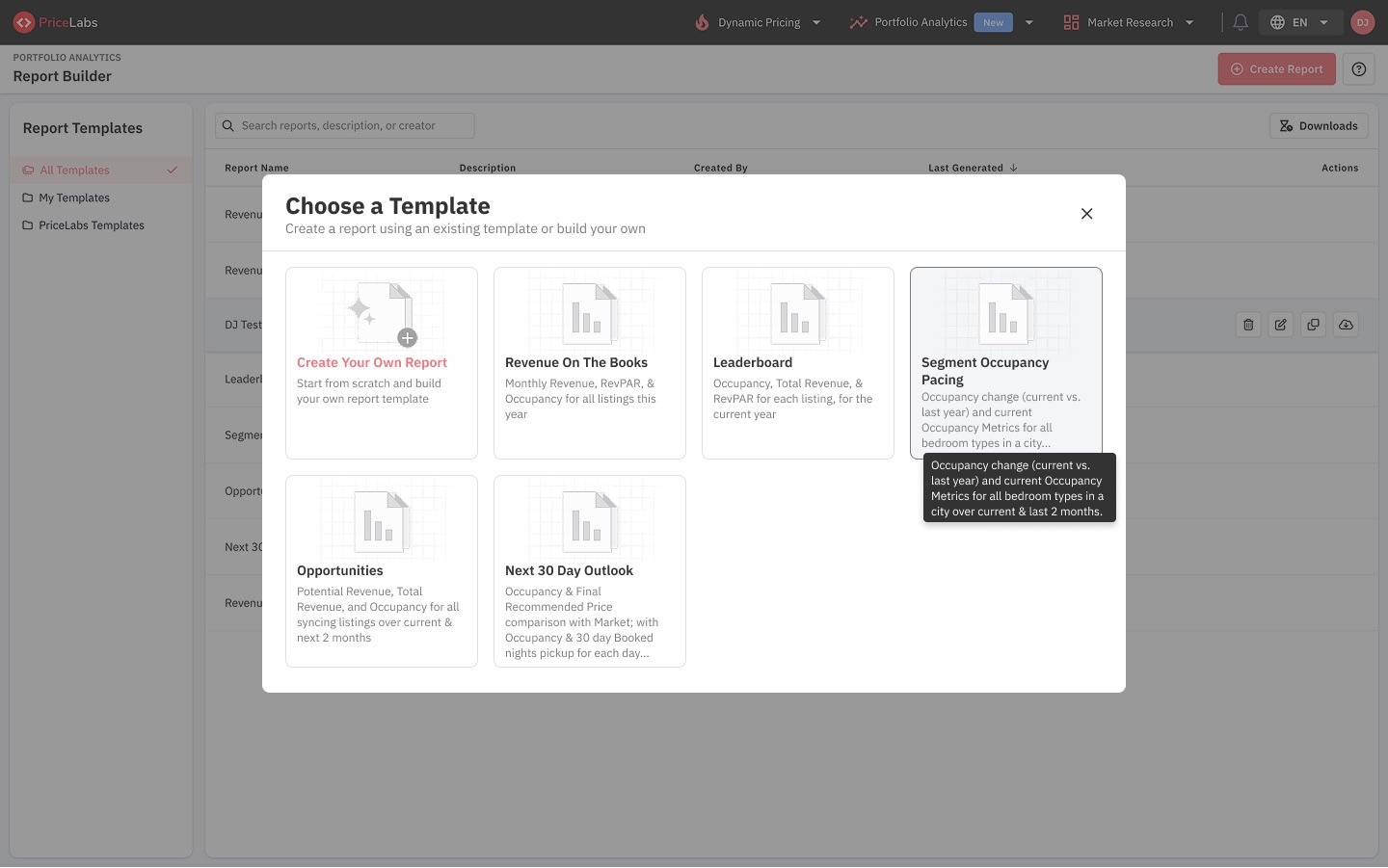
Creating a report opens a set of templates for the most common questions (revenue on the books, a leaderboard, segment occupancy pacing, opportunities and a next-30-day outlook), with Create your own report first for teams that know exactly what they want. Each card says what's inside, with the full description on hover.
03 · Build it like a spreadsheet
Rows, columns, values: the model revenue managers already think in.
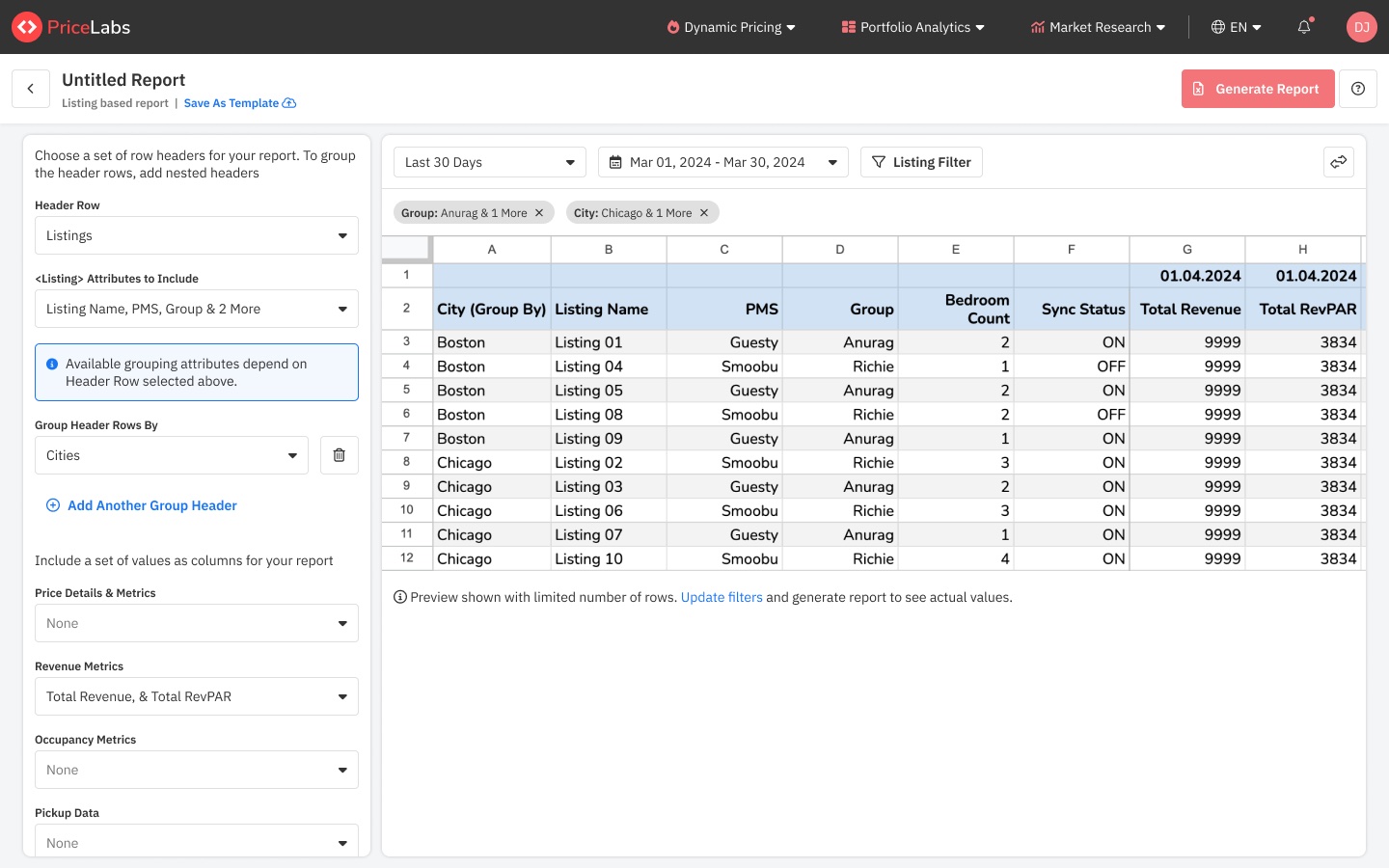
The builder borrows the structure of a pivot table. Rows choose what each line is (listings, cities, groups) and how to group them; columns can add a date header; values add the metrics: price details, revenue, occupancy and pickup. A date range and a listing filter scope the data.
The preview on the right is a real spreadsheet with a limited number of rows, so people see the shape of the report before they generate it.
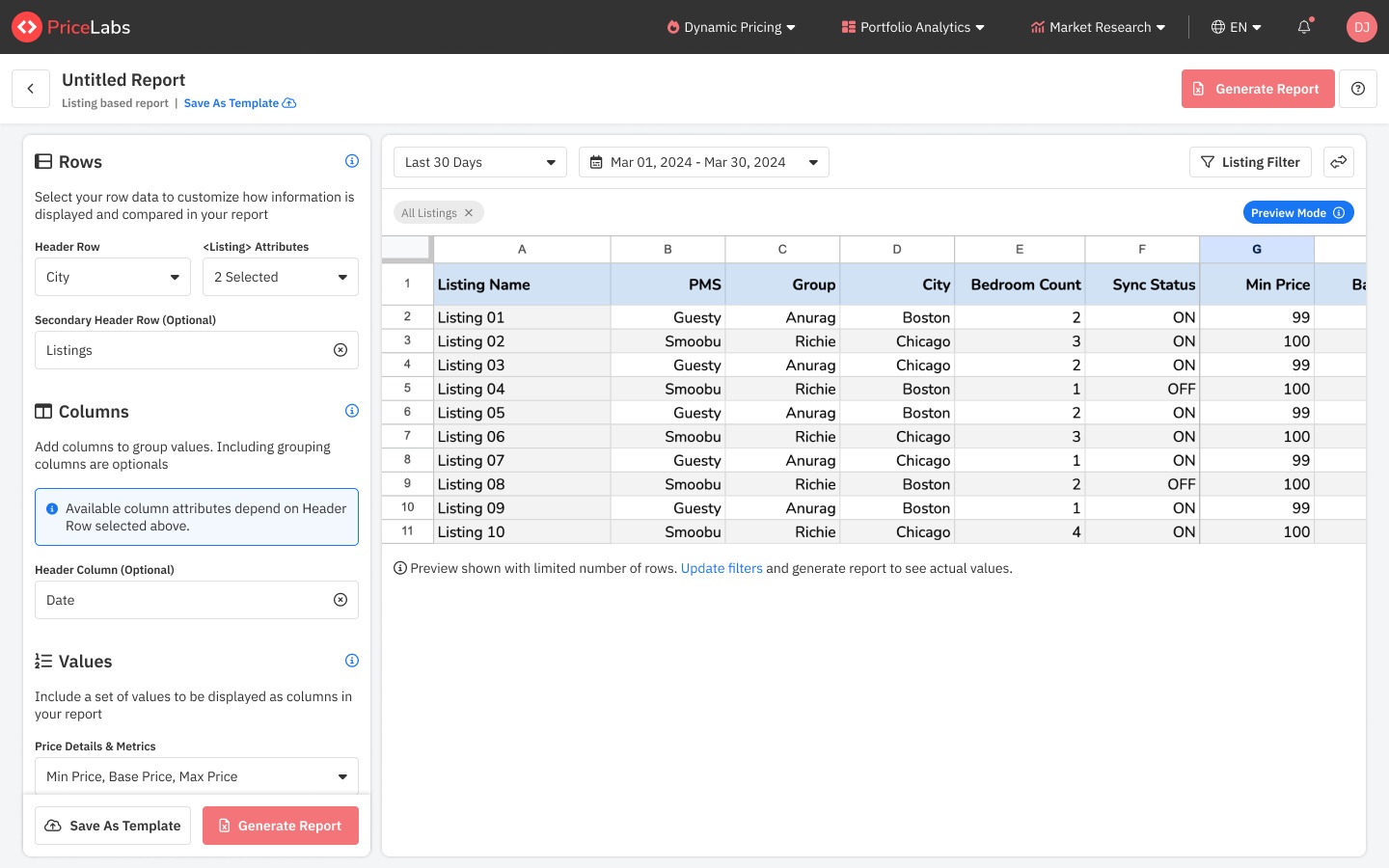
In the next iteration the controls were split into three labelled blocks, Rows, Columns and Values, each with a short explanation, and Save as template and Generate report stayed pinned at the bottom.
04 · A library to come back to
Reports are only useful if you can find them again.
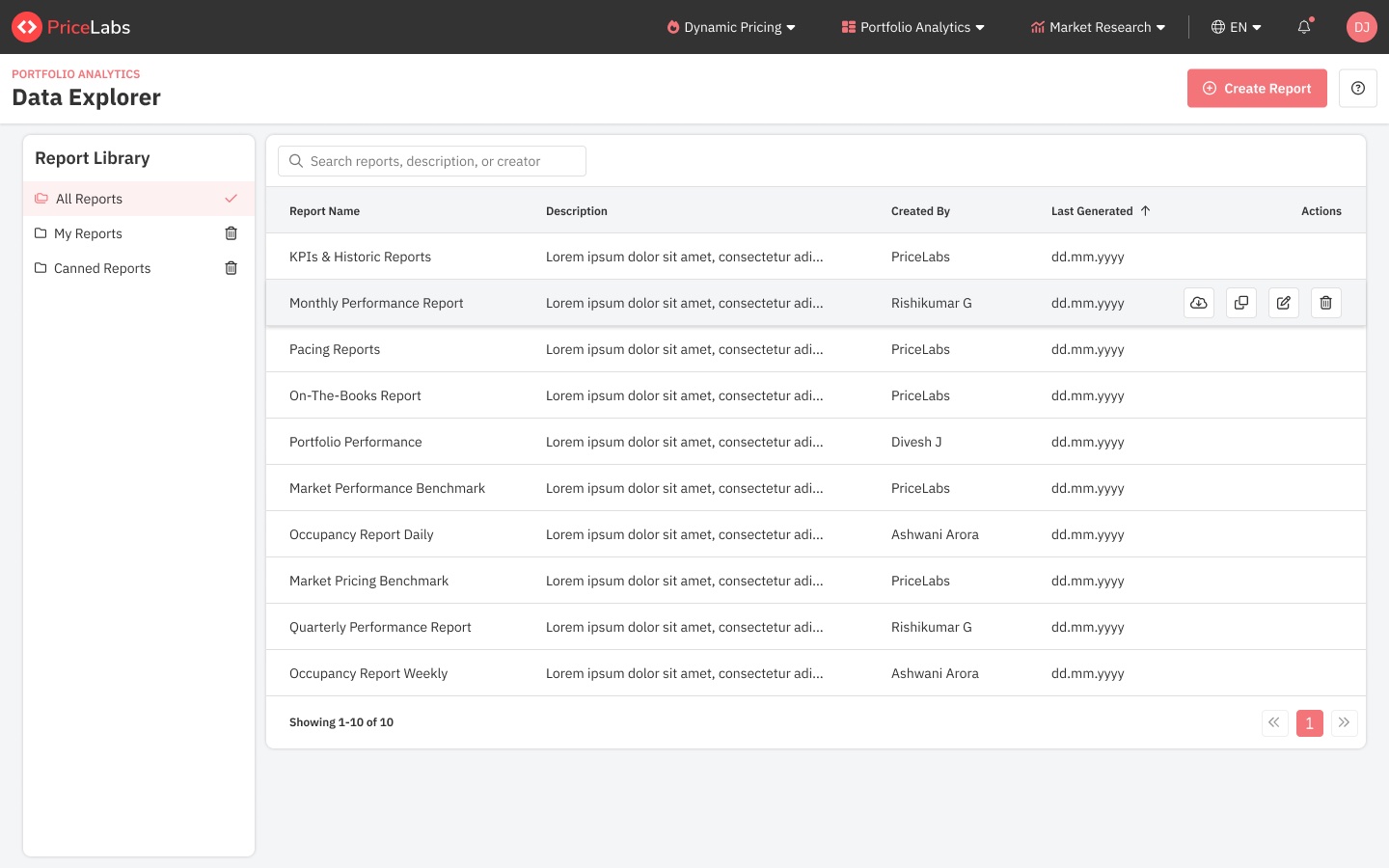
Saved reports live in a library, split into all, my and canned reports, with search across names, descriptions and creators. Row actions (download, duplicate, edit, delete) appear on hover so the list stays quiet.
05 · What I'd measure
How often reports start from a template versus from scratch, how many saved reports are generated again, and how many custom-export requests the tool replaces.