Your portfolio at a glance, without opening the app.
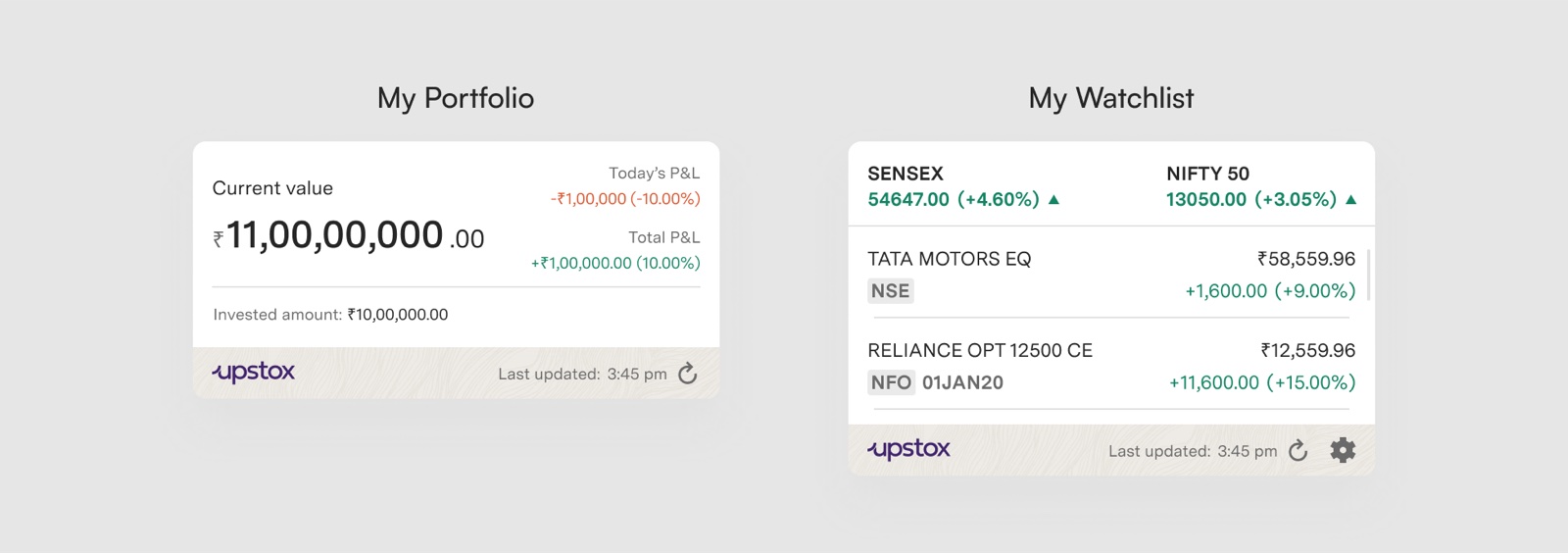
As a pre-final-year student, I designed the first Android home-screen widgets for Upstox, an Indian investing and trading platform: a portfolio widget and a configurable watchlist widget, with every state a widget can end up in.
Why widgets, and for whom
Investors who don’t open the app every day still want to know how their money is doing. A widget meets them on the home screen.
01 · Context
Design Android widgets for Upstox that give investors a simple view of their investments, add a daily touchpoint, and help the app stand out against competitors.
This was a UX design project in my pre-final year, in the Department of Industrial Design at NIT Rourkela. I picked Upstox because I was already interested in the investing space.
Upstox serves both traders and investors. A feature that helps only one group can still be worth building if it has enough merit, and widgets were exactly that: a big help for investors, who check in occasionally, and a way to win more of them.
- Improve standing against competitors that already offered widgets
- Increase engagement with an extra touchpoint outside the app
- Keep it simple: an easy, glanceable view of investments
02 · Research
Android first, and only two widget types worth copying.
With three weeks and direct feedback already available, I relied on secondary research rather than interviews.
- Platform split: 95.02% of Upstox users were on Android and 3% on iOS (last 30 days), so Android widgets reached almost everyone.
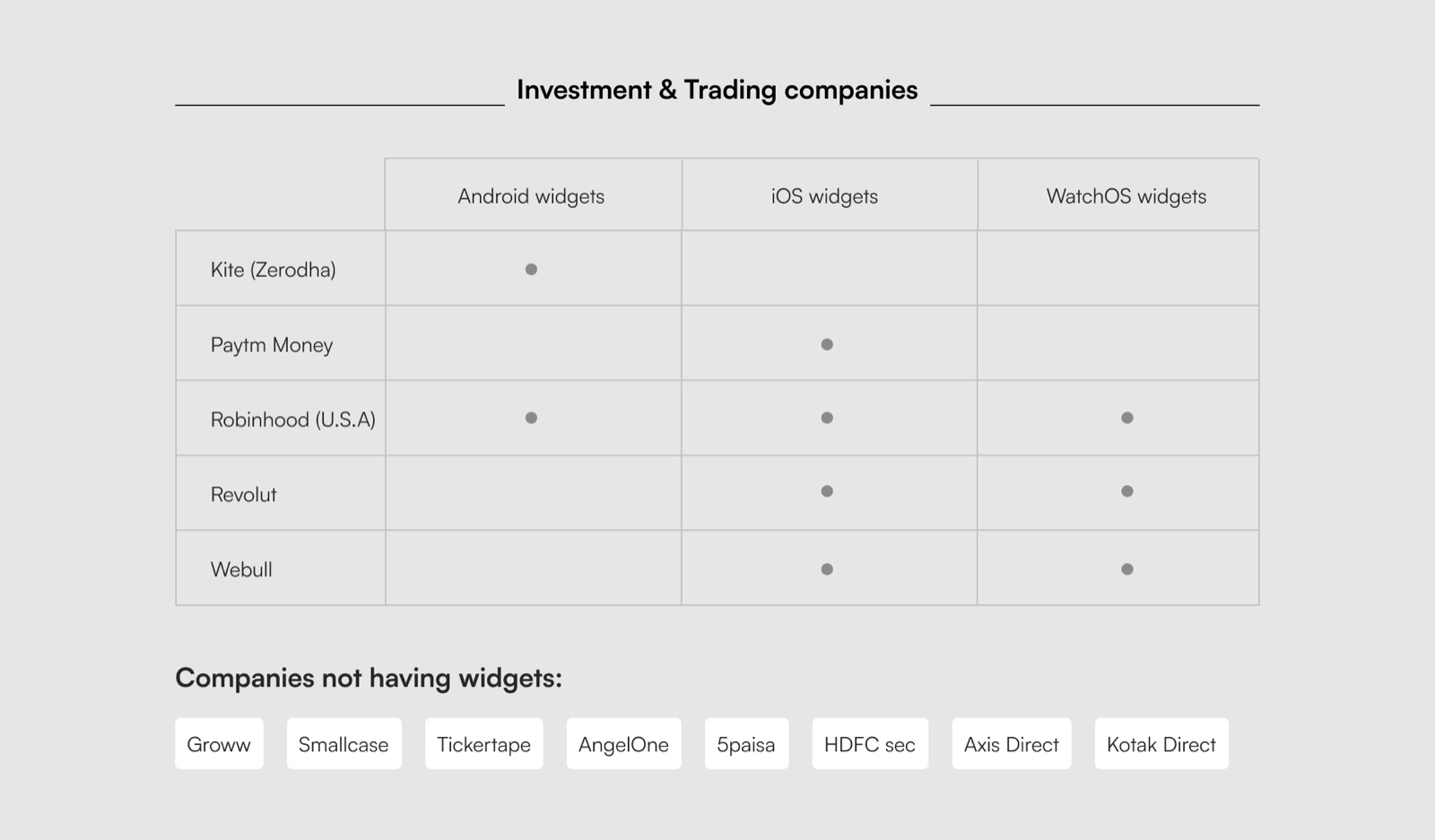
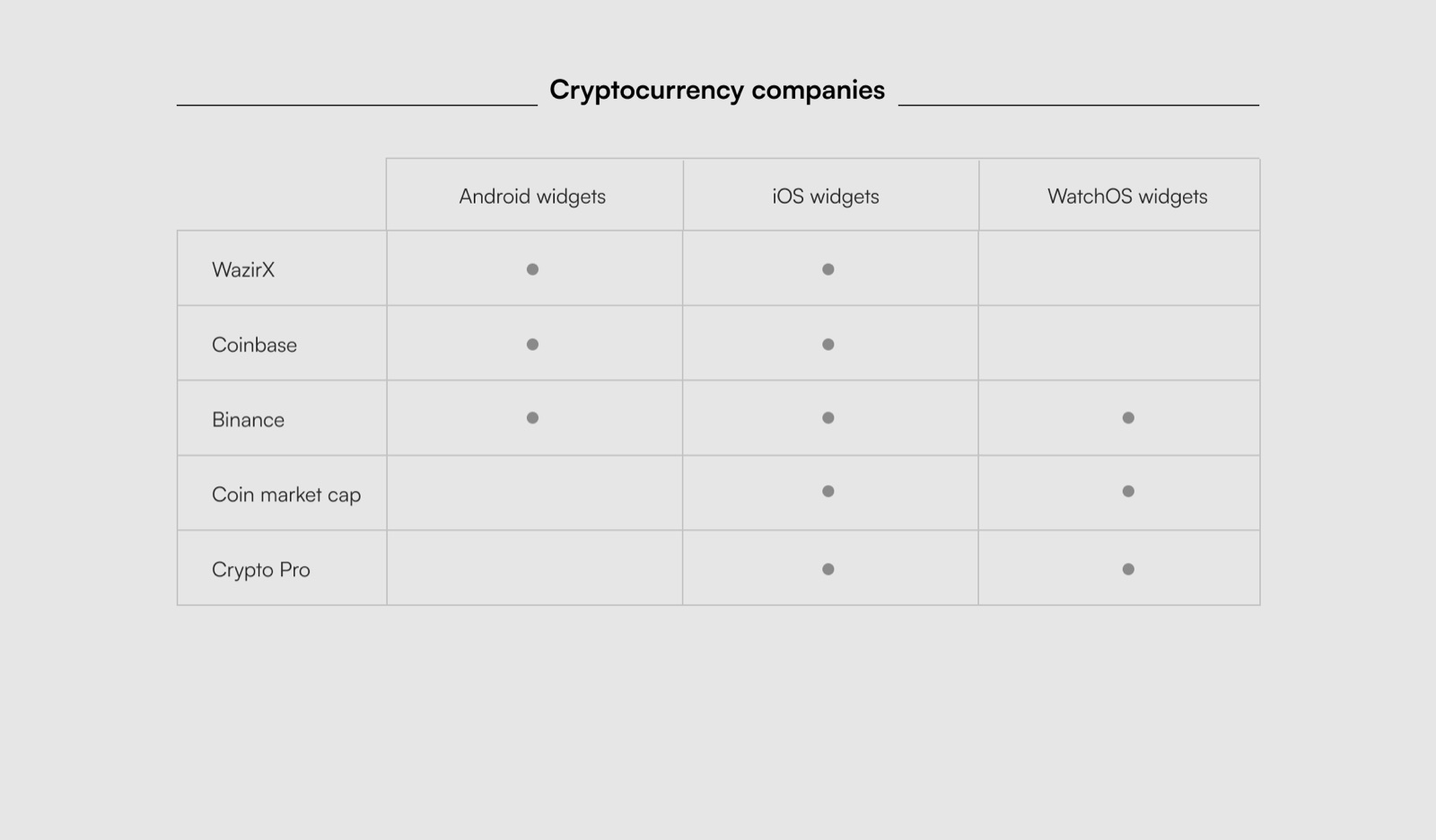
- What the market offers: portfolio widgets and watchlist widgets were common; single-stock widgets were rare.
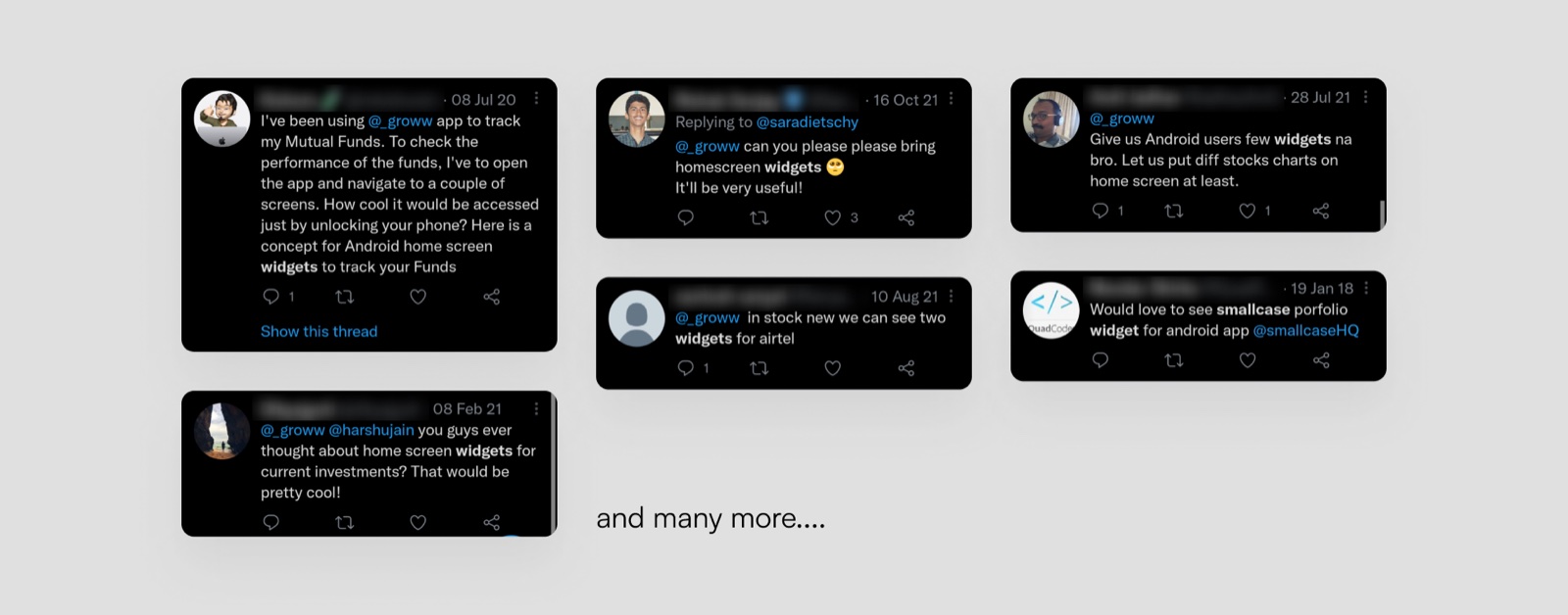
- Direct feedback: users asked for widgets, though much of that feedback was aimed at investment-first apps like Groww and Smallcase.
03 · Who it’s for
People who invest, but don’t open the app every day.
- Has invested to grow wealth, often through automatic investment plans
- Rarely opens the app
- Needs a quick glance at how the portfolio is doing
- Tracks the portfolio and a few specific stocks
- Big moves excite them and can trigger a decision
- Needs the portfolio and a short watchlist in one place
- Portfolio: invested amount, today’s and total P&L, and change %; no setup needed
- Watchlist: selected stocks, one tap from the full stock view; needs a configuration screen
Designing for a tiny, glanceable space
Two iterations, a constraint I couldn’t design around, and a fallback that ended up shipping.
04 · First iteration
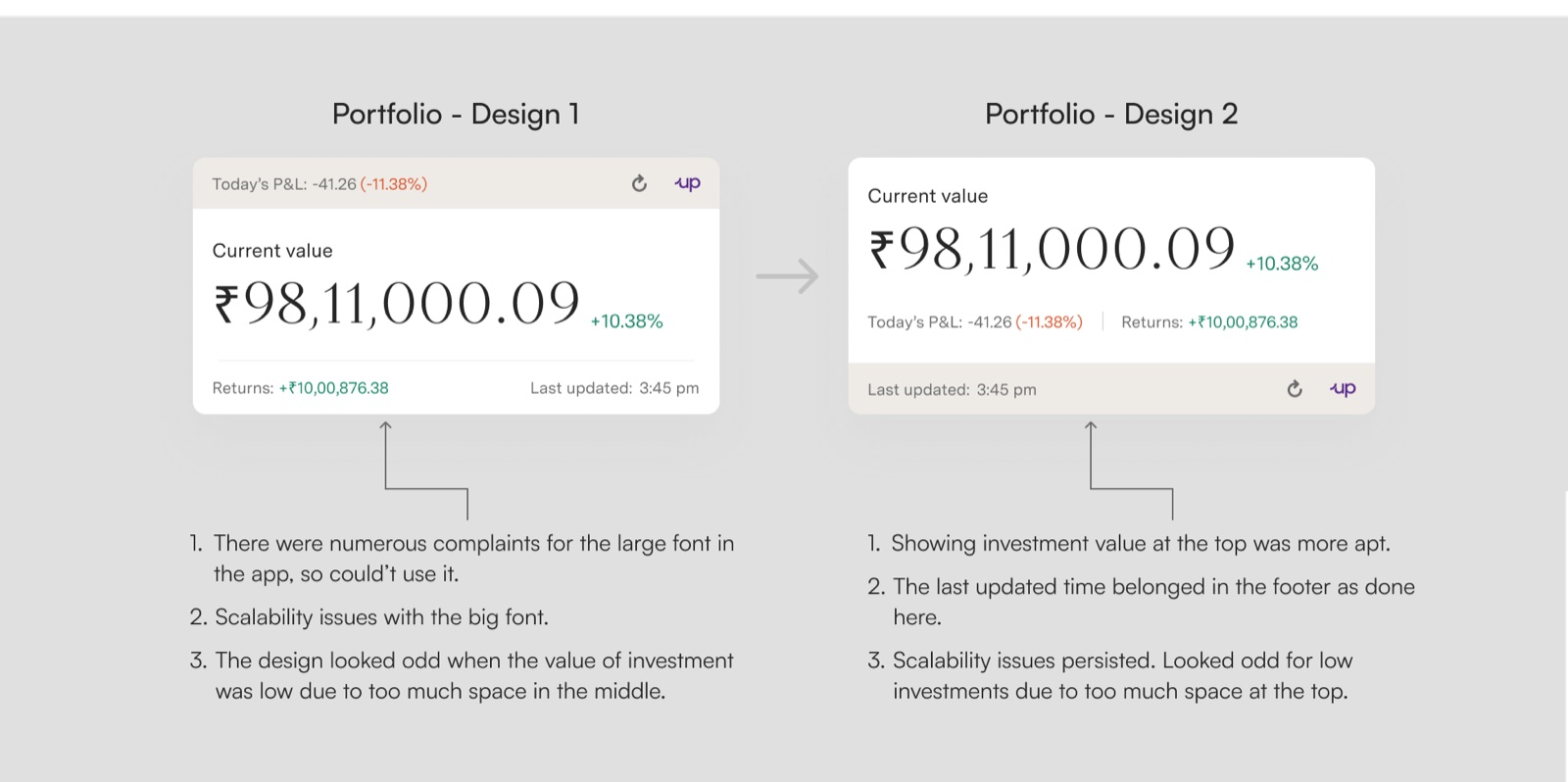
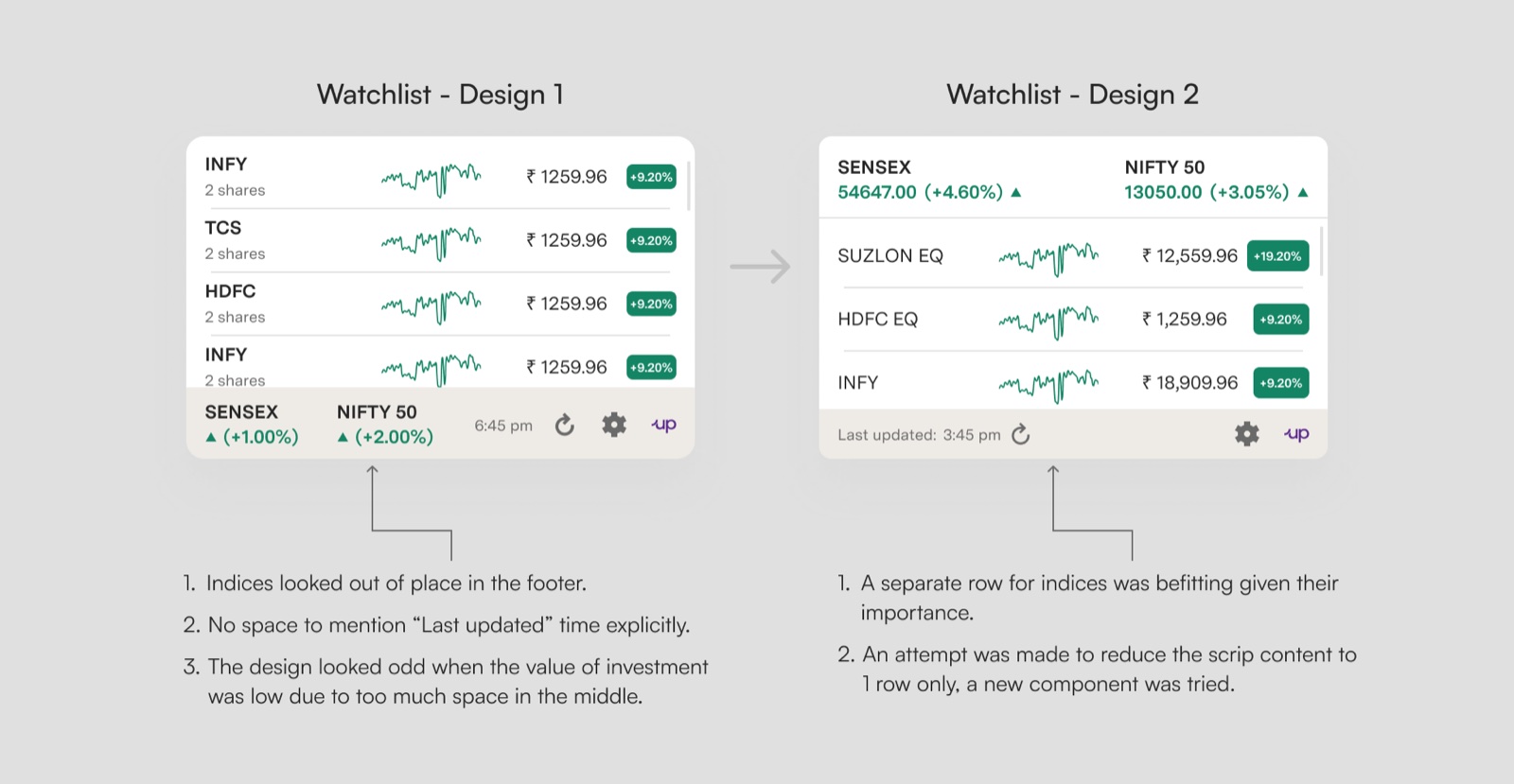
Big numbers looked good, until the numbers got big.
The first designs led with a large current value. Reviewing them against real portfolio sizes showed the problems quickly.
05 · A constraint I kept
Exact numbers, even when “K” and “L” would have fit better.
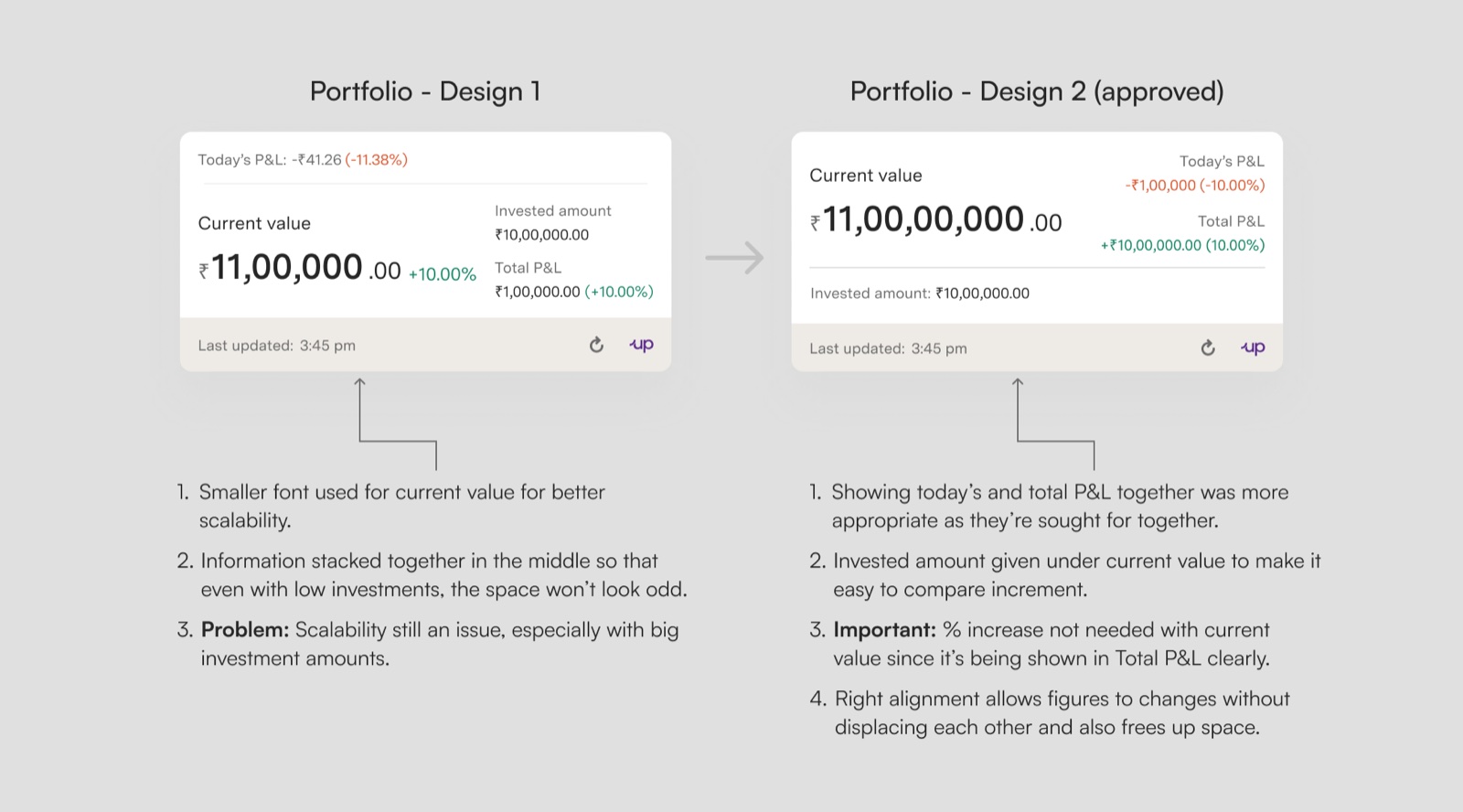
Abbreviating amounts (₹1.2L instead of ₹1,20,000.00) would have solved most of my space problems. But the whole Upstox platform shows exact figures, and for money that consistency matters. So I kept exact numbers and designed the layout to hold the largest amounts the requirements called for.
06 · Second iteration
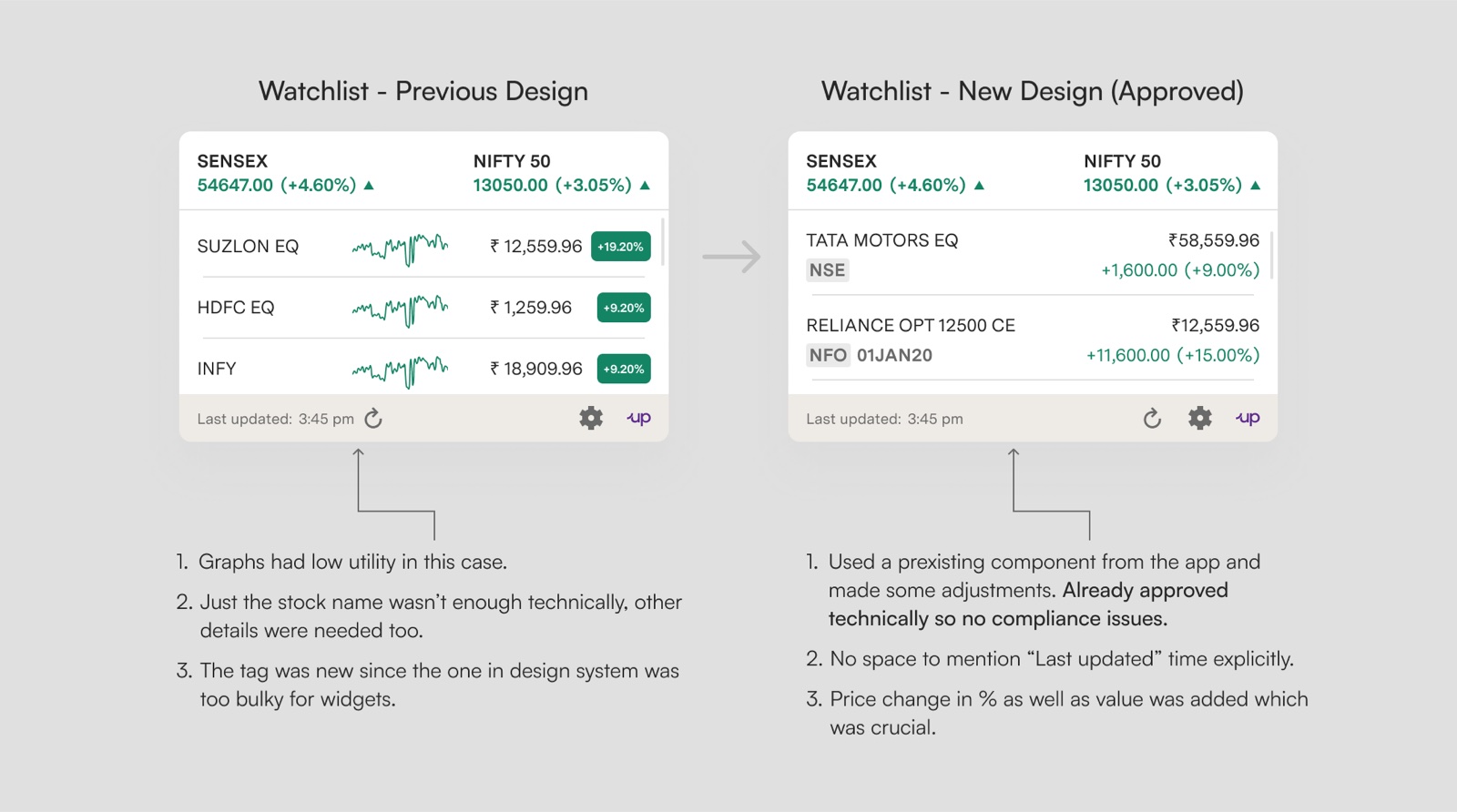
Value on top, details below, and the time it was last updated in the footer.
07 · Aligning with the new brand
The visual guide changed mid-project, so the widgets changed with it.
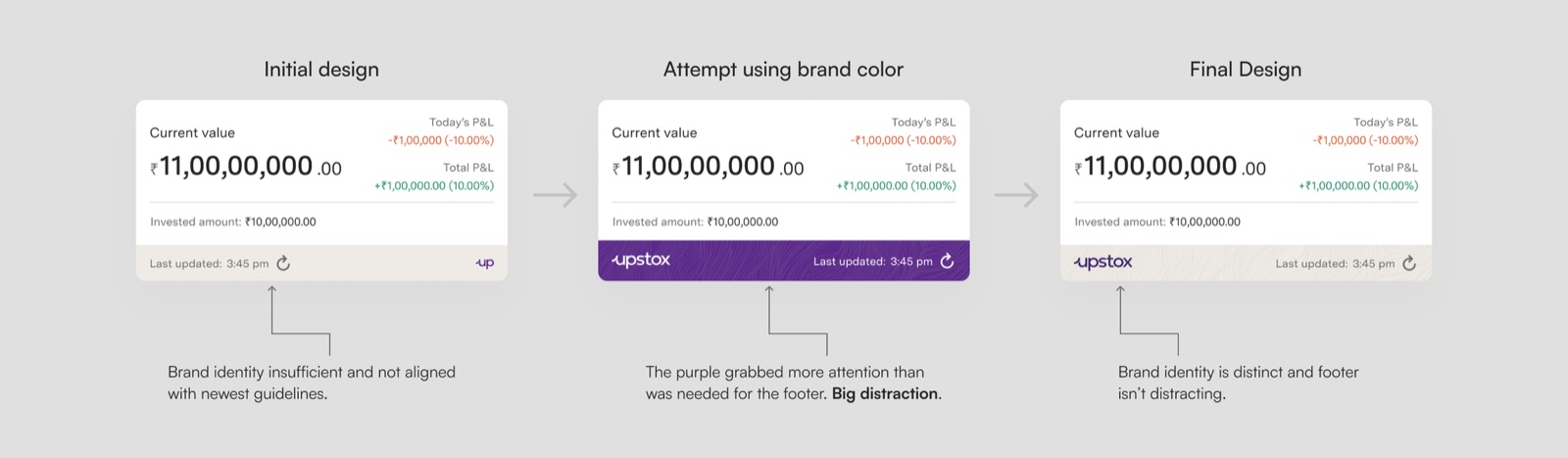
Upstox was revamping its visual design guide at the time, so I revisited the final look: the full brand name in every state, and a newly defined custom background.
08 · Planning for the worst case
I designed the version I wanted, and the version that could actually ship.
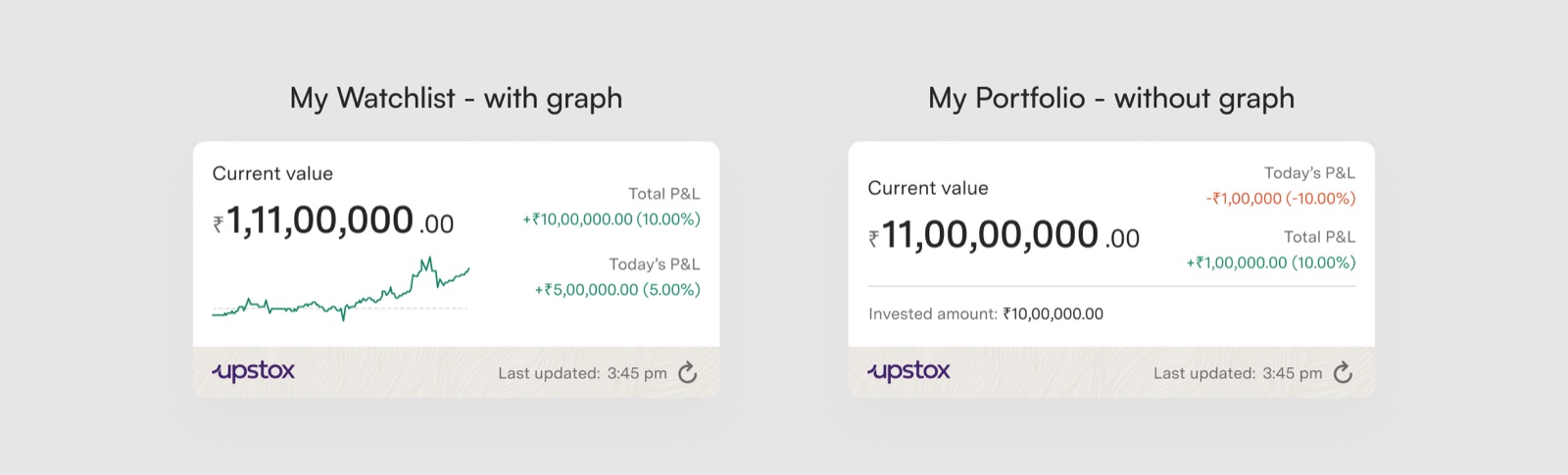
The ideal widget had a graph: it looks better, and widgets with graphs are better received. But a graph wasn’t technically feasible at that point, so I also designed a version without one. The no-graph version is the one that went forward.
Every state a widget can be in
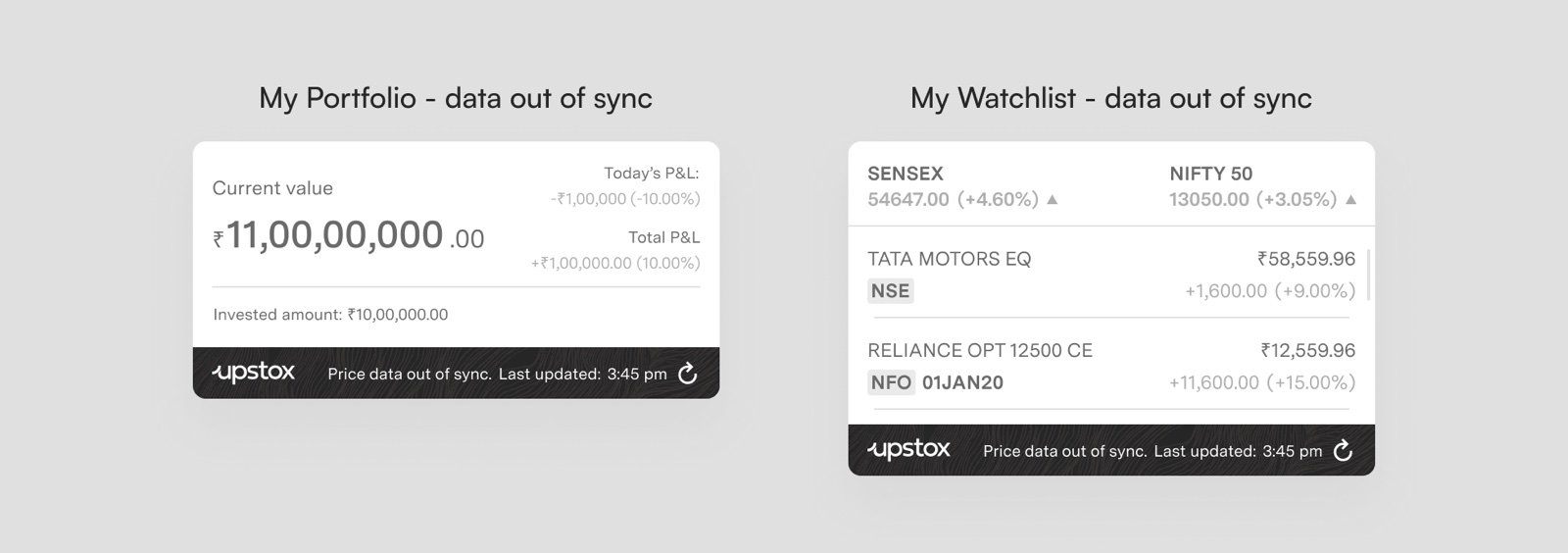
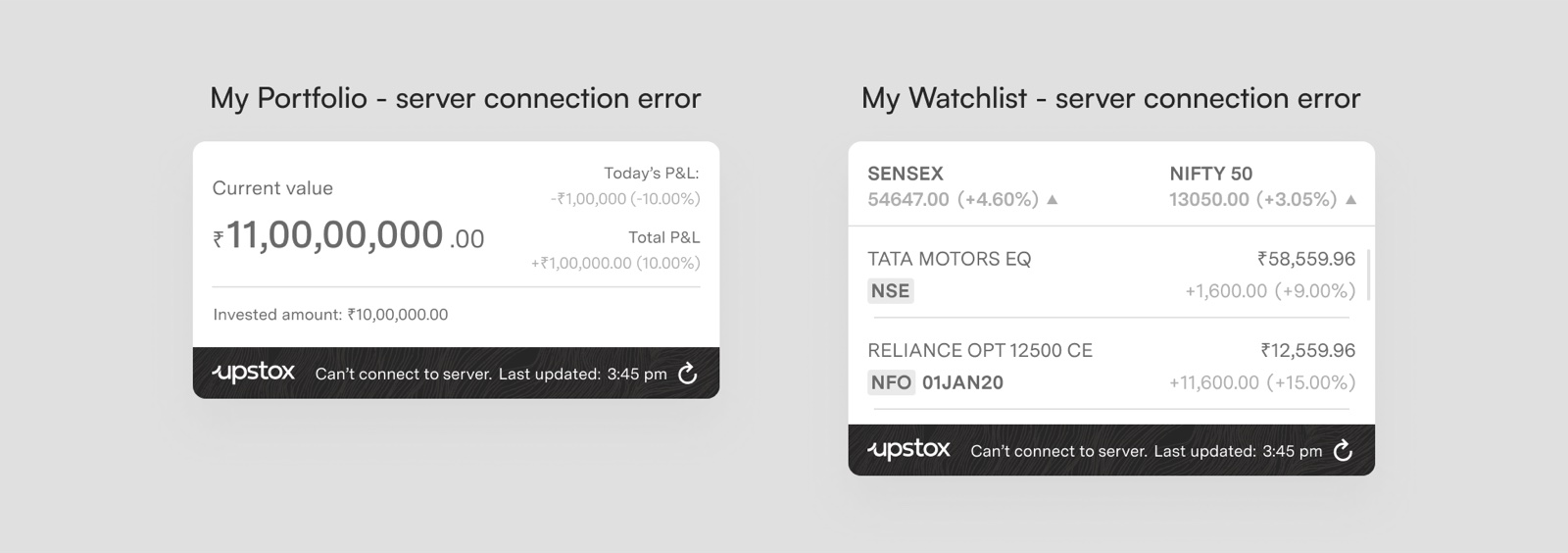
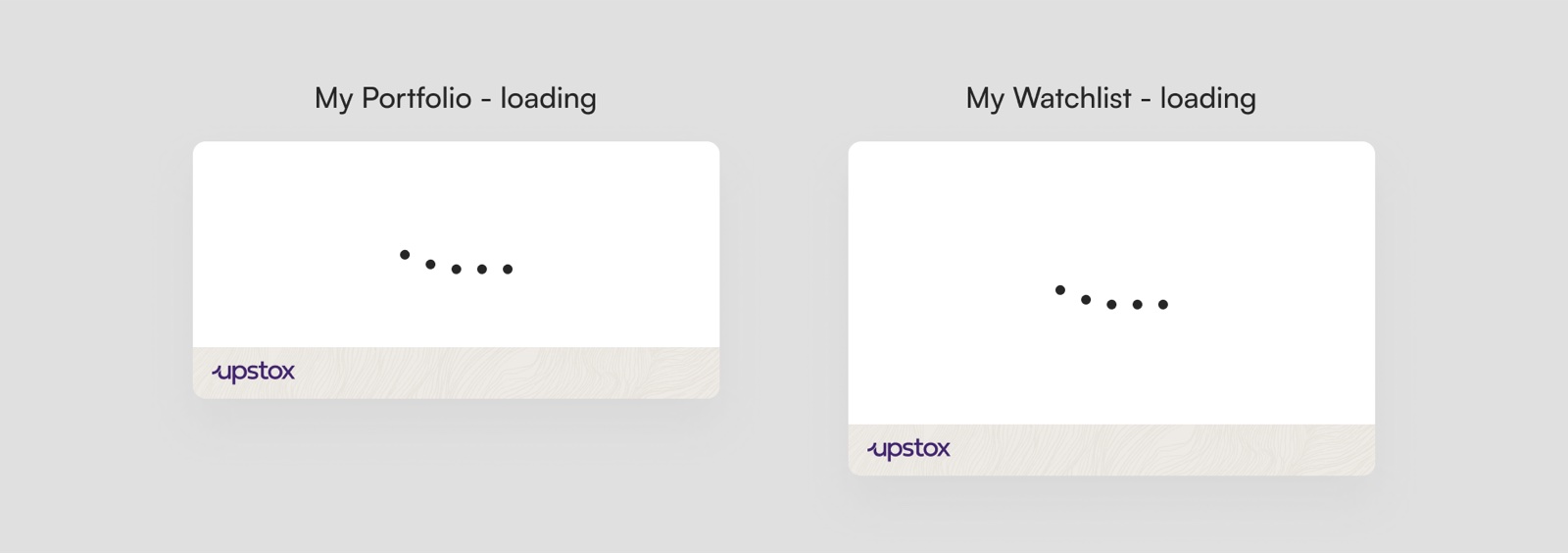
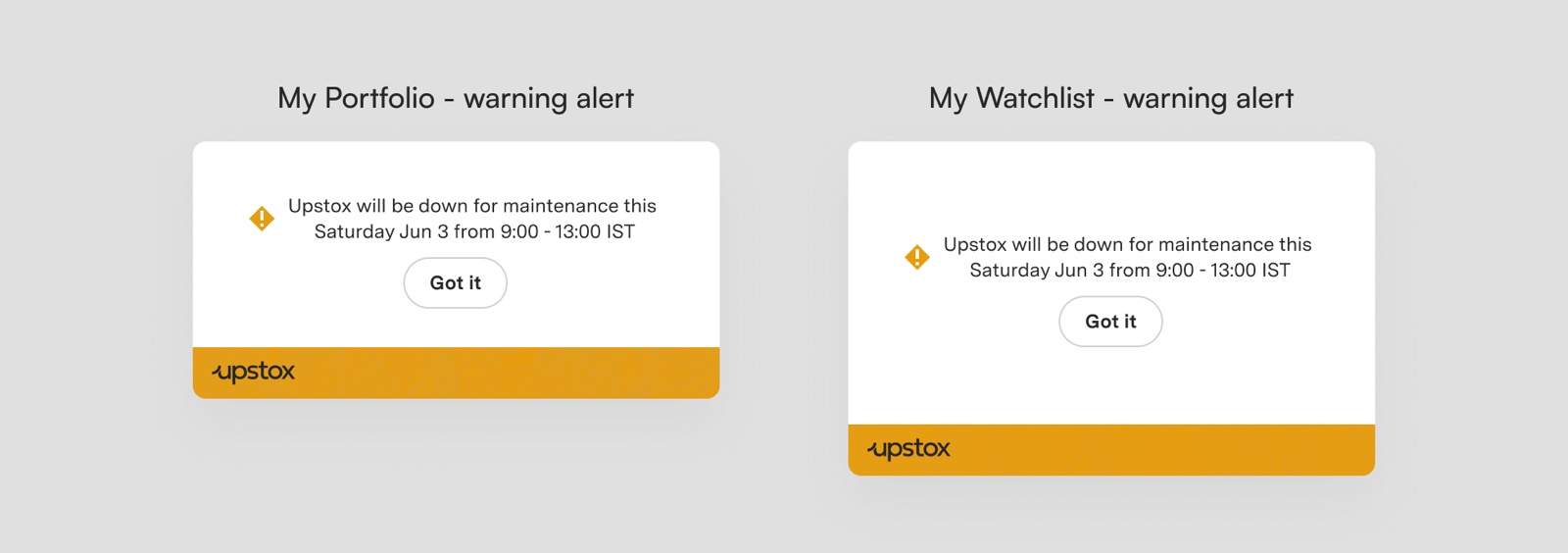
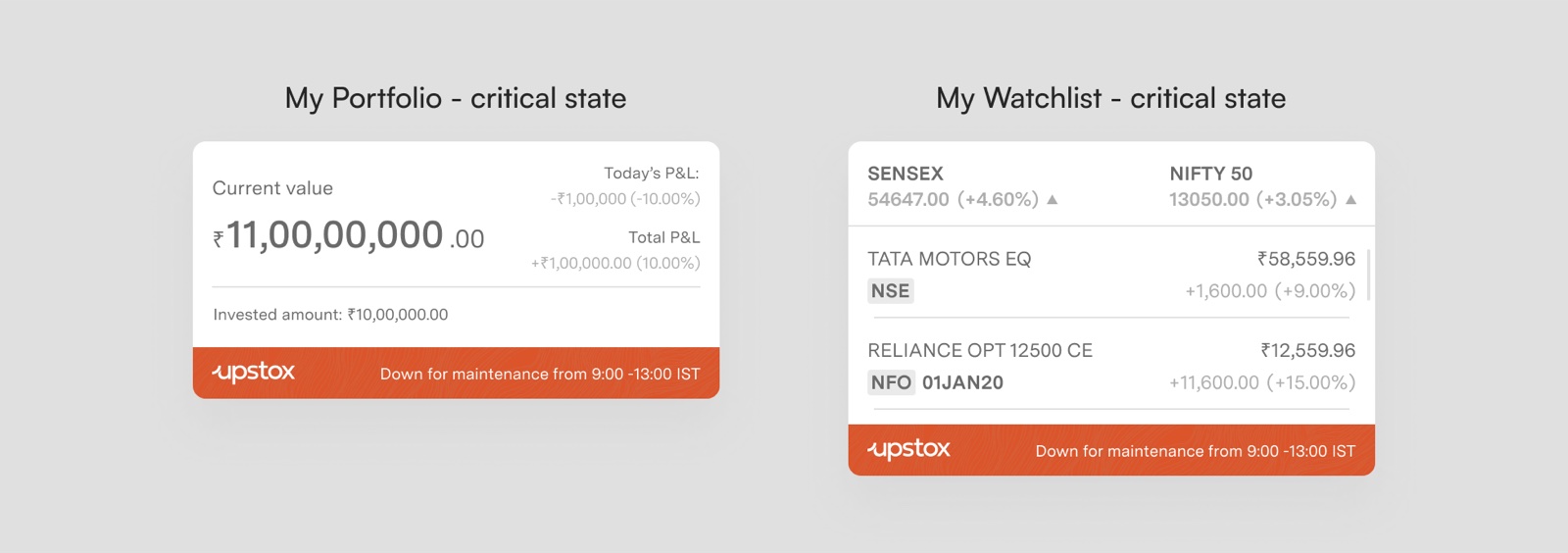
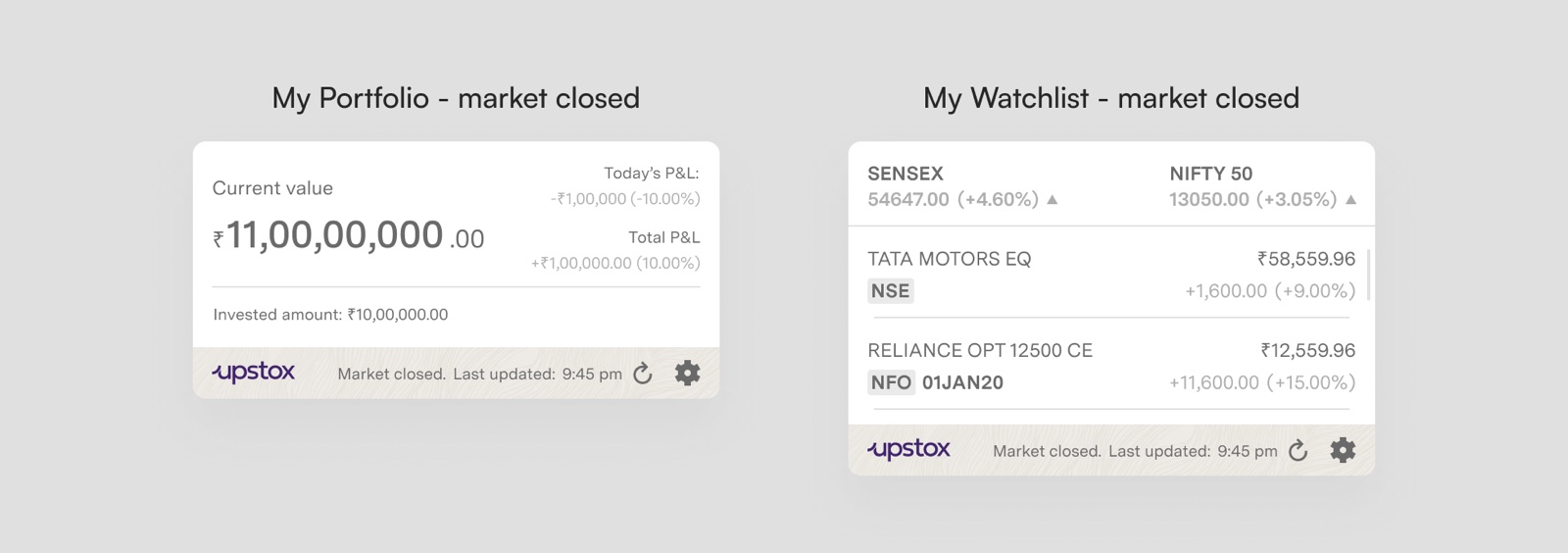
A widget lives on the home screen all day, offline, out of sync, during maintenance and after the market closes. Each of those needed a design.
09 · Edge cases
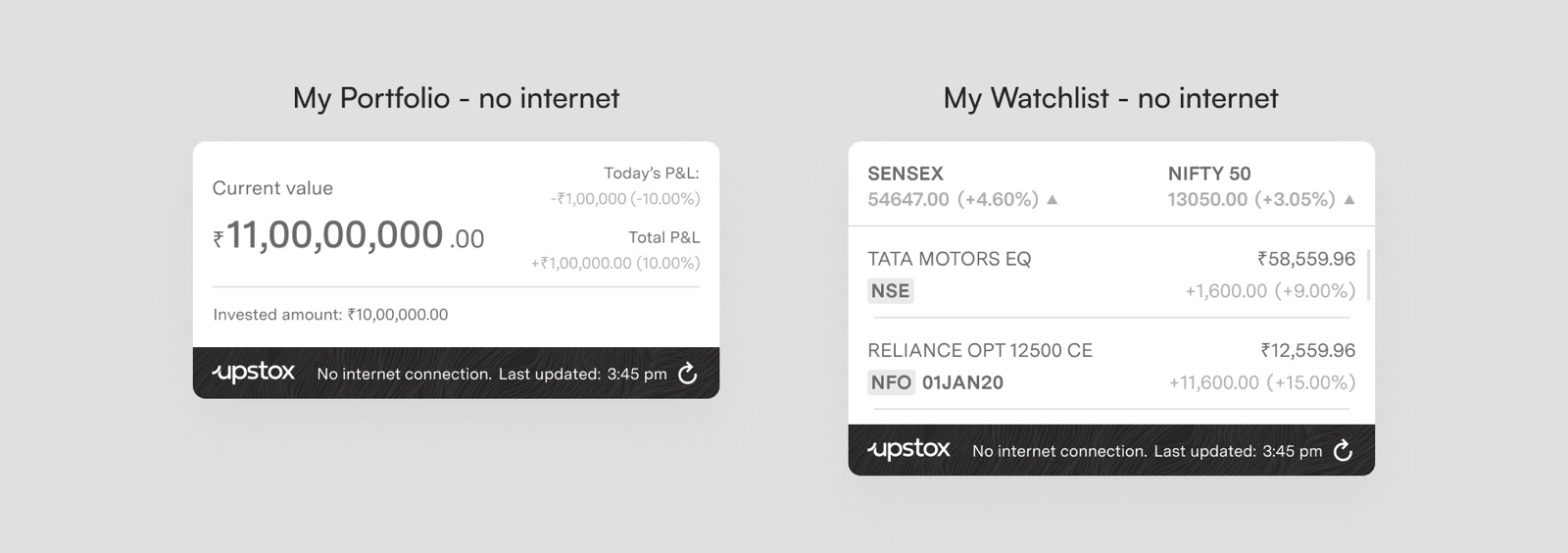
Never block the glance, unless the user really needs to know.
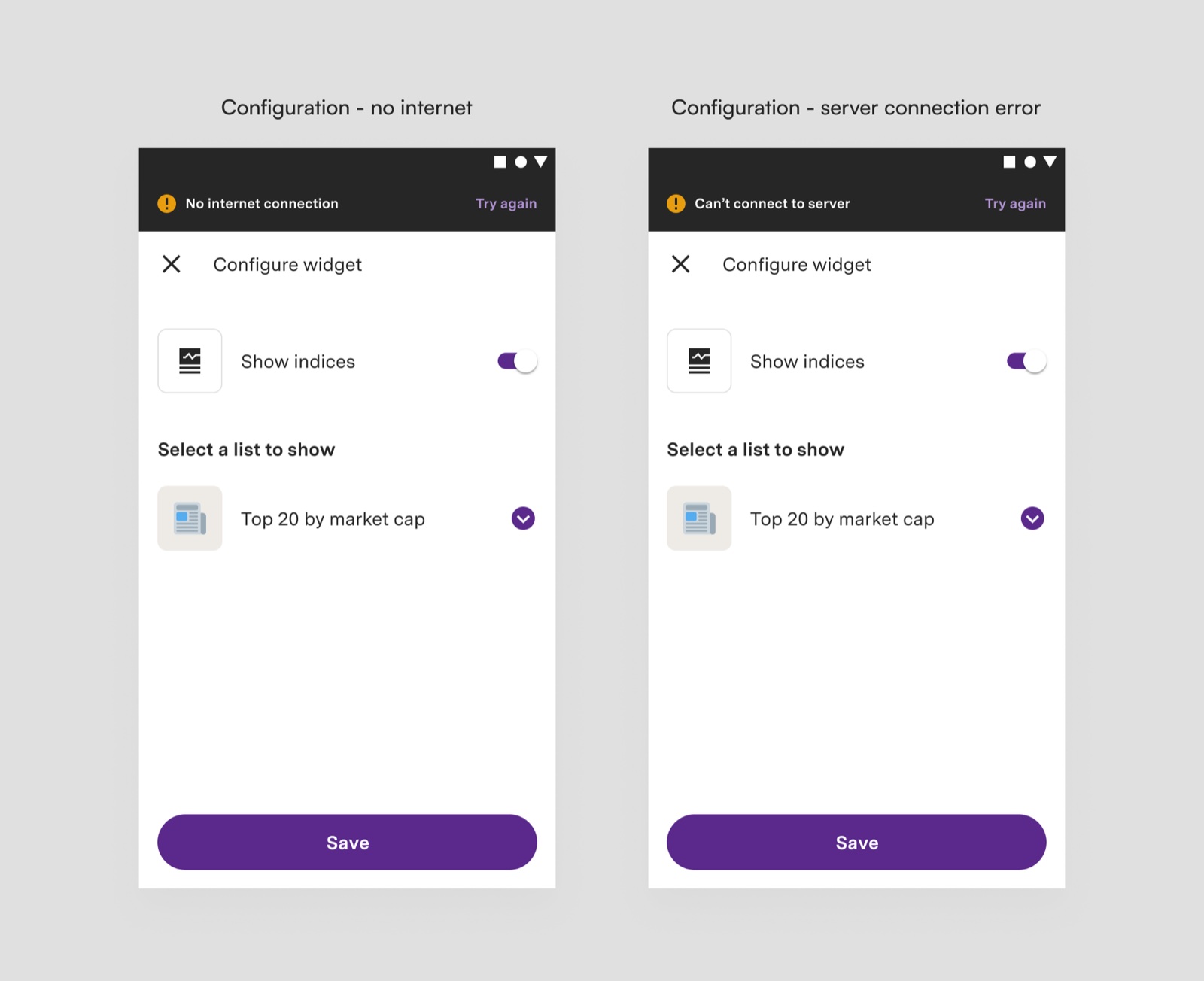
The app already had many of these states defined, but widgets needed their own. Blocking the whole widget would defeat its purpose, which is information at a glance, so most states keep the last known data visible and flag the problem quietly.
10 · Log-in and configuration
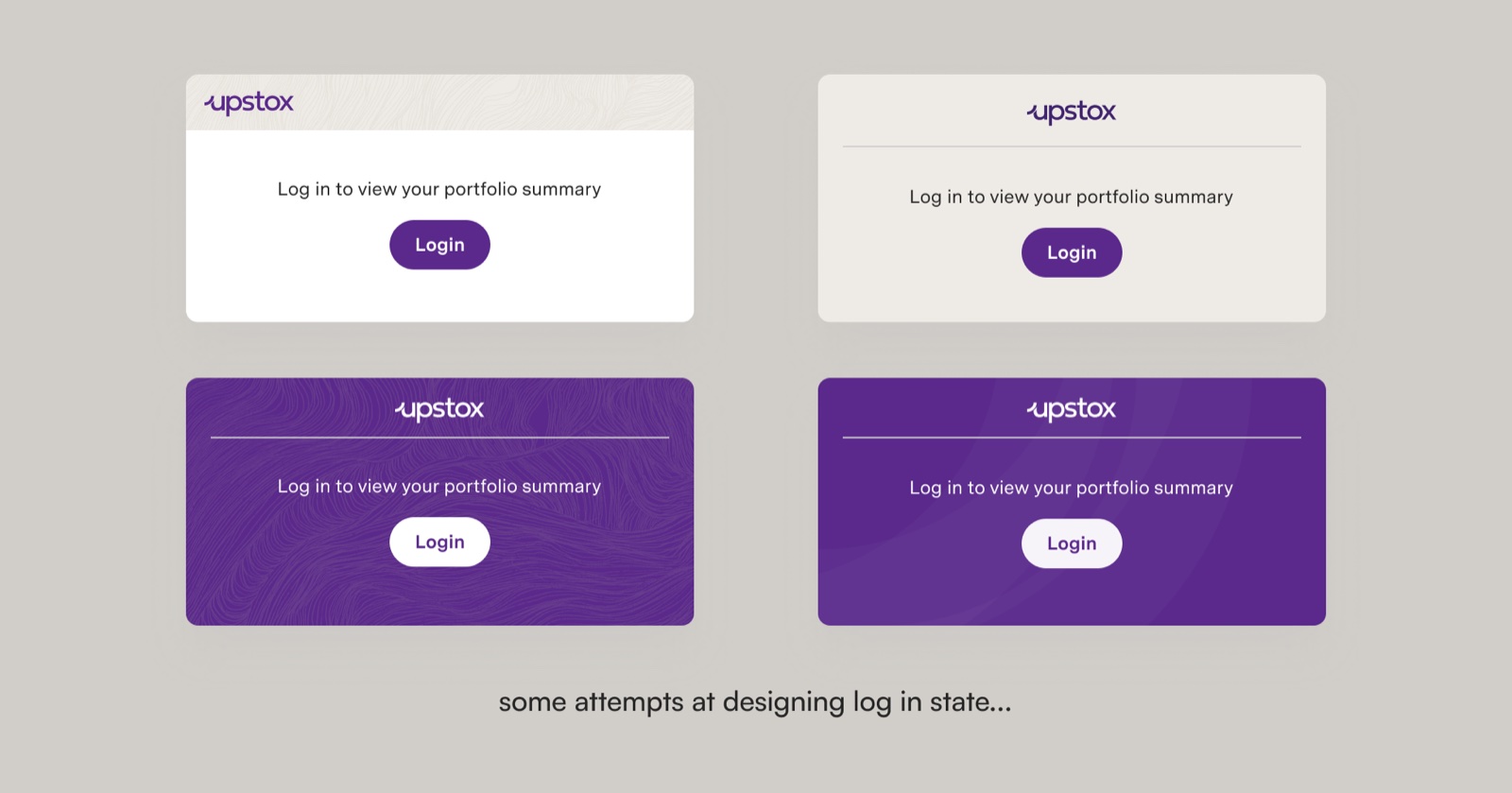
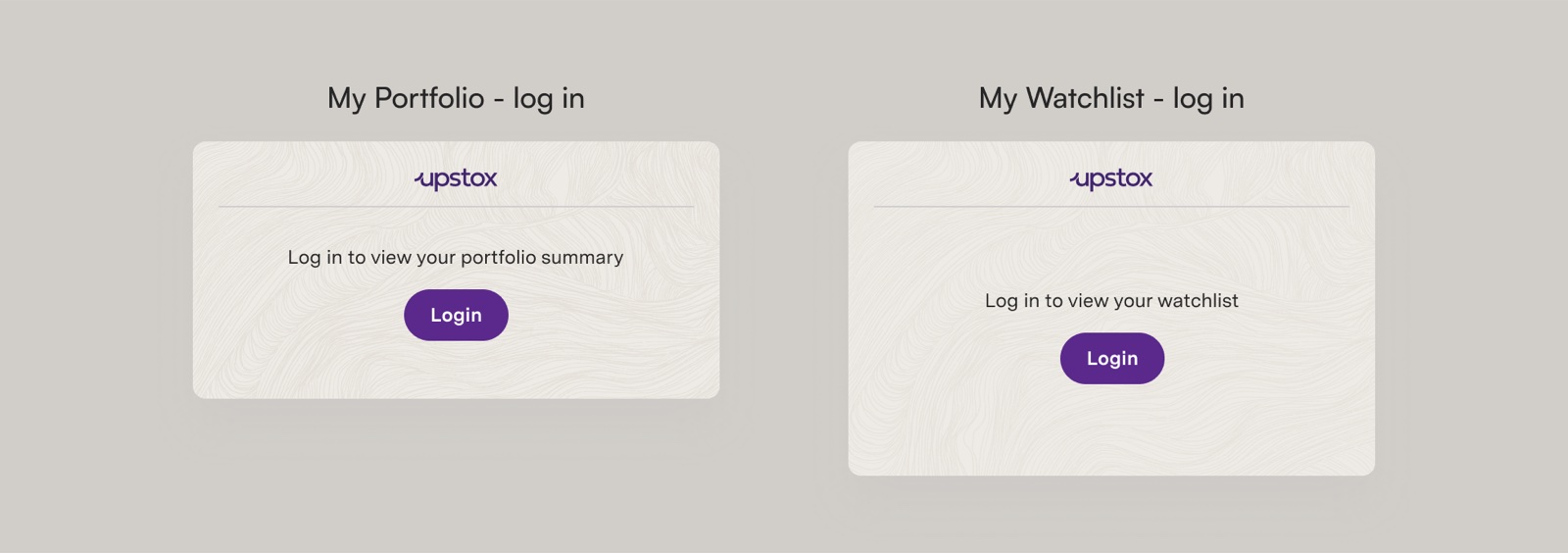
The log-in state is the first thing people see after adding a widget.
When someone drags a widget onto their home screen without being logged in, the widget has to explain itself and get them in quickly. It took several attempts to get right.
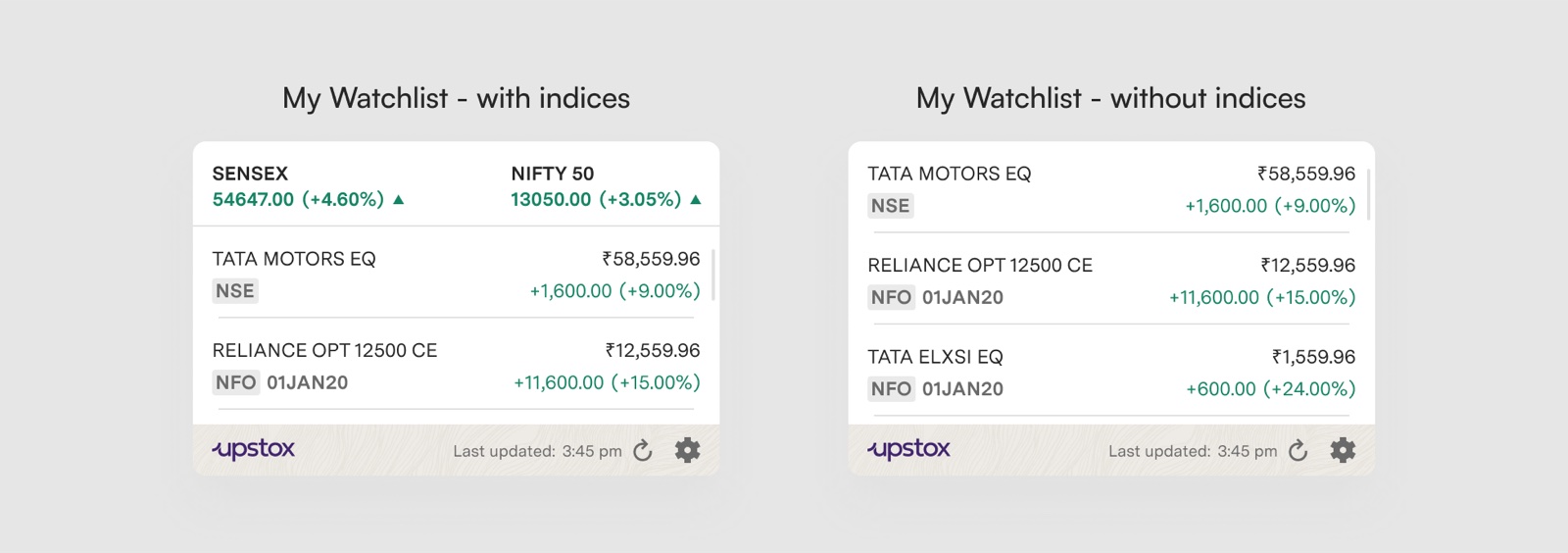
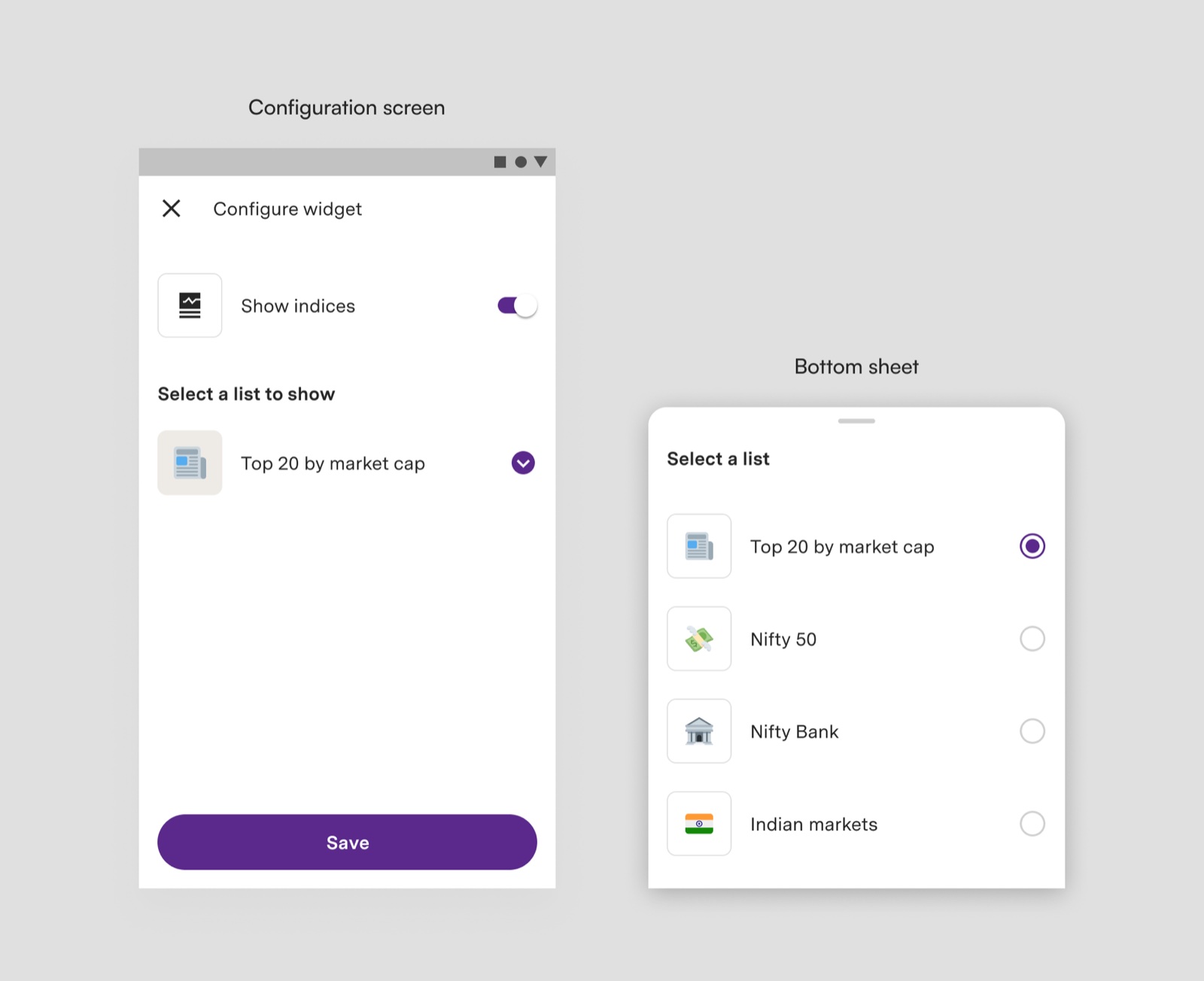
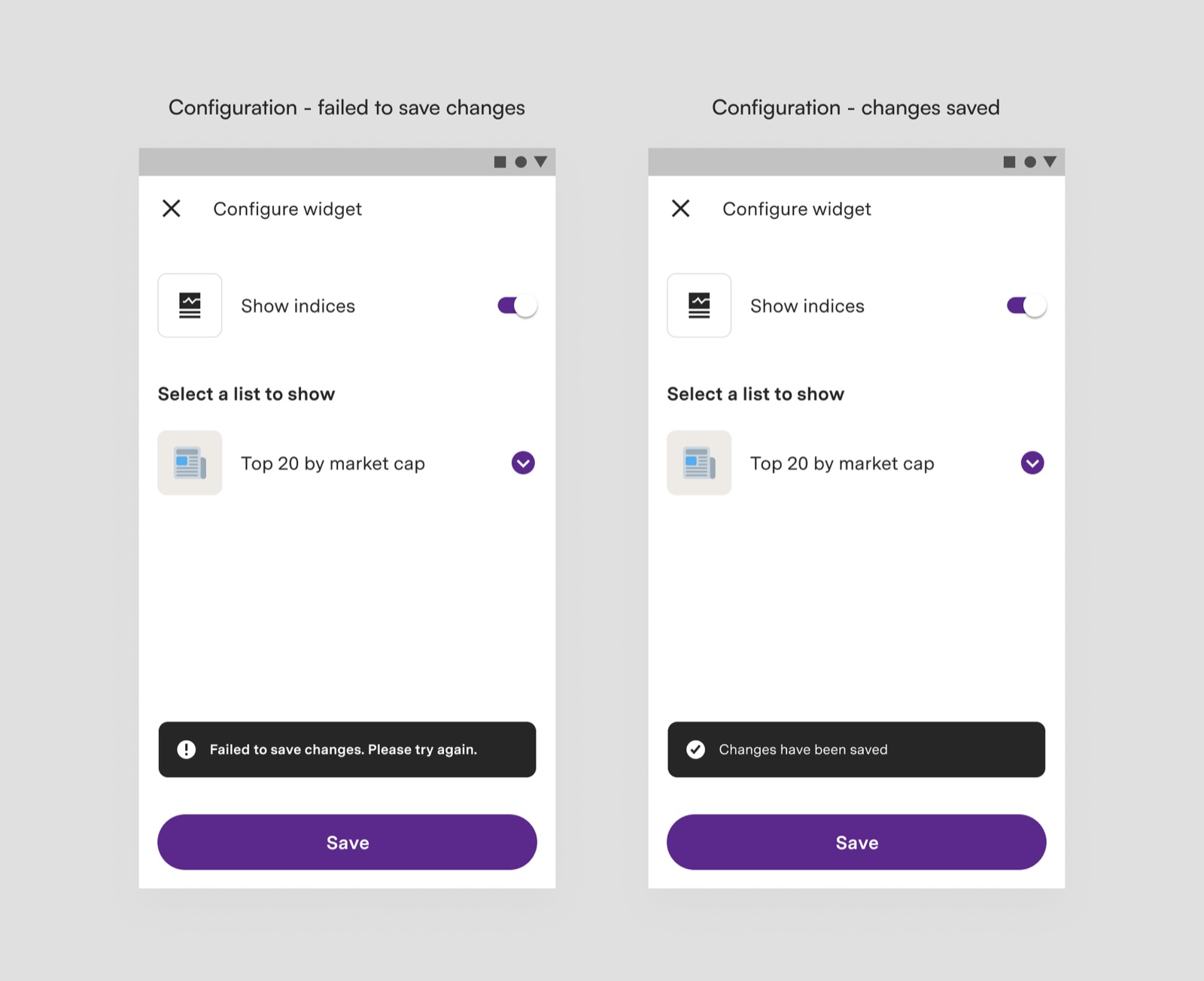
The watchlist widget needs a small configuration screen: show or hide indices, and choose which list to show. It sits outside the app and opens only from the widget.
The result
Two widgets, light and dark, with a prototype and every state documented.
11 · Final design
Light and dark, following the phone’s system setting.
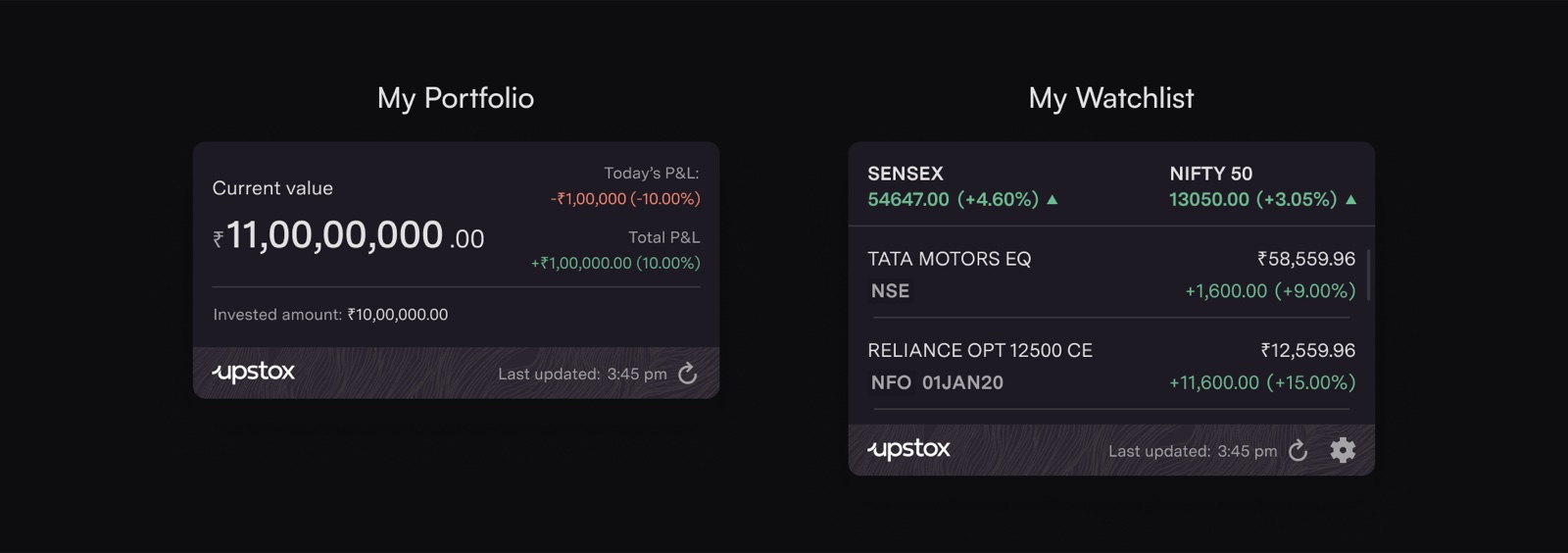
I presented the widgets separately to the teaching assistants, Design Tab, and the Google Developer Student Club core team, and took their feedback before the final review with the Industrial Design professors.
12 · What I learned
A version 1 needs clear checkpoints, and saying no is part of the design.
Lots of good suggestions came in, but they couldn’t all fit in the first version. Not everyone can see the roadmap, so it’s on the designer to explain what’s in v1, what comes later, and why.
- Next: test the widgets with real users, and bring the graph back once it’s technically feasible.