From a developer-run product to a system the whole team builds on.
PriceLabs grew on vanilla JS and CSS with a single designer, so most UI decisions were made in code. After repeated inconsistency issues, we moved the product to React and built a design system to go with it: foundations, components, patterns and a voice for the product.
Why PriceLabs needed a system
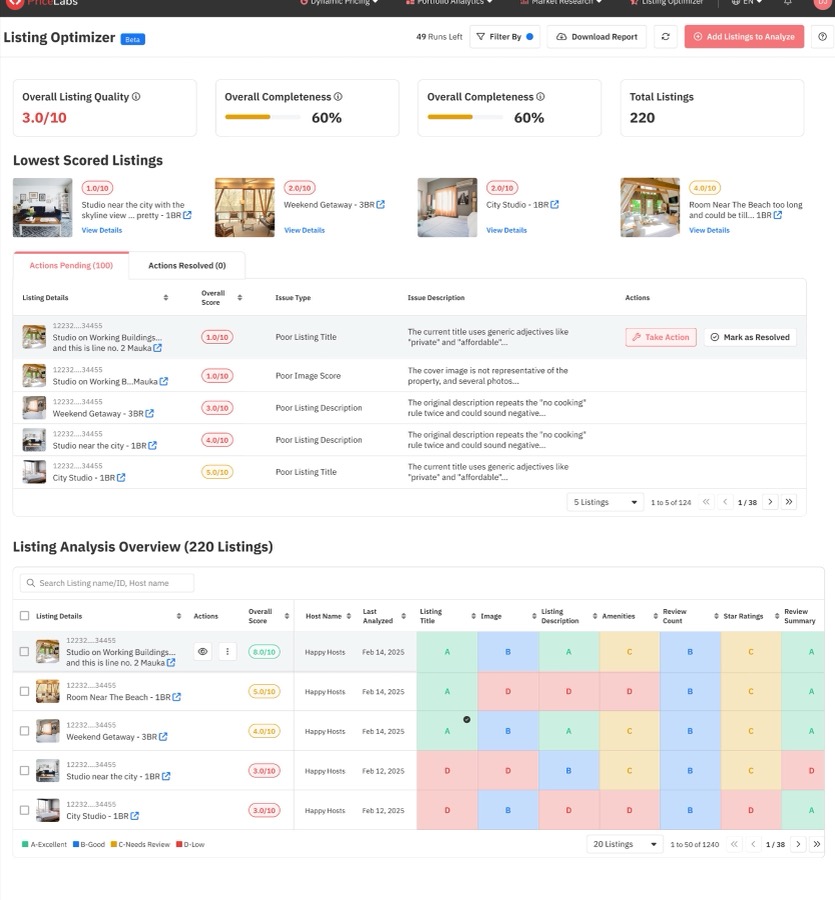
A fast-growing product built screen by screen in code had quietly become five products that looked alike. Before designing anything, we had to prove it.
01 · Context
A product built screen by screen in code, where the same button looked and behaved differently on every page.
For years PriceLabs had one designer and a product written in vanilla JavaScript and CSS. Engineers often built UI directly from requirements, so the product was largely developer-run. That got features out fast, but every page solved the same problems in its own way.
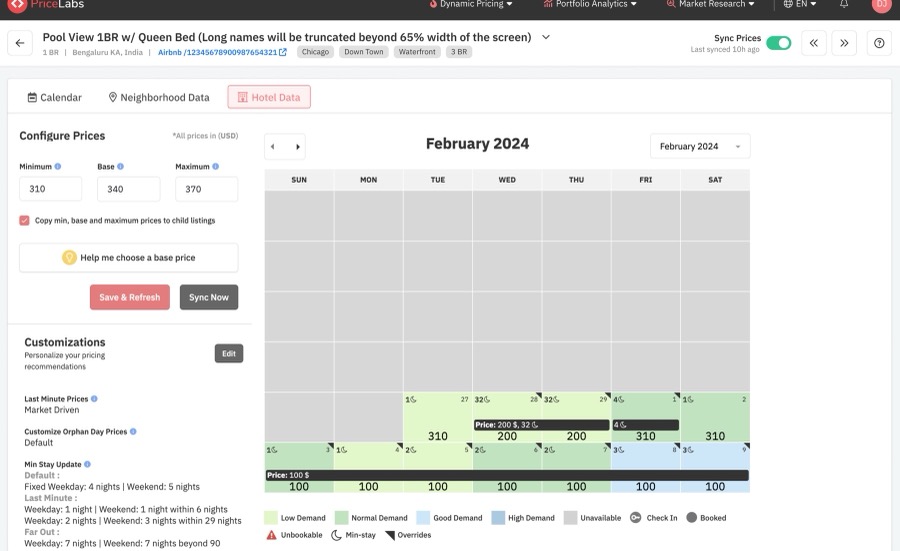
As the product and team grew, the cost showed up as repeated inconsistency issues: different buttons, inputs and spacing on every screen, and behaviour that users had to relearn page by page. One example: the calendar, customizations and settings pages each had their own “Save” button, with three heights, two reds and different disabled states.
The engineering team decided to move the front end to React. That was the moment to build the system, not after.
02 · Starting with an audit
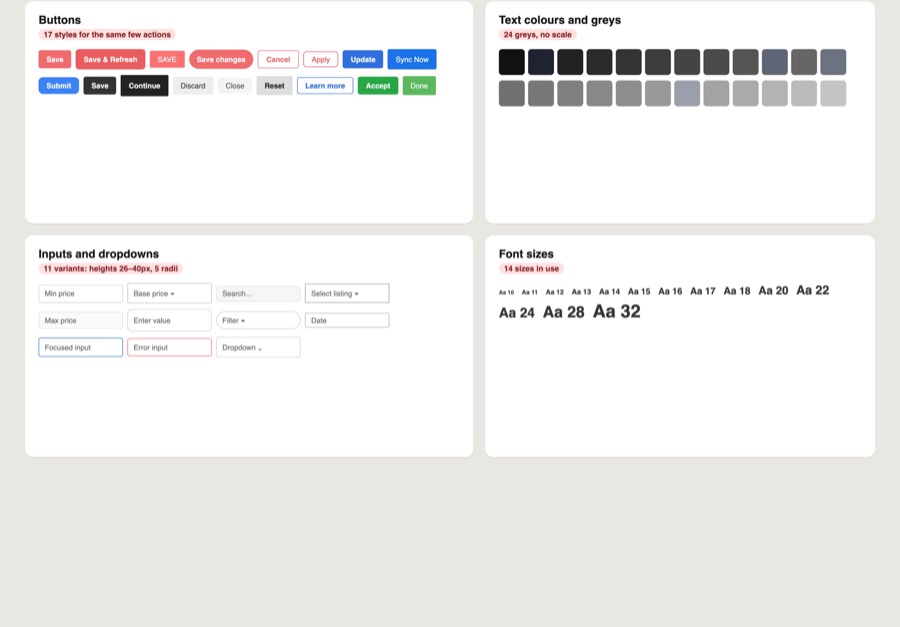
We inventoried every button, input and colour before designing anything new.
Before designing anything new, we inventoried what already existed: screenshotting every instance of each UI element across the product and grouping them.

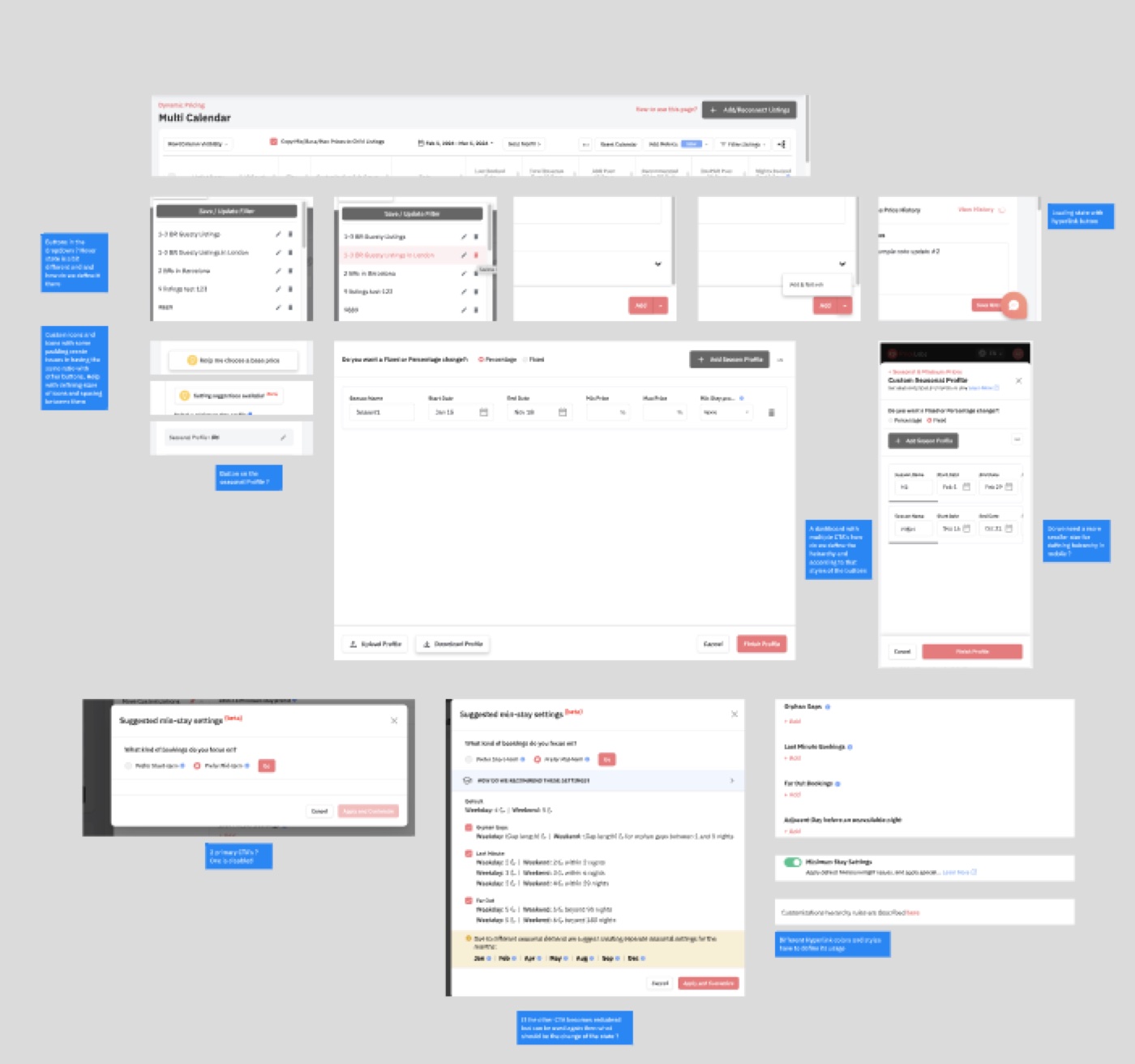
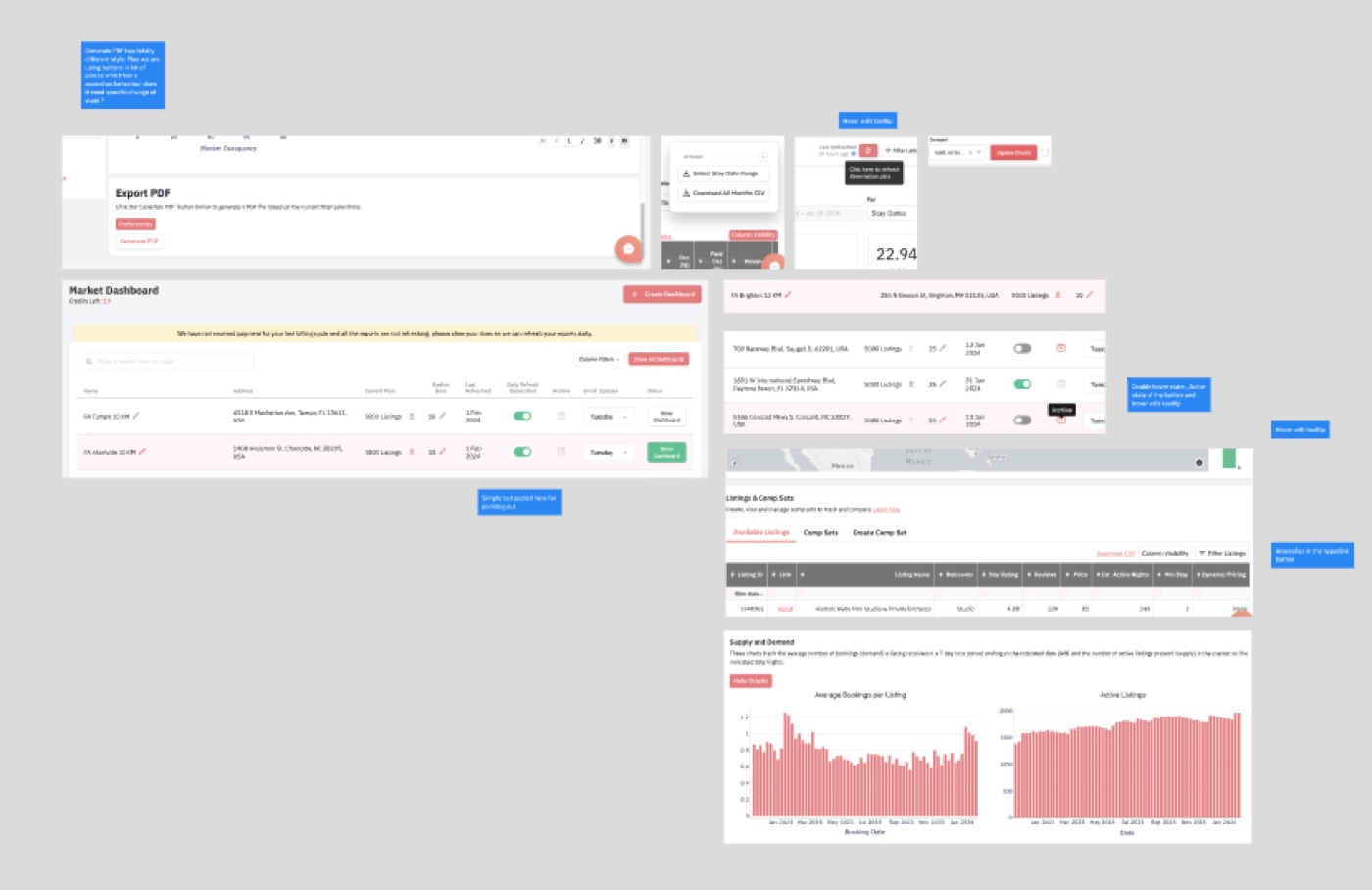
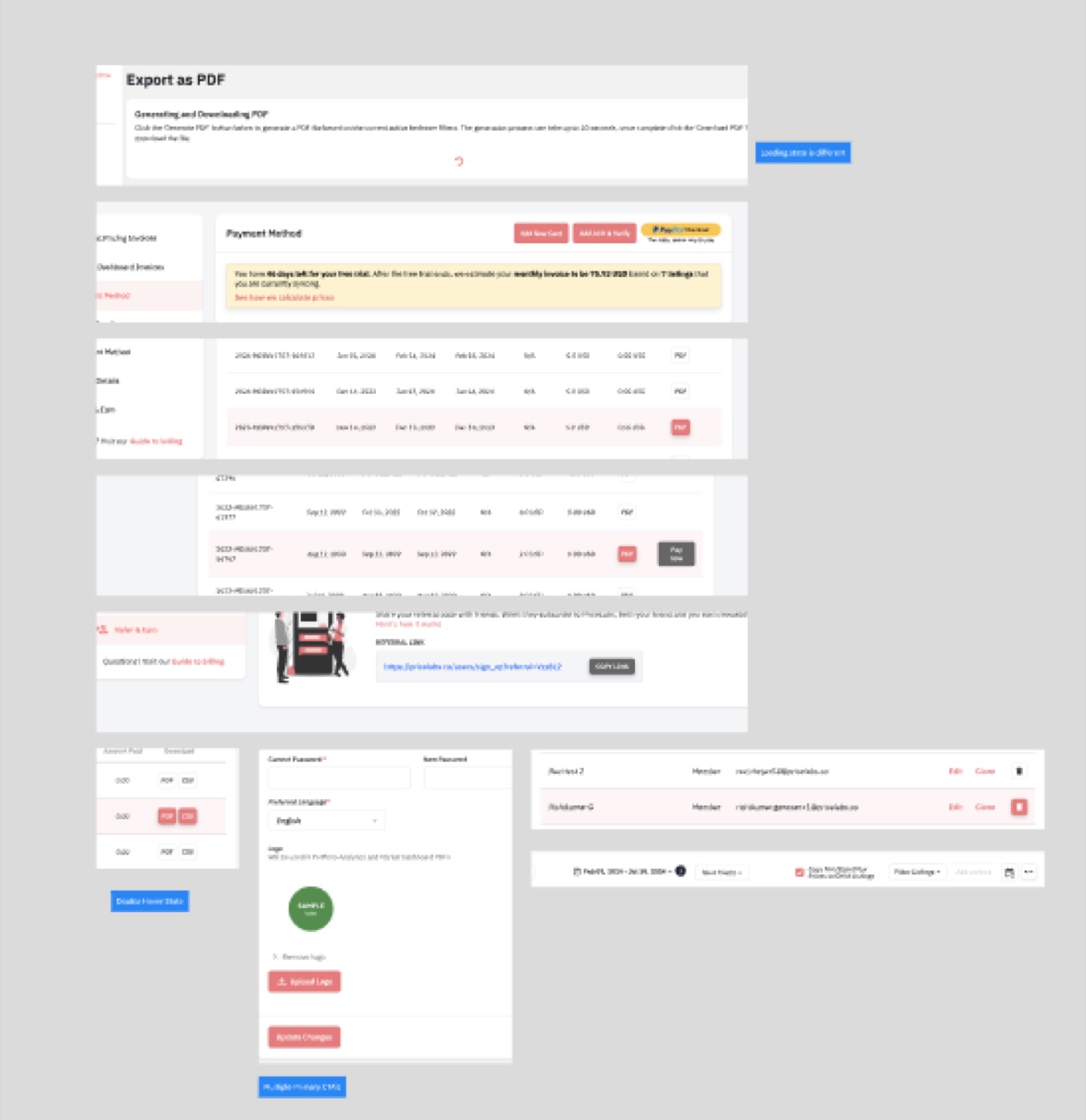
The audit did two jobs: it showed engineering and leadership the scale of the problem, and it told us which components to build first, the ones used most and broken most.
03 · Principles
We aligned on a few principles to settle debates quickly.
- Revenue managers live in data, so the UI should make numbers easy to scan, not decorate them
- The easiest thing for an engineer to build is the right thing
- Contrast, focus and keyboard behaviour are built into components, not bolted on
Building the foundations
With the problem on the table, we built from the smallest decisions up: tokens first, then components, then the documentation that made them usable without asking a designer.
04 · The system at a glance
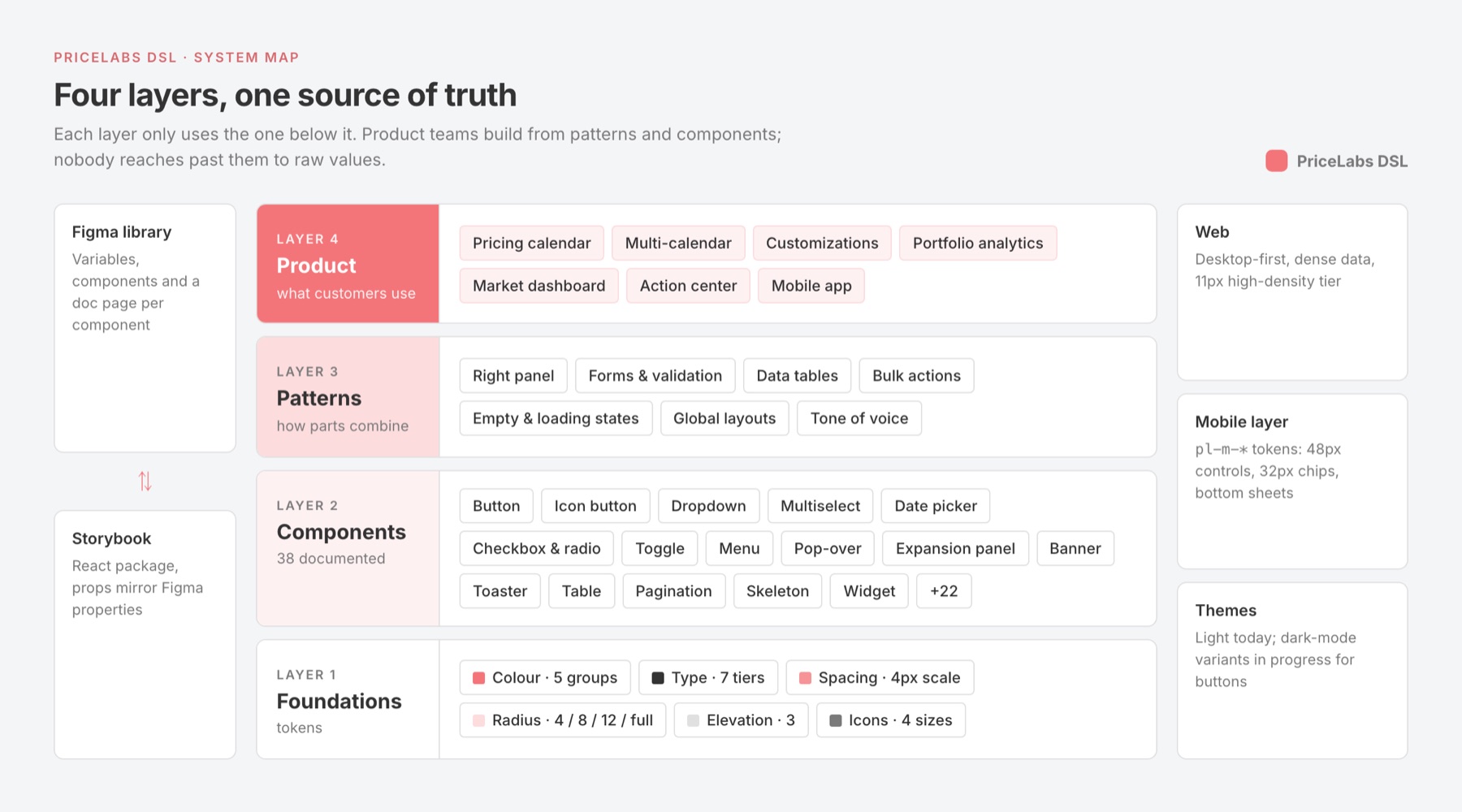
Four layers, each built only from the one below it.
Before drawing a single component we agreed on the shape of the system. Foundations hold every raw decision; components are built only from tokens; patterns are built only from components; product pages are built from patterns. If a screen needs a hex value or a one-off margin, something is missing from a lower layer, and that gap becomes a request instead of a workaround.
04 · Foundations & tokens
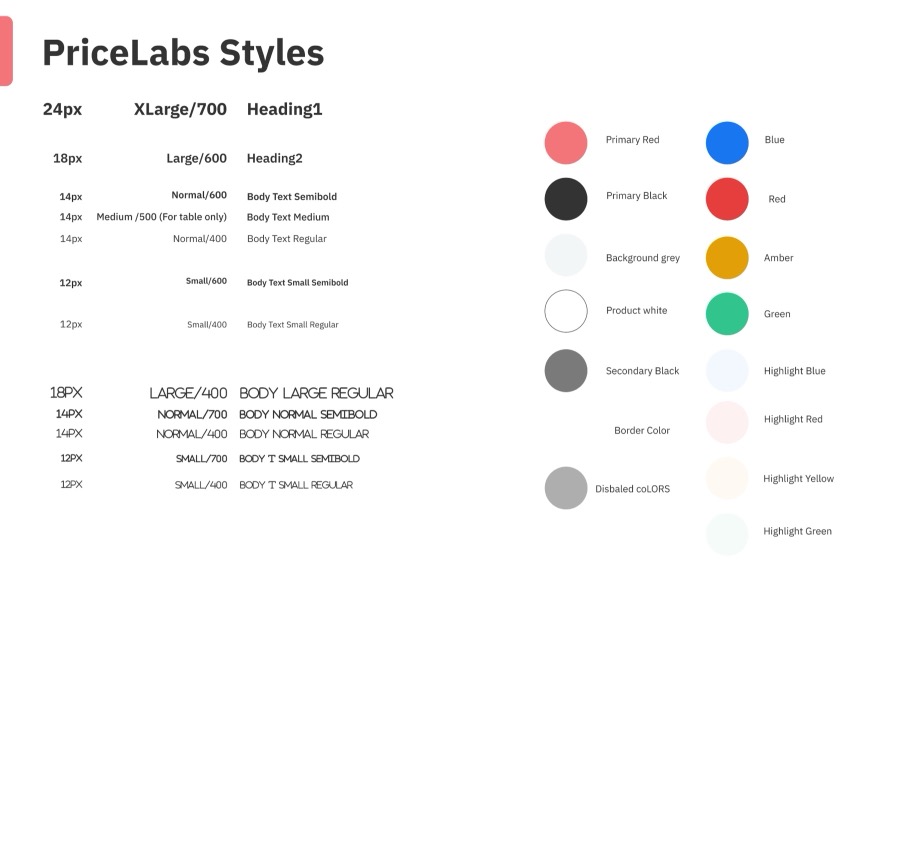
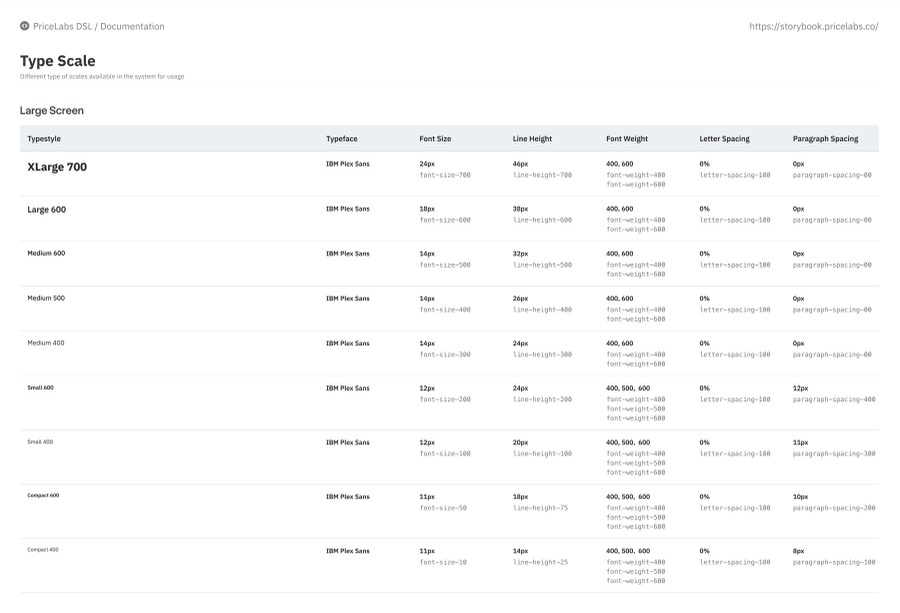
Seven type tiers, including a high-density tier for data, and five colour groups.
Tokens are the named decisions (colour, type, spacing, radius, elevation) that designers and engineers share. Defining them first meant every component inherited the same choices.
A dedicated high-density 11px tier exists because revenue managers read calendars and tables with hundreds of cells; icon sizes (Font Awesome) are matched to each type tier: 18 / 14 / 12 / 11.
Five style groups: brand, grey, feedback, calendar and badge
Seven tiers from 48 to 11, including a high-density tier for data
A 4px base scale: 4, 8, 12, 16, 24, 32, 48 (--pl-space-100 to --pl-space-1200), documented on the Padding & Margin page.
Three effect styles (card, top and bottom shadow) and four radii: 4 (inputs, chips), 8 (cards, panels), 12 (modals) and full (pills, toggles).
pl-[category]-[property]-[variant]-[state], for example pl-color-action-primary-hover or pl-type-body-highdensity. The same names appear in Figma variables and in code.
Every component page has an accessibility section: screen-reader-readable text, a minimum 3:1 contrast checked with the Contrast plugin, and labels that match visible text
Three tiers of tokens
Early tokens were just named colours, so changing “the red” meant hunting through every component that used it. We split tokens into three tiers. Primitives hold the palette and scales. Semantic tokens say what a value is for (color-action-primary, color-border-default). Component tokens are the only thing a component reads.
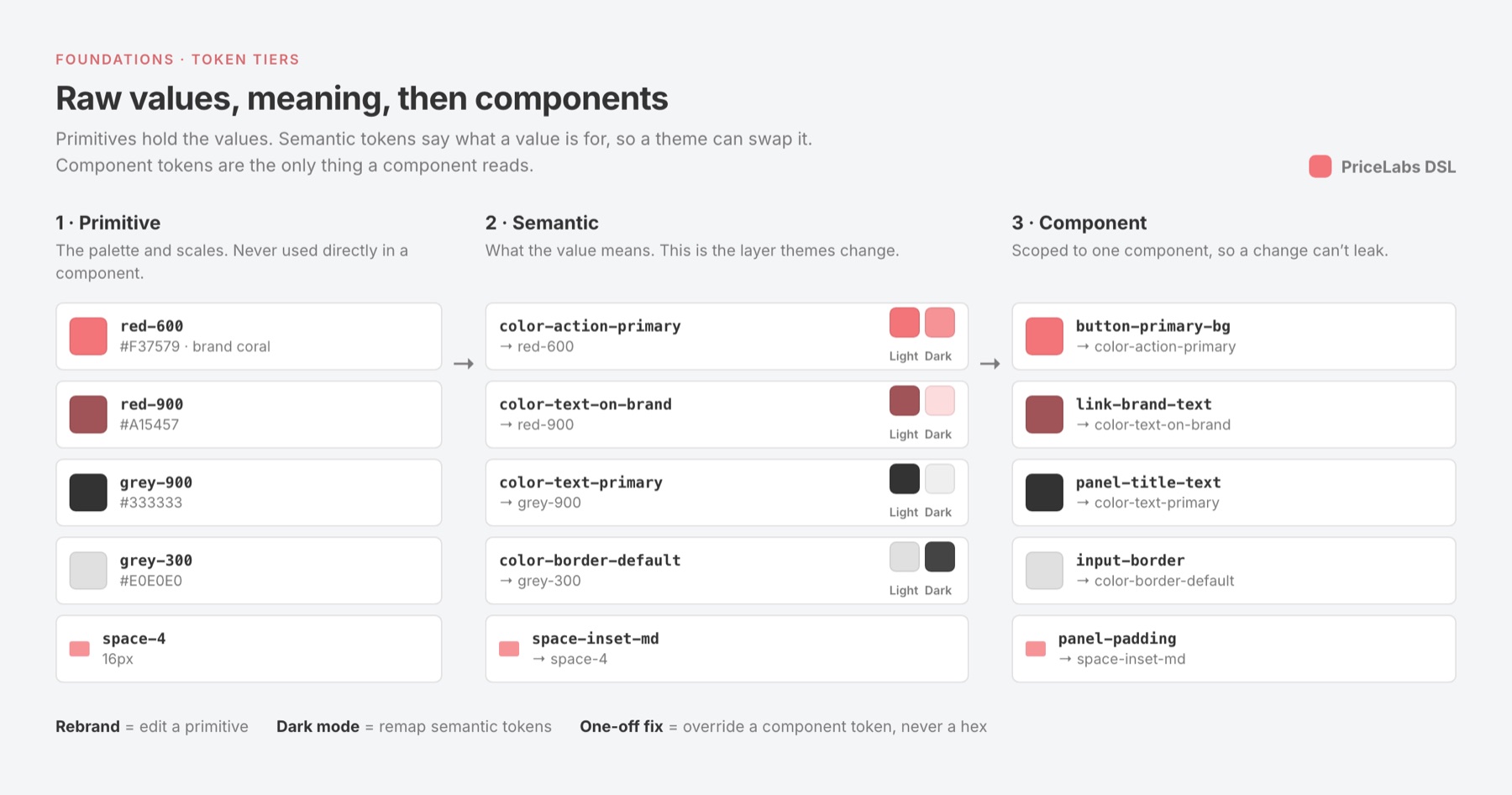
That middle tier is what makes theming possible: the dark-mode work on buttons and split buttons only remaps semantic tokens, and no component code changes.
05 · Components & variants
38 documented components and patterns, each with anatomy and usage rules.
We started with the basics that appear on almost every screen, and designed each with a clear anatomy, variants, sizes and states. The library grew to 38 documented components and patterns, each signed off in Figma before it was built:
documented and shipped in progress

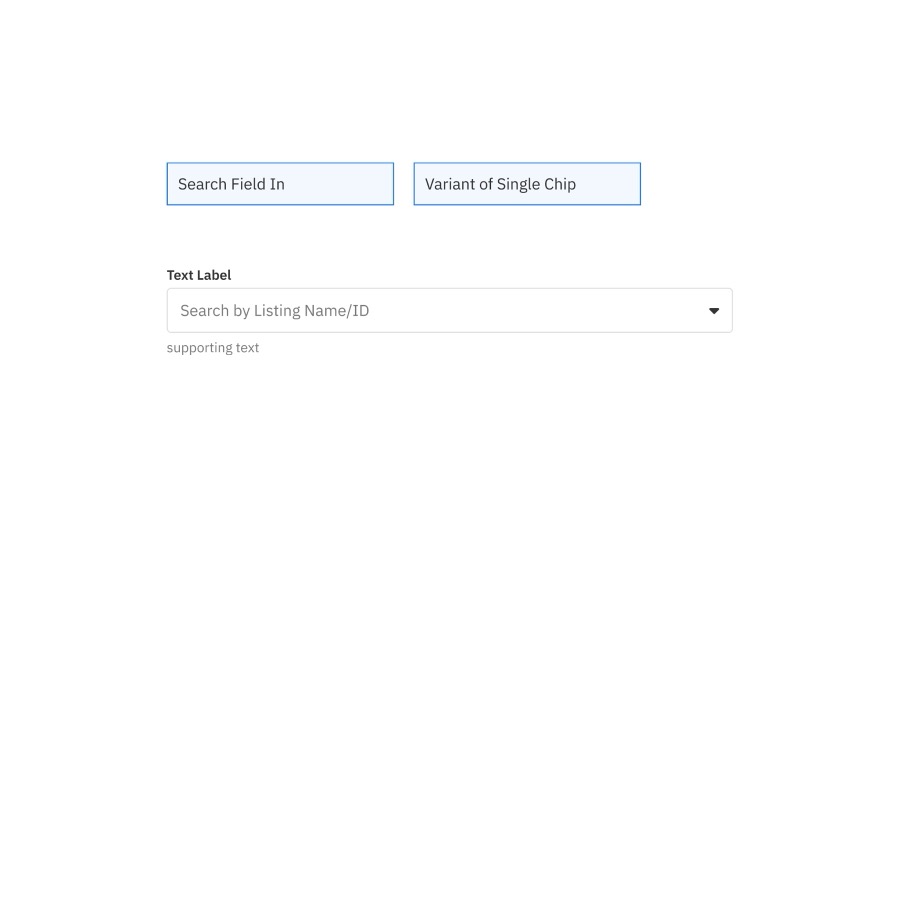

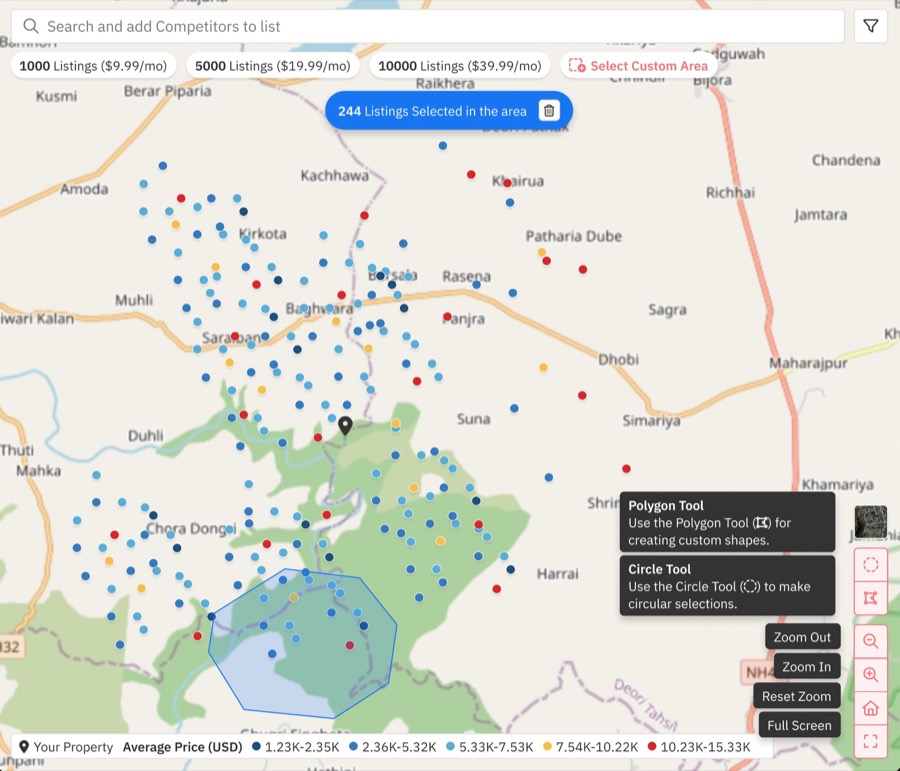
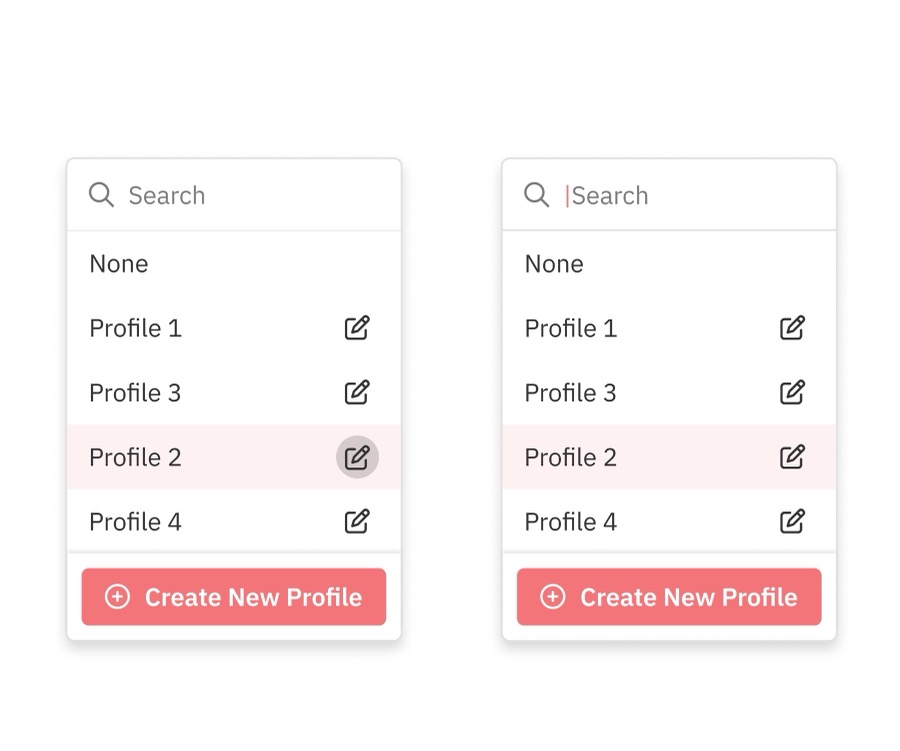
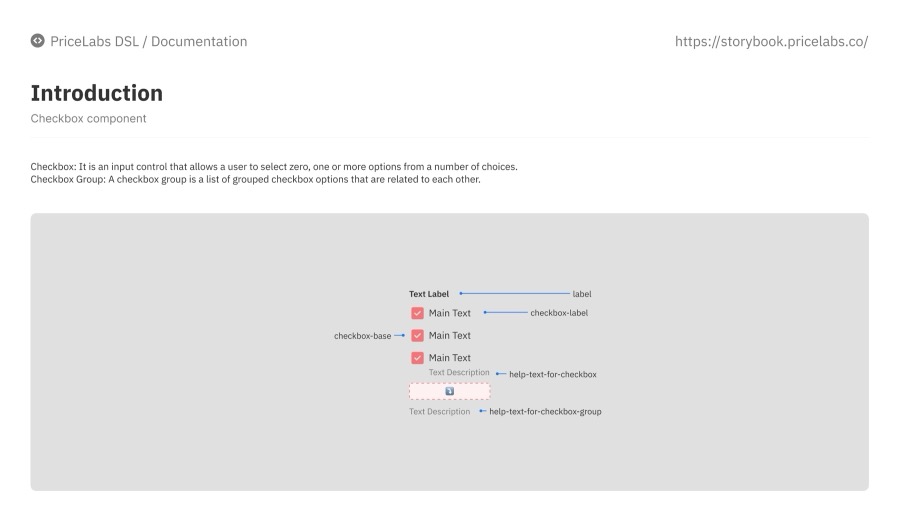
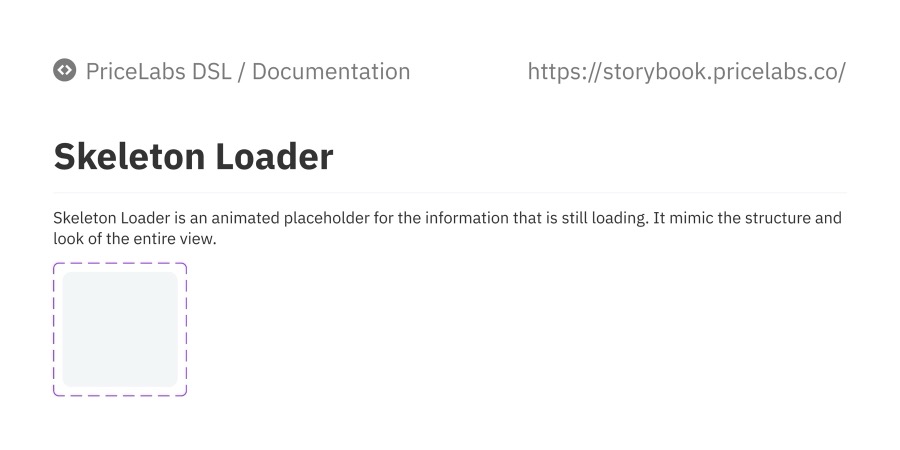
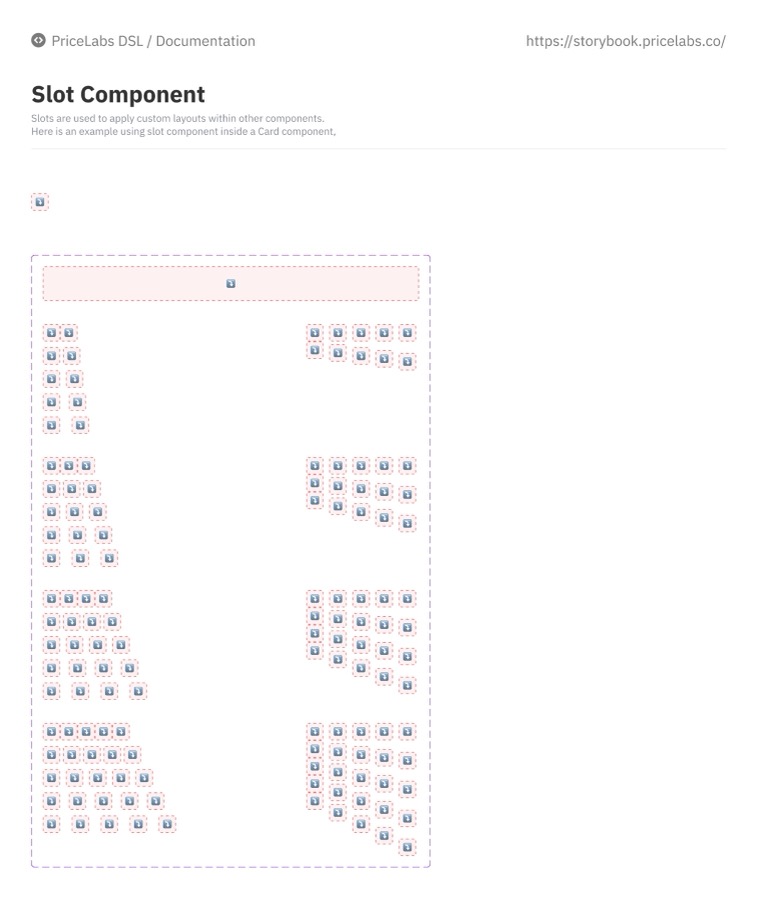
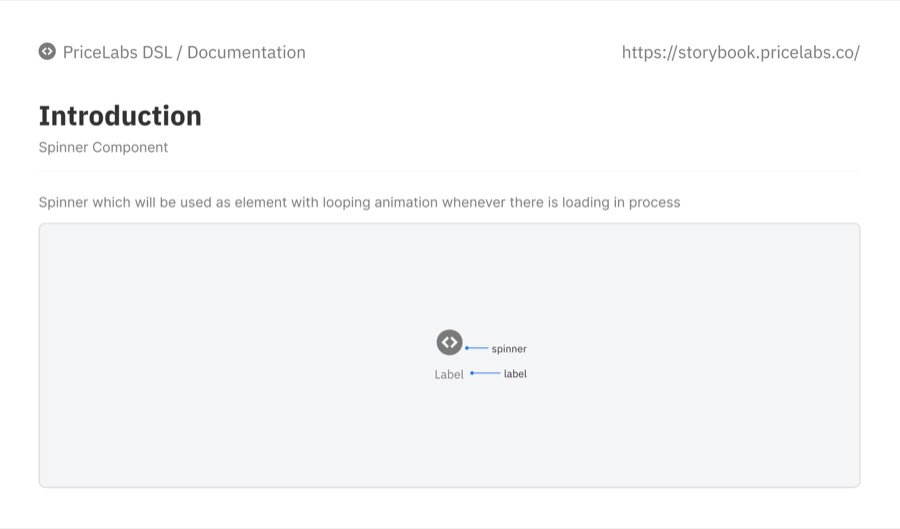
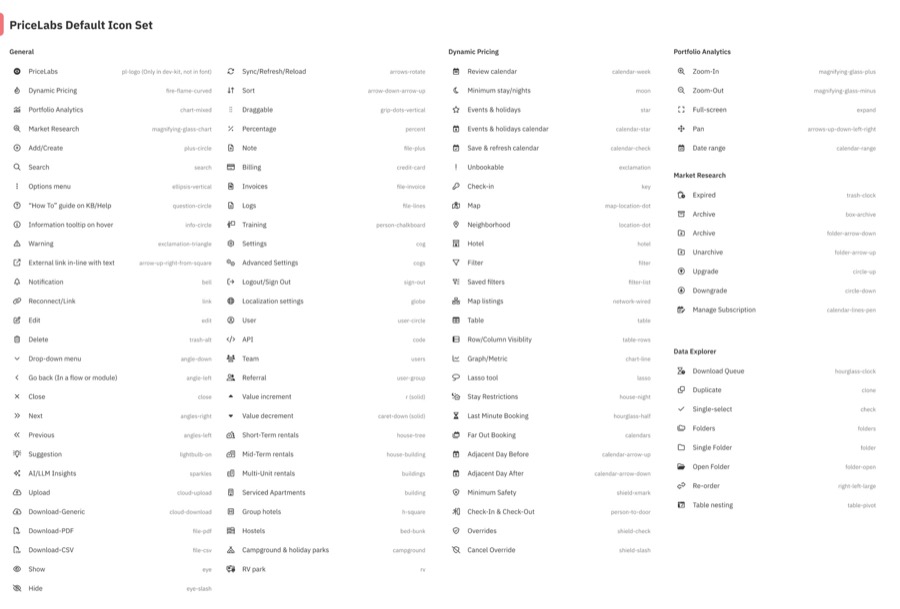
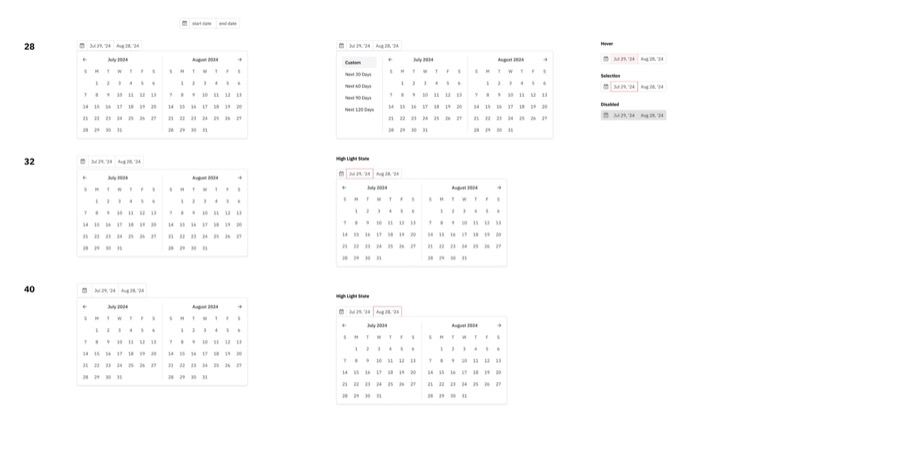
- Buttons
- Inputs & form fields
- Dropdowns / selects
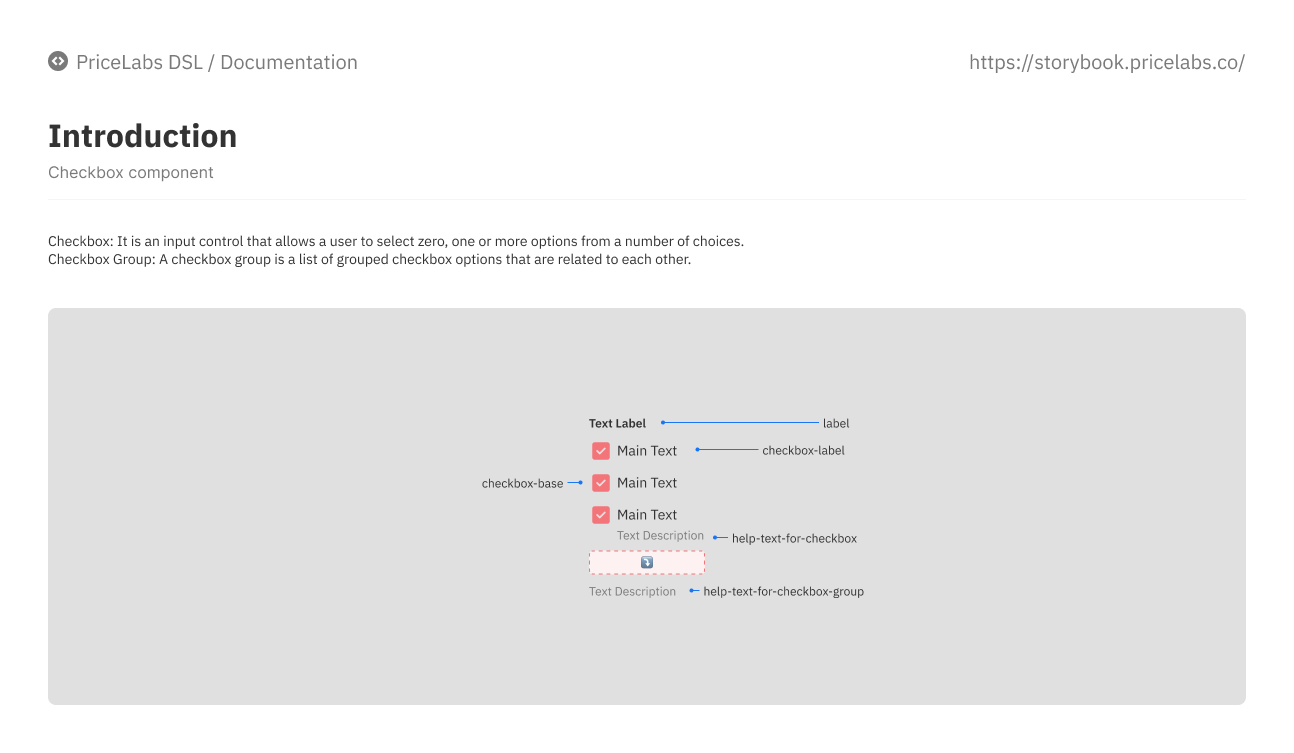
- Checkboxes, radios, toggles
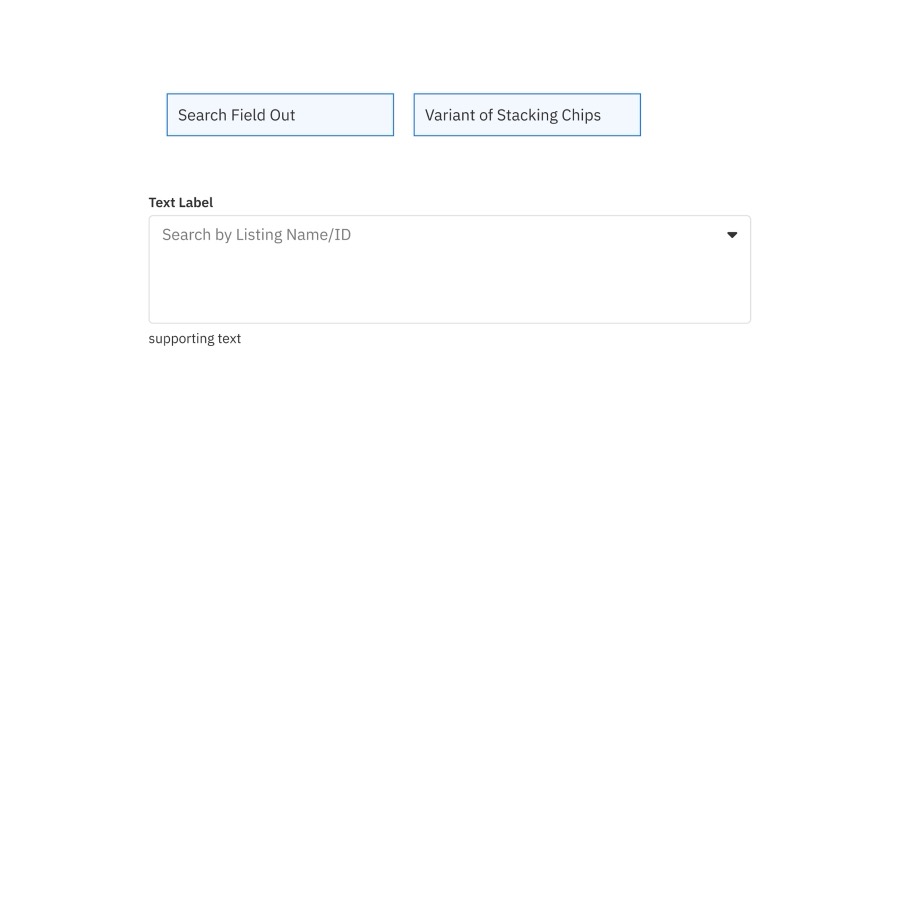
- Text fields, search, tooltips and modals
- Right panel
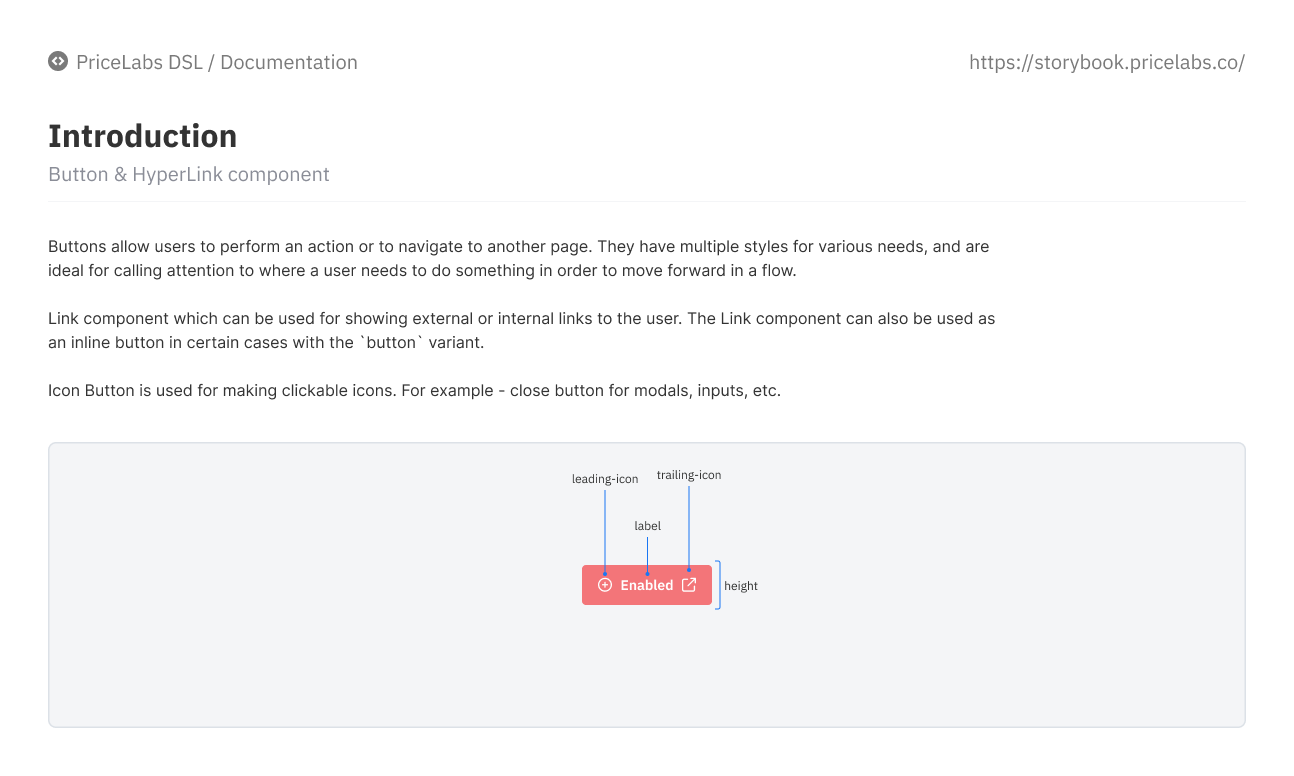
- Links & icon buttons
- Checkbox & radio groups
- Tabs, chips, toasters, pagination and tables
- Pricing-calendar cells, maps, stats and widgets, slots, selection cards
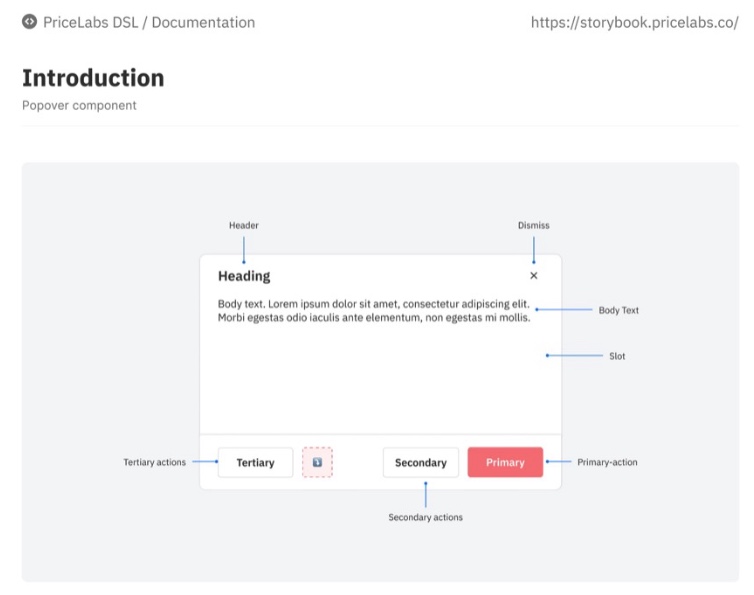
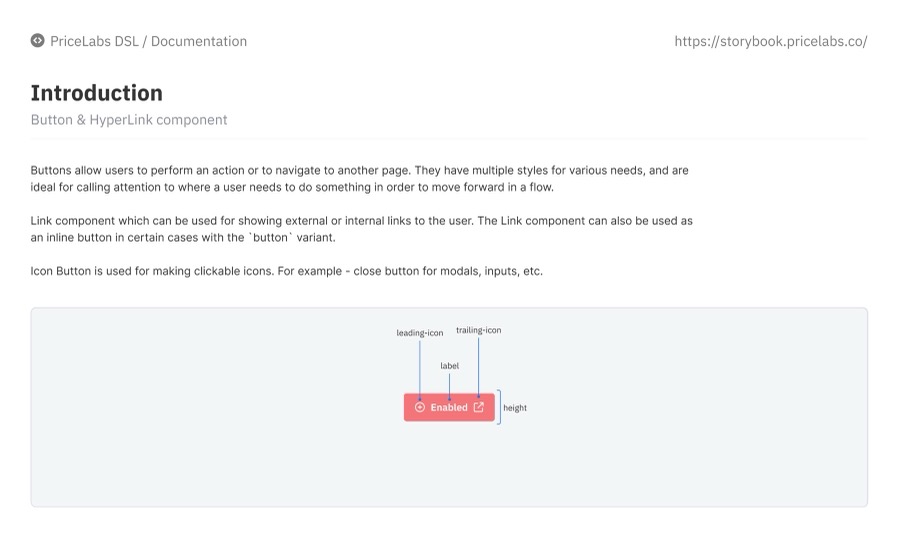
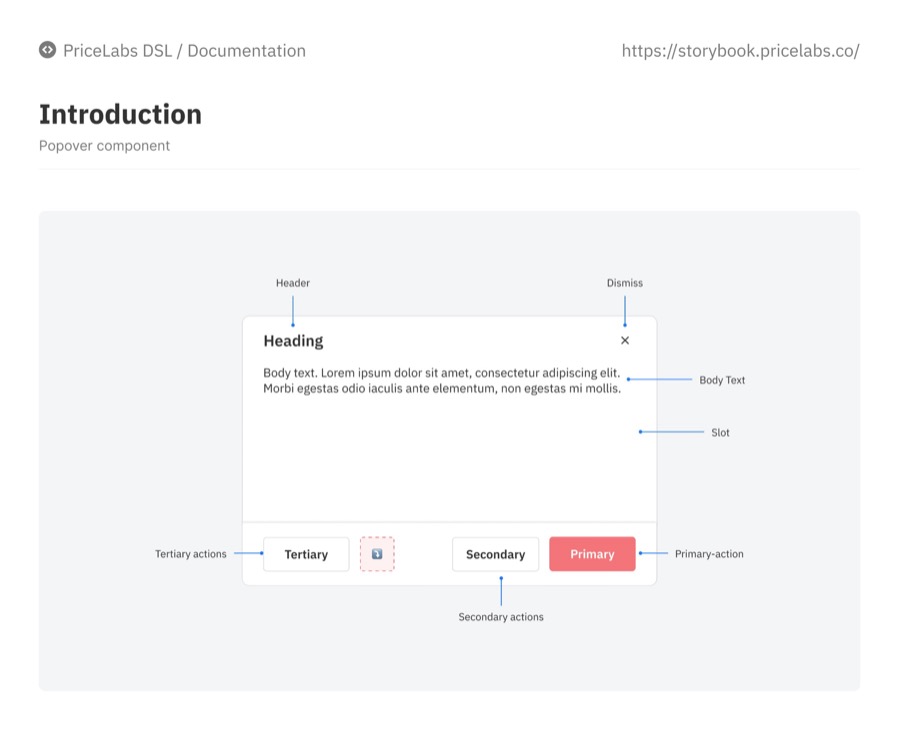
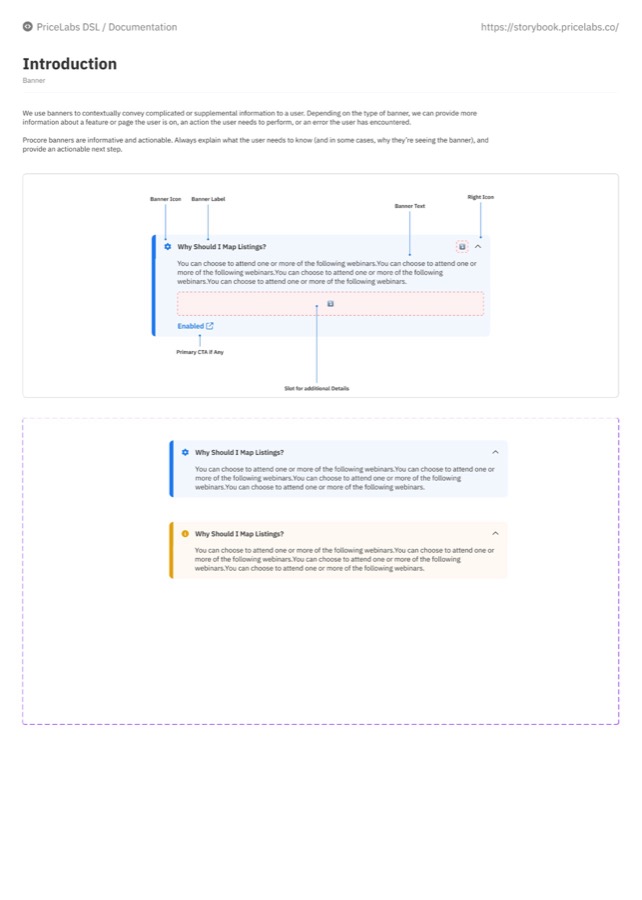
Every component got an Introduction page (what it is, its anatomy) and a Usage guidelines page (when and how to use it) in Storybook.
06 · One documentation template
Every component page answers the same five questions, so engineers know where to look.
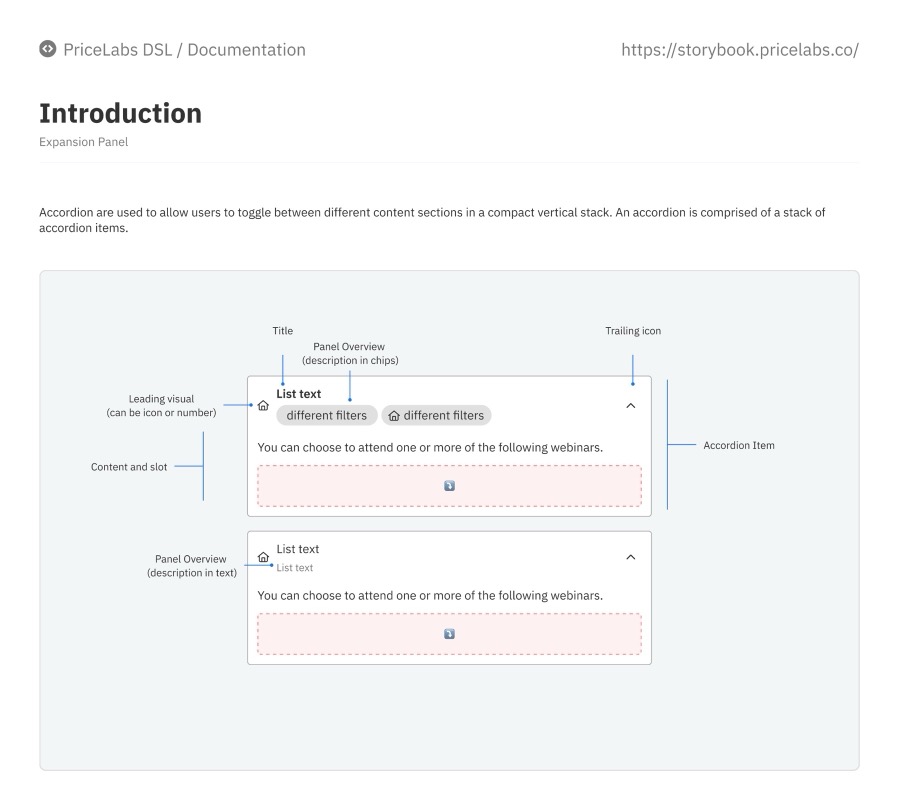
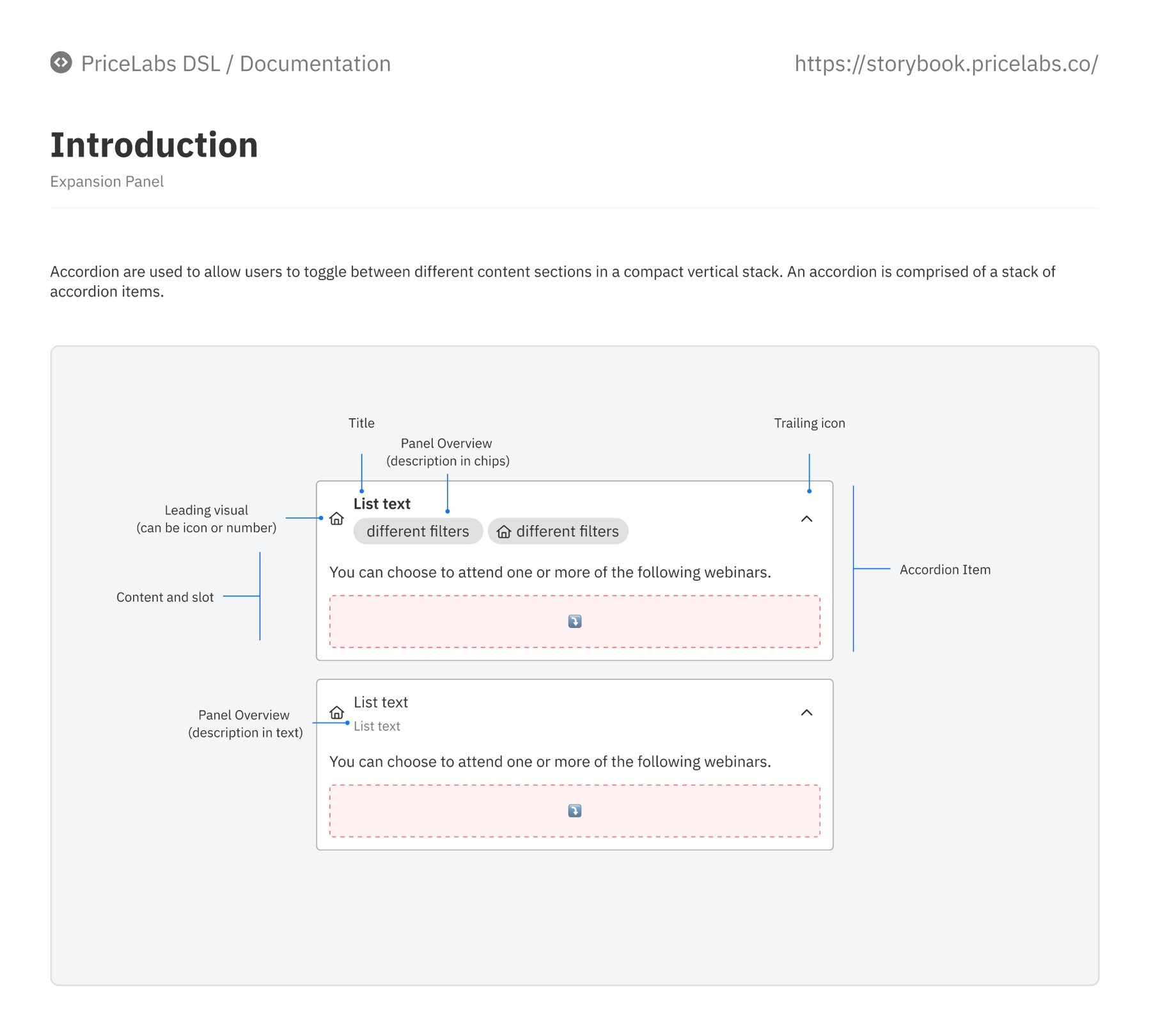
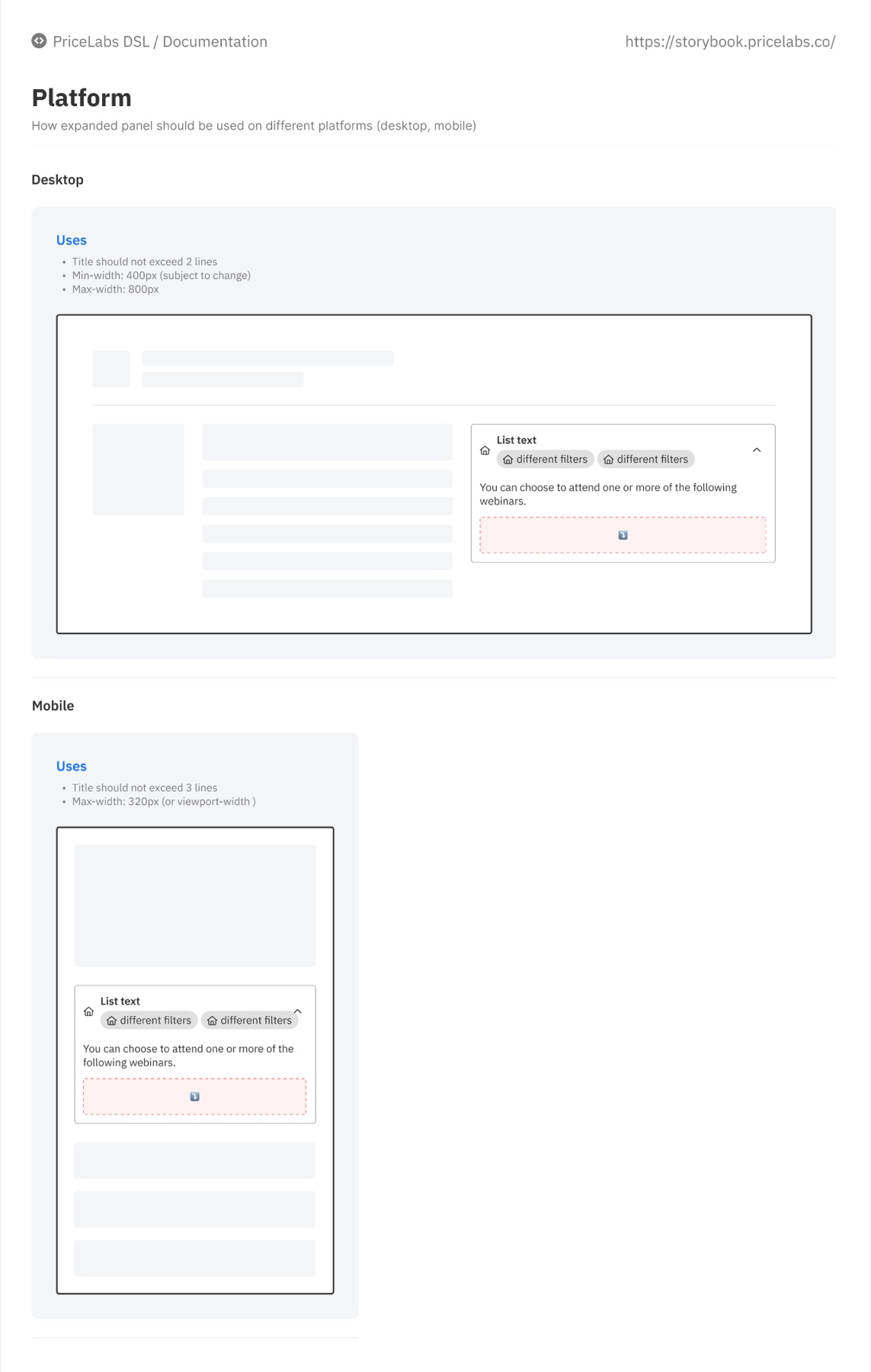
Each of the 38 component pages in Figma follows one template, headed PriceLabs DSL / Documentation and linked to the matching Storybook page. Here is the Expansion Panel, exactly as documented:
- IntroductionWhat it is and its anatomy, with every part named
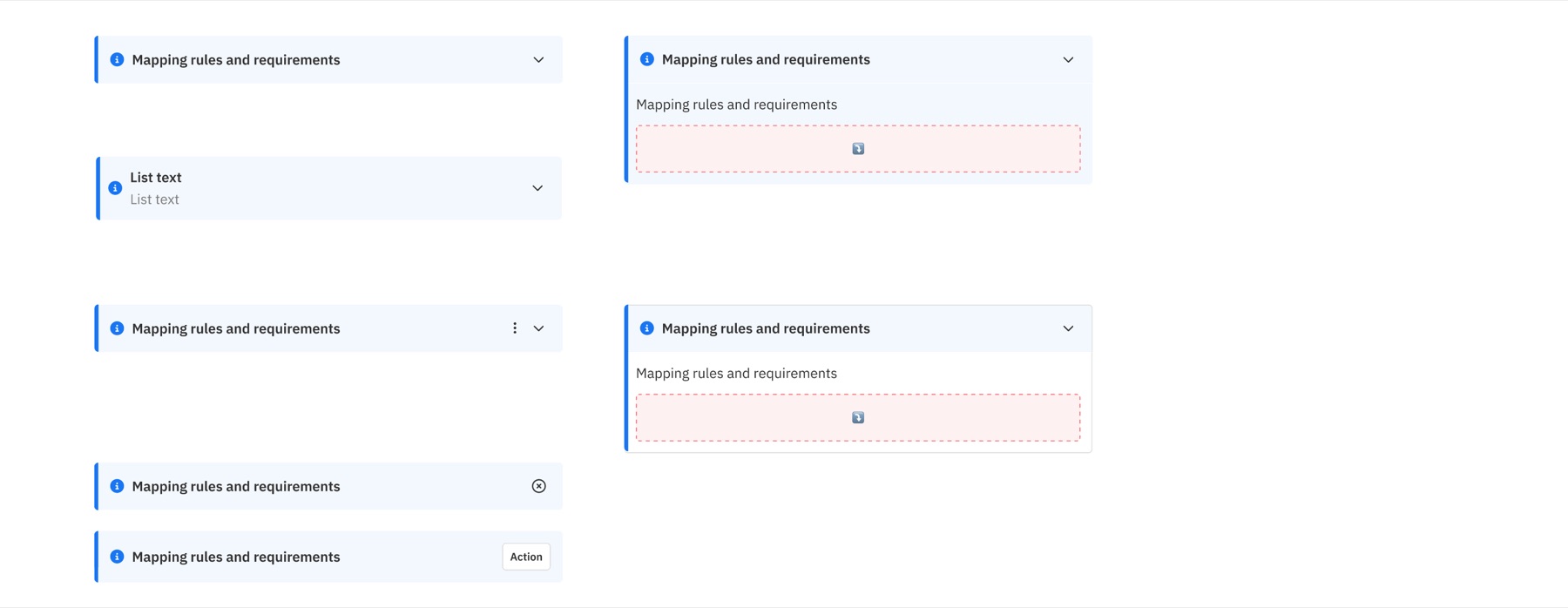
- VariationsEvery property combination, labelled with its prop values
- Usage guidelinesWhen to use it, limits, and content rules
- PlatformsWidths and rules for desktop and mobile
- AccessibilityKeyboard, screen-reader and contrast requirements
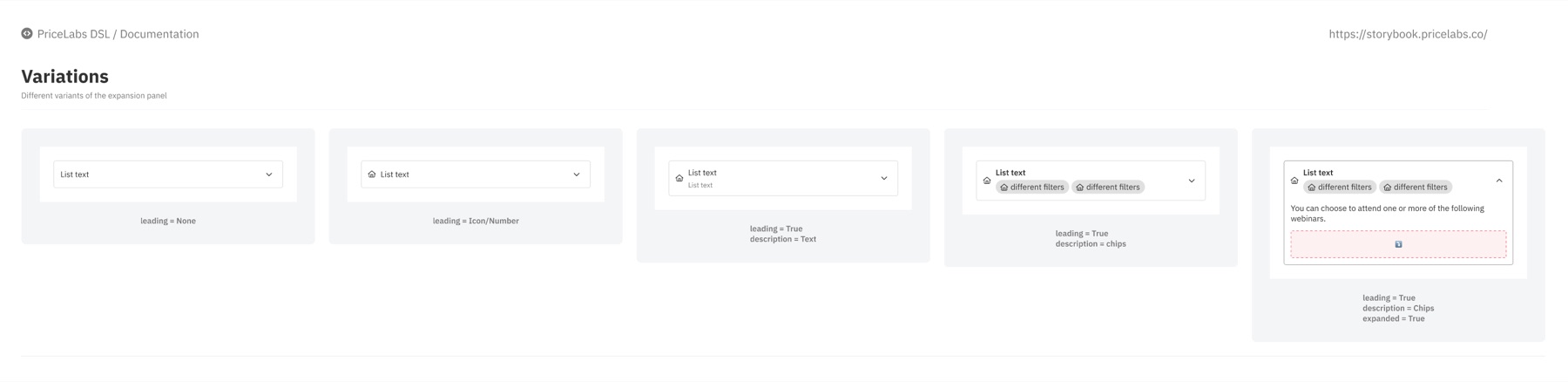
leading = True, description = Chips, expanded = True.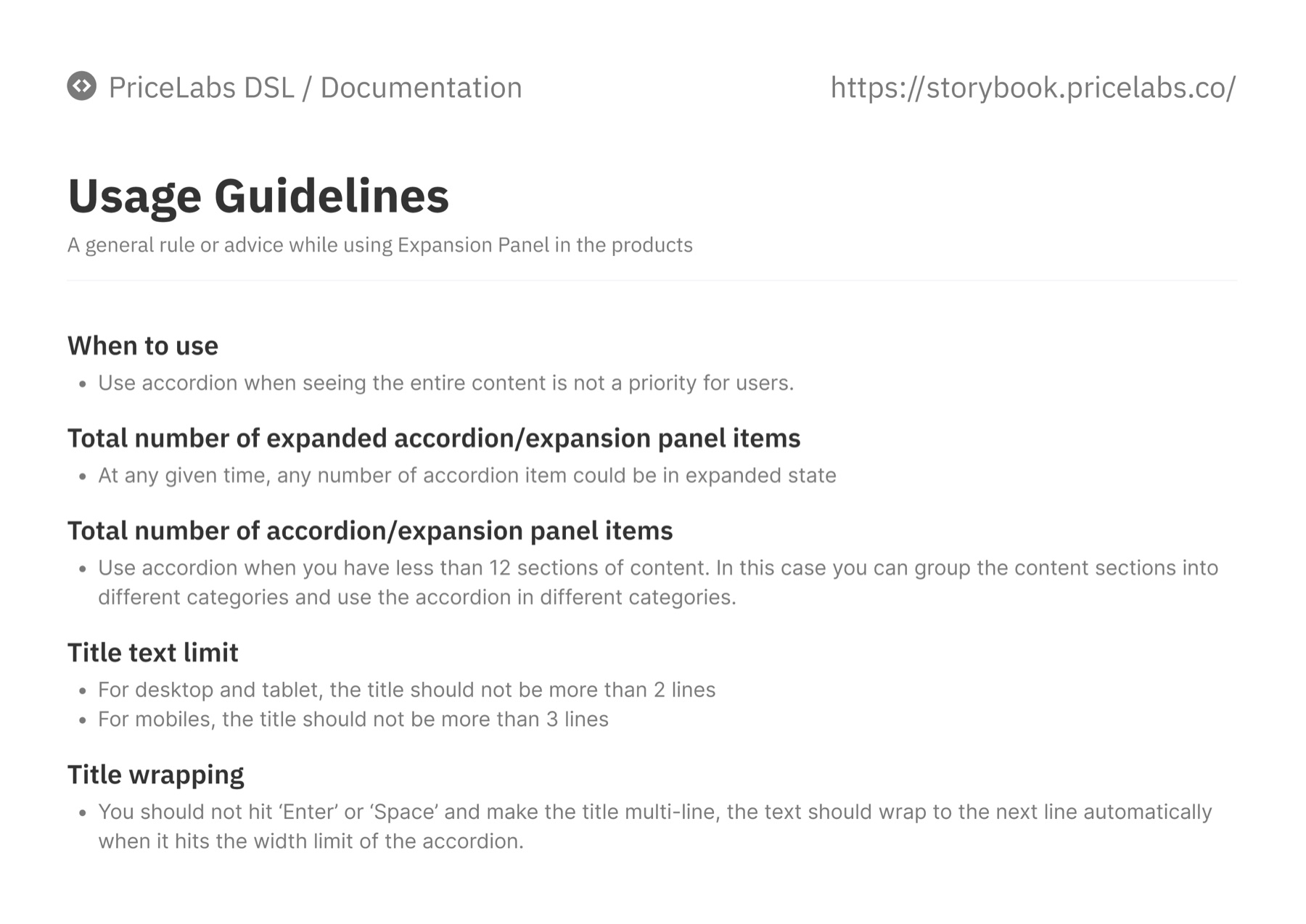
The fifth part, Accessibility, was the thinnest in Figma (a heading and a one-line brief). That gap is what the spec below fills.
06 · From documentation to spec
A designer reads anatomy; an engineer needs a contract. For each component we paired the Figma page with a spec that maps one-to-one to the React component. The Expansion Panel spec:
| Prop | Type | Default | Notes |
|---|---|---|---|
title | string | required | 2 lines max on desktop, 3 on mobile; wraps automatically |
overview | string | Chip[] | none | The “panel overview”: one line of text or a row of chips |
leading | 'none' | 'icon' | 'number' | 'none' | Leading visual from the anatomy |
trailing | 'chevron' | 'menu' | 'dismiss' | 'action' | 'chevron' | Banner variants use menu, dismiss or action |
variant | 'default' | 'banner' | 'default' | Banner adds the info icon and accent border |
expanded / defaultExpanded | boolean | false | Controlled or uncontrolled; any number can be open |
onToggle | (expanded) => void | none | Fires on click, Enter or Space |
children | ReactNode | none | The content slot |
pl-color-border-default, pl-color-surface-info (banner), pl-space-400 padding, pl-radius-200button with aria-expanded and aria-controls; Enter/Space toggle; focus ring 2px, 3:1 contrastSpecs were written for this case study from the Figma documentation; prop names illustrate the contract rather than the exact production API.
06 · Tokens, from Figma to code
Tokens were the bridge. A decision made once in Figma variables flowed into code under the same name, so “change the brand red” was a one-line change.
color / action / primaryspace / 400radius / 200"pl-color-action-primary": "#F37579""pl-space-400": "16px""pl-radius-200": "8px"var(--pl-color-action-primary)var(--pl-space-400)var(--pl-radius-200)<Button variant="primary"><ExpansionPanel><Card>The mobile app added a pl-m-* layer on top (48px controls, 32px chips), so the same names served both platforms.
Making it behave the same everywhere
Components alone don’t make a product consistent. How they combine, and how the product speaks, had to be designed too.
06 · Patterns & tone of voice
Components alone don’t make a product consistent; how they combine does. We documented interaction patterns and a product voice alongside them.
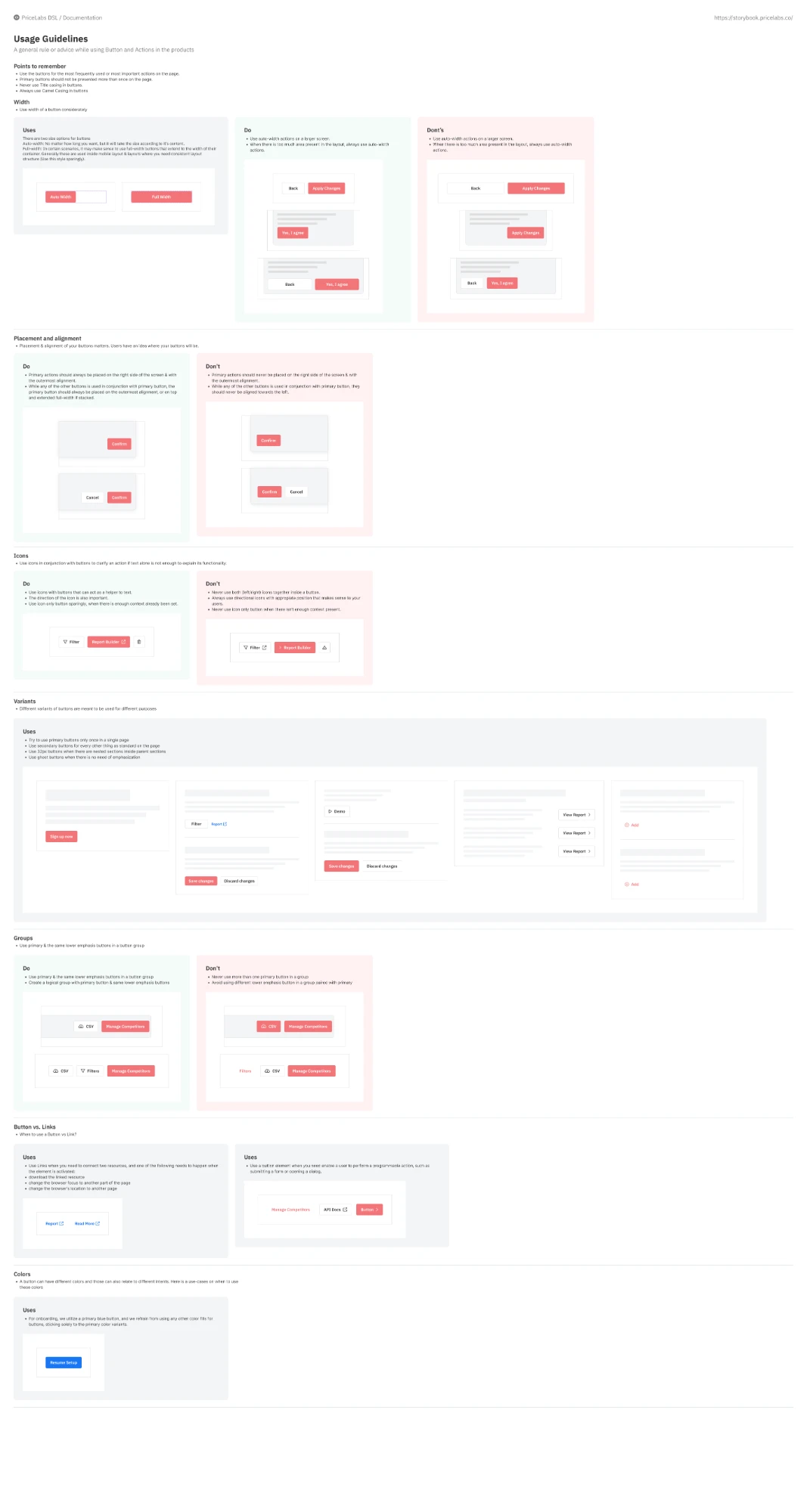
- One primary button per page
- Primary sits on the right, outermost; secondary actions to its left
- Groups: one primary plus same-emphasis secondaries
- Buttons perform actions; links navigate
- Blue is reserved for onboarding
- Clear, not clever
- Confident, not pushy
- Expert, without jargon: say “minimum stay”, not “LOS restriction”
- No title case on buttons
- Icons only where text alone isn’t enough, and never on both sides of a label
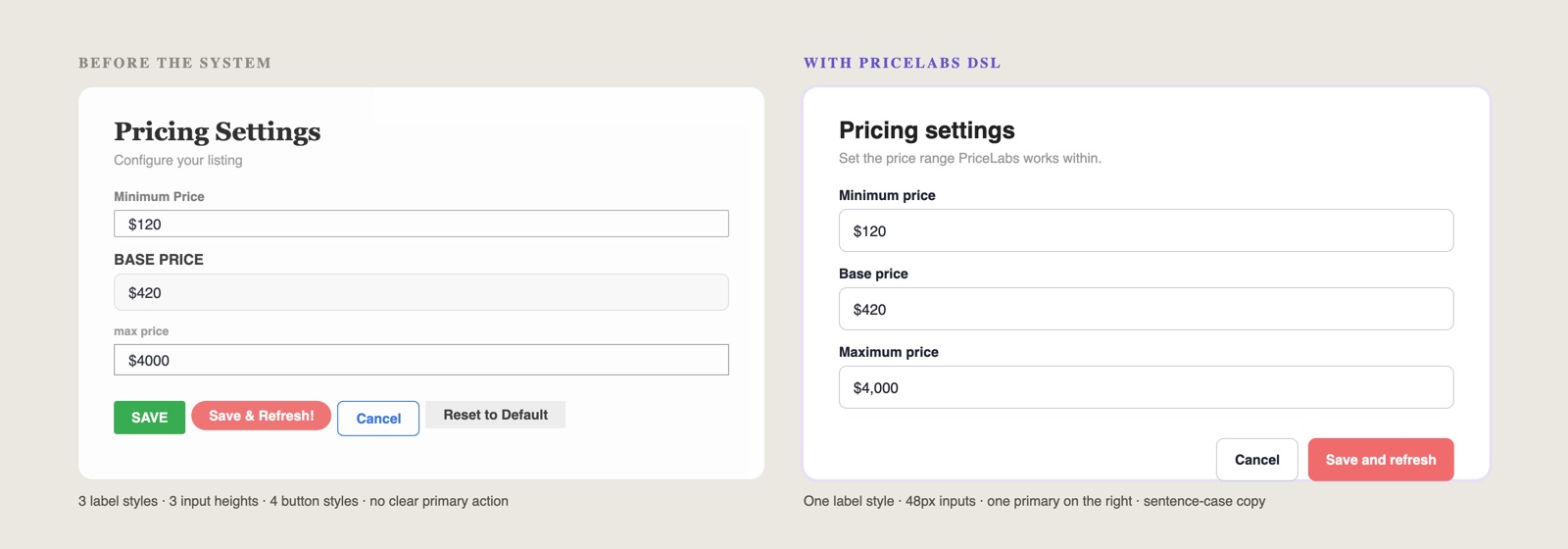
- “Save & Refresh Prices Now!” → “Save and refresh”
- “Invalid input” → “Minimum price must be lower than base price”
07 · Example: the right panel
Guidelines covered behaviour, not just parts.
Product patterns were documented the same way as components. The right panel shows how far the guidelines went: not just the parts, but the behaviour.
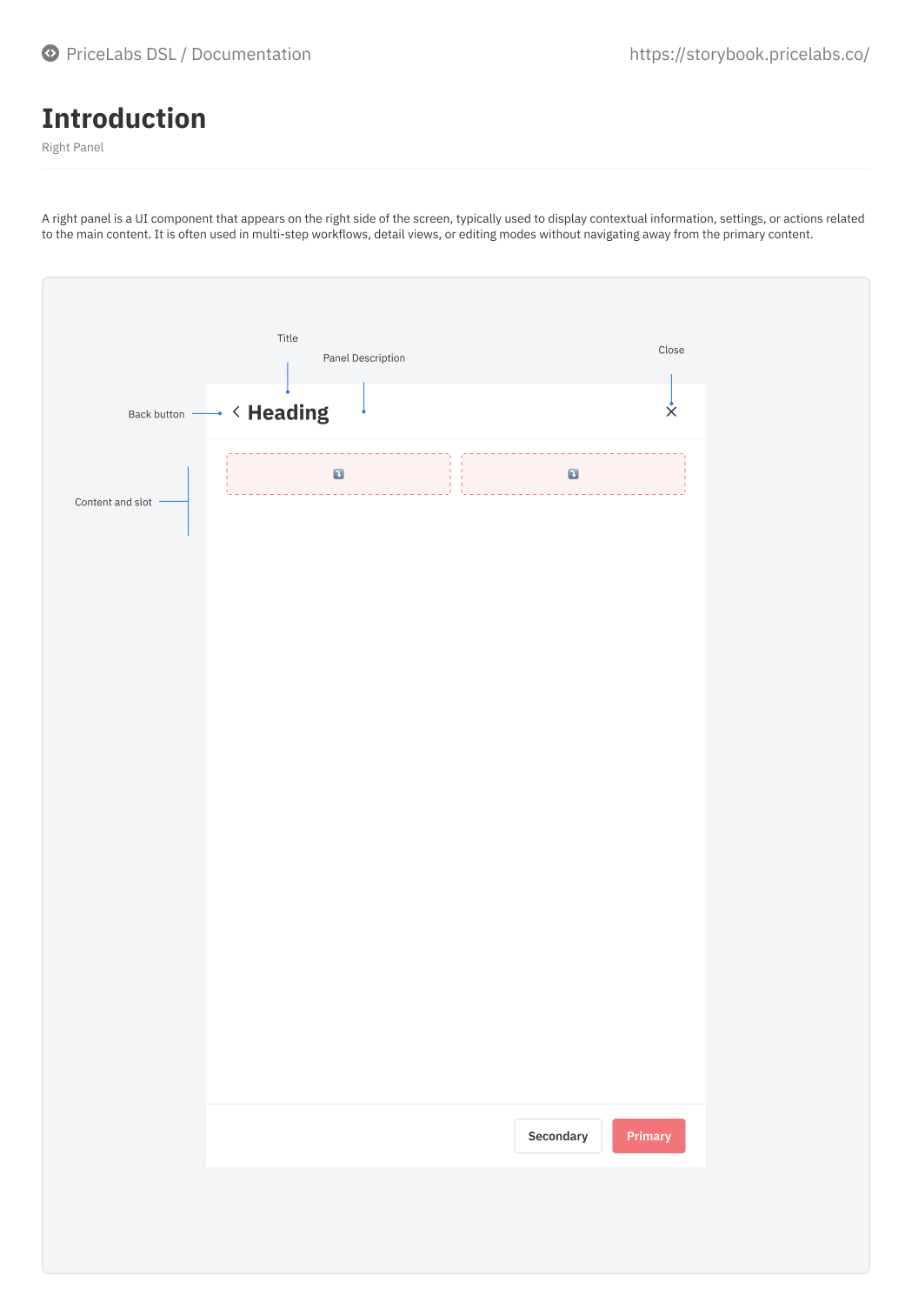
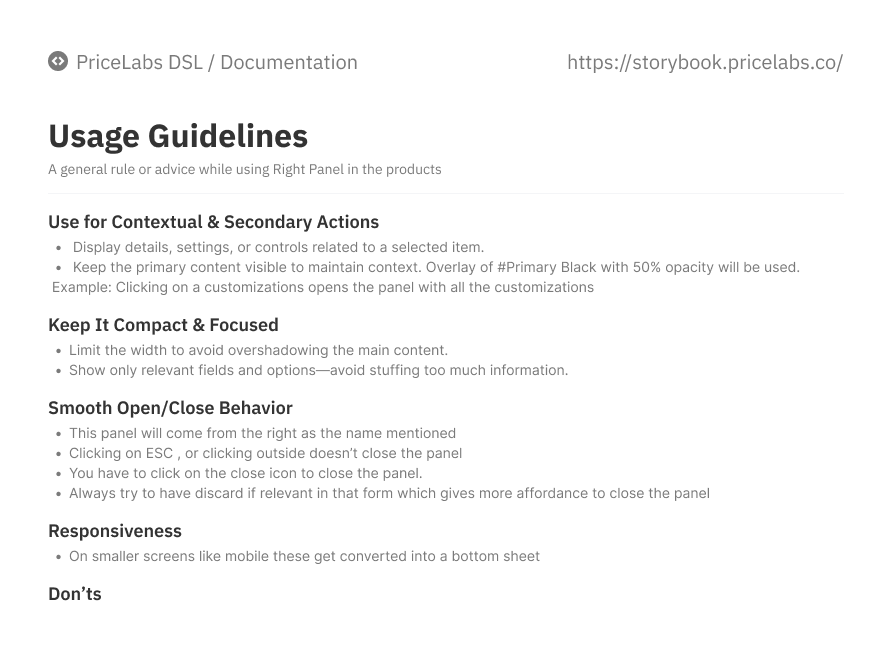
- Contextual, secondary work only: details or settings for a selected item, with the main page still visible under a 50% overlay
- Deliberate closing: Esc and outside clicks don’t close it, so a half-edited form can’t be lost by accident; a discard action makes the exit explicit
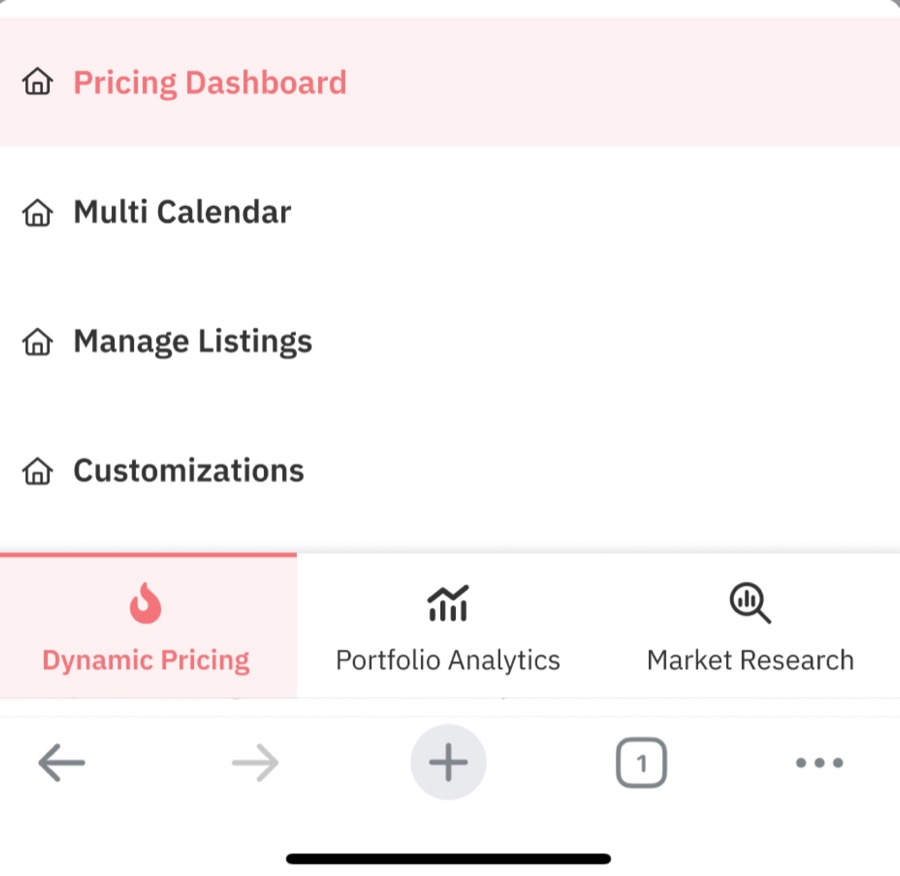
- Responsive by rule: on small screens it becomes a bottom sheet, the same decision that later shaped the mobile app
08 · Accessibility, checked at the token level
Test the token pair once, and the result holds everywhere it’s used.
Screen-by-screen accessibility reviews never finish in a product this size. Instead we checked contrast on token pairs against WCAG 2.2 AA, so a pass or a fail applies to every place that pair appears. Ratios below are calculated from the production hex values.
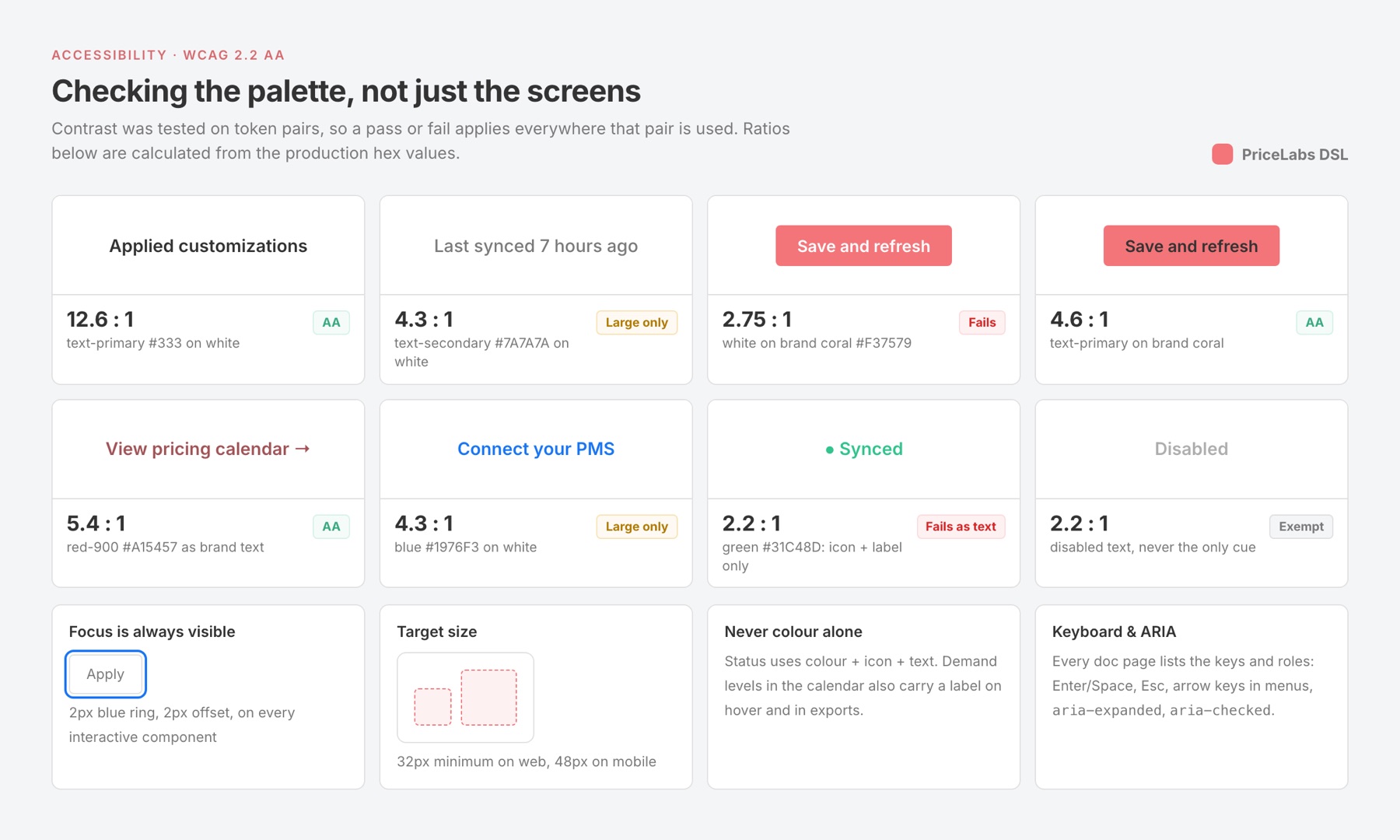
- The brand colour was the biggest catch. White text on coral
#F37579is 2.75:1, below even the 3:1 minimum for large text. Coral stays a fill and an accent; text and links that need to read as “brand” usered-900(5.4:1). - Status colours never work alone. Green
#31C48Dis 2.2:1 on white, so success, warning and error always pair colour with an icon and a label, including the demand colours in the pricing calendar. - Secondary grey is for supporting text only.
#7A7A7Ais 4.3:1: fine for timestamps and helper text at 14px+, not for anything a user must read to act. - Every component page carries the same checklist: visible 2px focus ring, 32px minimum targets on web and 48px on mobile, keyboard map, and ARIA roles that match the Figma property names.
Shipping it, and keeping it alive
A system only counts once it’s in the code. We migrated page by page, then audited real usage to stop it drifting.
08 · Migrating to React
We got a dedicated engineer for the migration. Design and engineering worked side by side: each component was designed, built in React, reviewed for parity and then rolled into pages.
- Page by page, not big-bang. The highest-traffic pages (pricing calendar, dashboard, customizations) went first.
- Component before page. Each component was built in React and checked in Storybook before any page used it.
- Parity review. Old and new screens were compared side by side with a checklist (spacing, states, keyboard, copy) before release.
- Swap and delete. Once a page shipped, its old CSS was removed so the two systems never lived side by side for long.
09 · Scaling the system
An audit of real code usage kept the system honest after launch.
After the migration we kept growing the library, and the same foundations later carried the mobile app: mobile variants on existing components instead of a separate library.
The system lives in two places that mirror each other: the Figma library for design, and Storybook (PriceLabs DSL) as the documented source of truth for engineering, with introduction and usage pages for each component.
A status page before anyone builds a duplicate
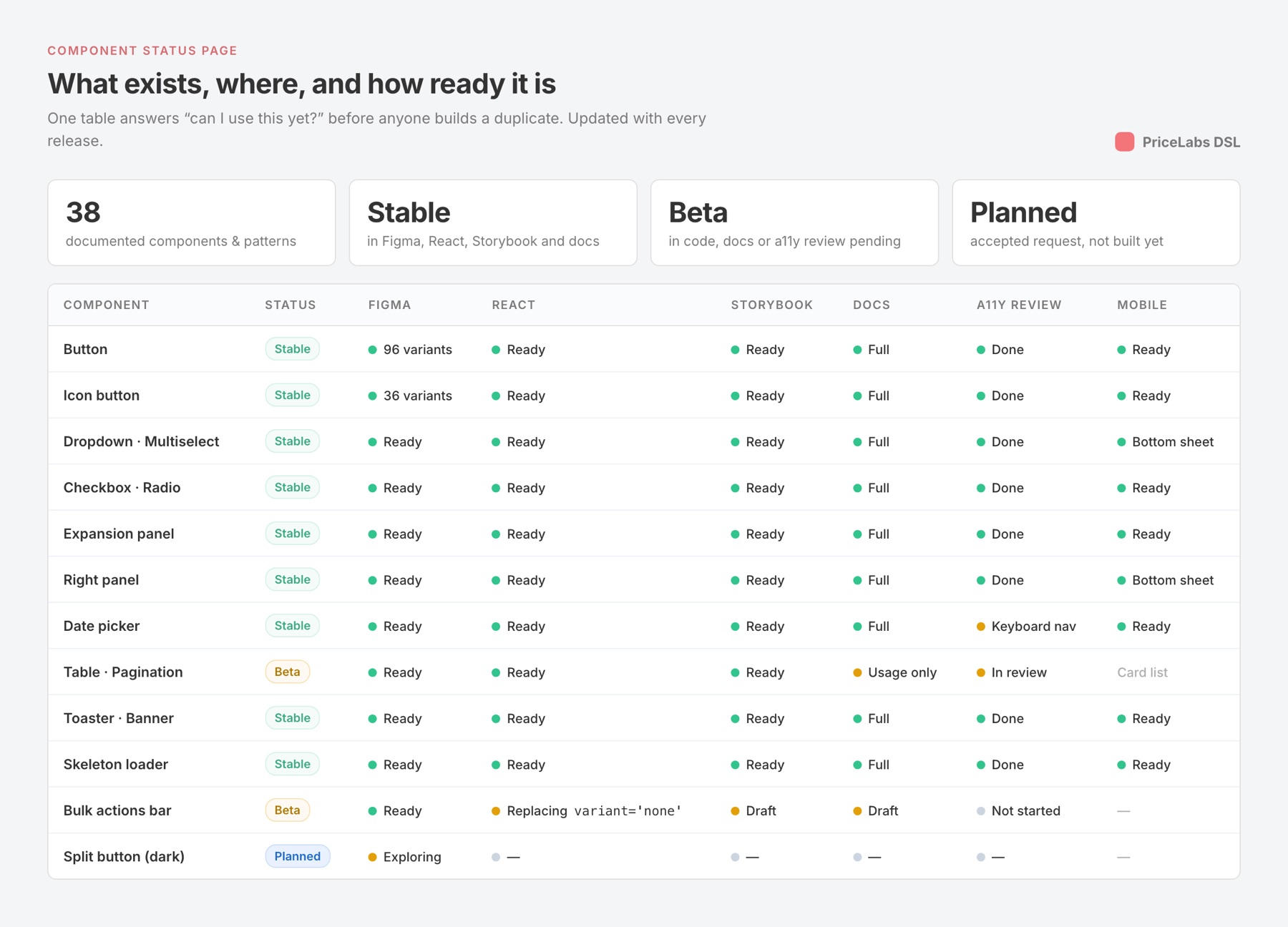
The most common way a system fails is quietly: a squad can’t tell whether a component exists or is ready, so it builds its own. We added a status page that tracks every component across Figma, React, Storybook, documentation, accessibility review and mobile, updated with each release.
Driving adoption, and measuring it
- Status page and Storybook as the single place to check
- Release notes to every squad with each version
- A short demo when a new component lands
- Weekly design-system sync for requests and reviews
- A shared Slack channel for “does this exist?” questions
- Design reviews check for detached or one-off components
- Code audits of real usage, starting with buttons
- Figma library analytics: inserts and detaches per component
- UI inconsistency bugs tagged in QA, tracked over time
Auditing the system in code
A system drifts once it’s in engineers’ hands. In August 2025 we audited how buttons were actually used across the React codebase, screenshotting each case and tracing it to its file, then resolving every one against the guidelines.
| Finding | Where | Resolution |
|---|---|---|
Bulk actions built as buttons with variant='none' | TableBulkOperationsOverlay, MinStaySettingsModal | A dedicated bulk-actions component instead of an escape hatch |
| Buttons too large (48px) in dense tabs | PmsOtaTabs | Size down to the 32px / 40px variants |
| “Go” button breaking on a global min-width | Search inputs | Size rule fixed for inline actions |
| Unclear variant for “Create dashboard”, “Change connect”, Vrbo integration | GetDashboardModal, IntegrationVrbo | Mapped to primary / secondary by emphasis rules |
| Marketing CTAs (e.g. Subscribe now) styled ad hoc | TrailBanner | Aligned to the marketing button styles |
Reviews happened in Figma comments with our design manager, and the same process now extends to dark-mode variants for buttons and split buttons. Design owns the Figma library and the documentation; engineering owns Storybook and the React package. Anyone can propose a component, and every change goes through the same path:
- RequestA template: the problem, where it appears, and why existing components don’t fit
- ReviewWeekly design-system sync: reuse, extend or create
- DesignAnatomy, variants, states, platforms and accessibility in Figma
- BuildReact component and Storybook story, with props matching Figma
- ReleaseVersioned, with a changelog note to every squad
10 · Impact
- Faster buildsNew pages are assembled from components, so design QA focuses on flows instead of pixels.
- A shared languagePMs, designers and engineers name the same things the same way, from Figma to Storybook to the codebase.
- Ready for the next platformThe mobile app reused the same tokens and component logic instead of starting over.
Evolution
A design system is never done. How it grew after v1.
-
Tokens + core components for the React migration
- Why
- Repeated inconsistency in a developer-run product
- What shipped
- Tokens, basic components and variants, patterns, tone of voice
- Result
- Core pages migrated to React on shared components
-
Second-wave and product-specific components
- Why
- Squads building analytics and settings needed panels, groups and denser tables
- What shipped
- Right panel, links & icon buttons, checkbox and radio groups, documented in Storybook, plus tables, pagination, toasters and skeleton loaders
- Result
- 38 documented components and patterns
-
Mobile variants for the app
- Why
- The mobile app needed touch-friendly components without a second library
- What shipped
- 22 mobile components: 48px controls, 32px chips, AAA/AA contrast, mobile tokens
- Result
- App launched Jul 2026 on the same system